
अपना store describe करें,
AI बना देगा।
Ekomspace को बताएं आप क्या बेचते हैं और किसे बेचते हैं। AI आपका पूरा store A to Z बना देता है: हर page, product photos, logo और नाम भी — अगर अभी तक नहीं सोचा है तो। आप adjust करें, फिर publish करें।
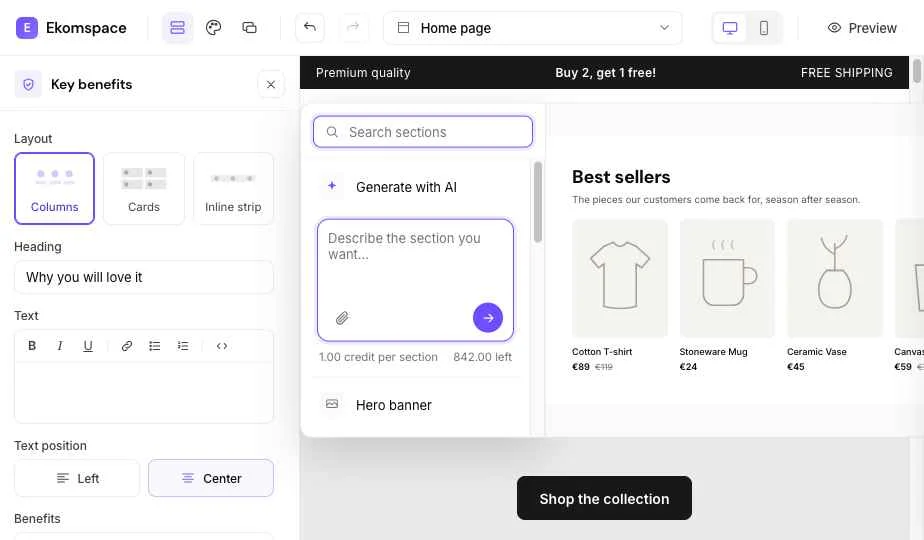
A to Z — पूरा store
आपकी description से pages, texts, product photos, logo और store का नाम generate होता है। आप एक real store से शुरू करते हैं, किसी खाली template से नहीं।
पूरा control आपके हाथ में
AI जो कुछ भी बनाता है, वो सब drag & drop editor में खुलता है। जब चाहें — एक शब्द, एक रंग या पूरा section बदलें।
सिर्फ उतना pay करें जितना generate करें
AI credits पर चलता है। आपका balance हमेशा top bar में दिखता है, और एक section generate करने में लगभग एक credit लगता है।
एक idea से एक ऐसा store — जिससे बेच सकें
AI पहले version की सारी मेहनत संभाल लेता है। आप focus करें अपने products, brand और launch पर।
आपकी description से generate हुआ पूरा store
कुछ sentences में अपने products, style और audience के बारे में बताएं। Ekomspace उसके इर्द-गिर्द पूरा store generate करता है: हर page, texts, product photos, logo और store का नाम — अगर अभी तक नहीं सोचा है तो।
- हर page generate होता है: home, collections, product pages और बाकी सब
- Product photos, logo और copy — एक साथ बन जाते हैं
- अगर नाम नहीं है तो store का नाम भी suggest होता है
- Homepage real sections से बनता है: hero banner, featured collections, image + text
- Editor में सीधे खुलता है, refine करने के लिए तैयार
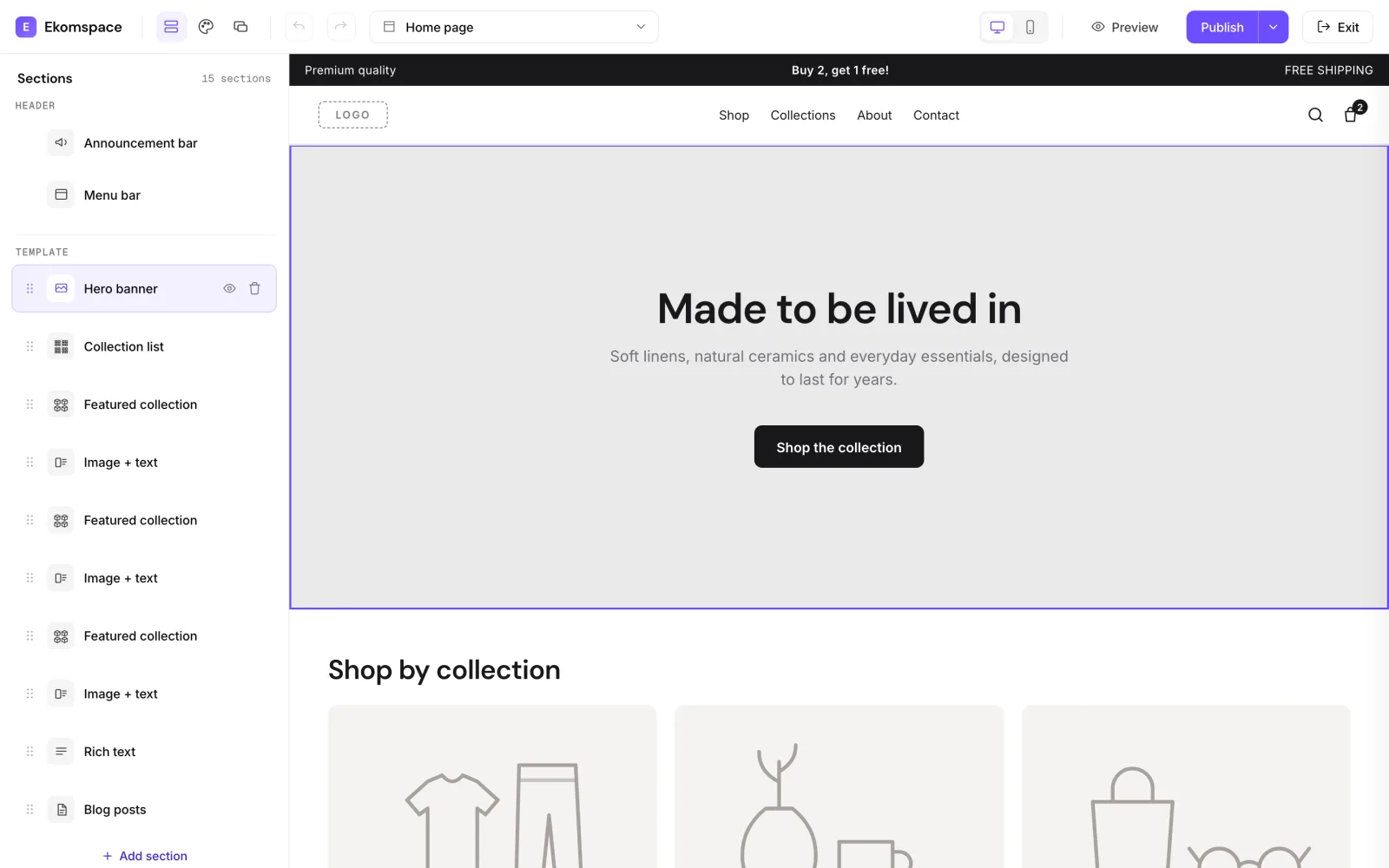
Prompt से कोई भी section add करें
किसी page पर नया block चाहिए? Section list खोलें, Generate with AI चुनें और बताएं क्या चाहिए। Section आपके store के style में बन जाता है और सीधे page में आ जाता है।
- "Generate with AI" section list में सबसे ऊपर मिलता है
- आसान भाषा में section describe करें, जरूरत हो तो file भी attach करें
- Send करने से पहले credit cost और बचा हुआ balance दिखता है
- Result को किसी भी दूसरे section की तरह edit करें
जहाँ भी जरूरत हो — AI writing
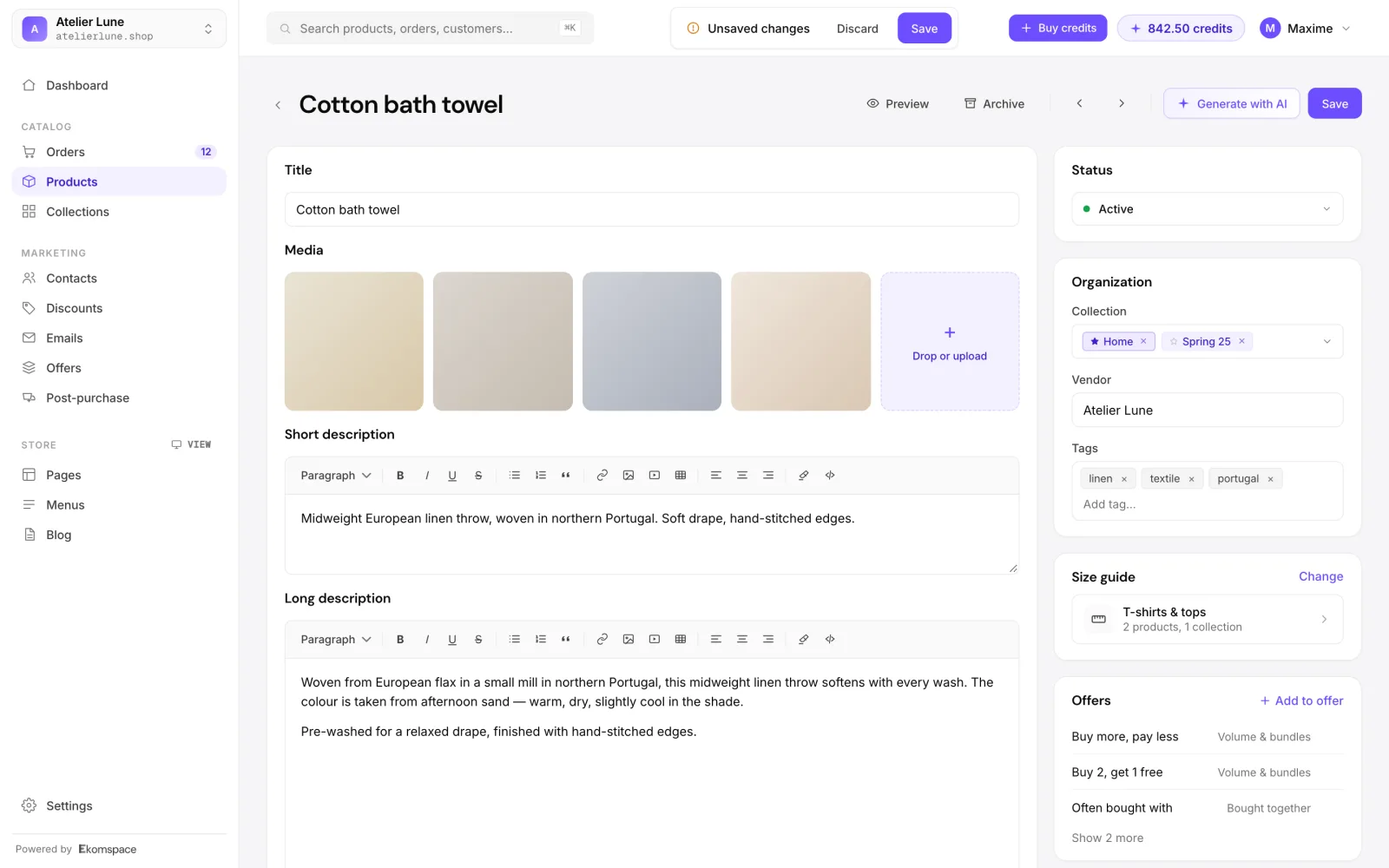
वही AI launch के बाद भी काम आता है। Product, collection, email और blog screens पर Generate with AI button मौजूद है — writing कभी आपका store नहीं रोकेगी।
- Product की short और long descriptions
- Collection descriptions
- Email campaigns और blog articles
- हर text पूरी तरह editable रहता है
तीन steps में आपका store
अपना project describe करें
कुछ sentences में बताएं — आप क्या बेचते हैं, आपका style कैसा है, customers कौन हैं। नाम या logo नहीं है? बस कह दीजिए।
AI को build करने दें
Ekomspace हर page, texts, product photos, logo और store का नाम generate करता है।
Refine करें और publish करें
Sections adjust करें, अपने products add करें, domain connect करें और live हो जाएं।
अक्सर पूछे जाने वाले सवाल
AI exactly क्या बनाता है?
आपका पूरा store, A to Z: हर page अपने texts के साथ, product photos, logo और — अगर नहीं है तो — store का नाम। बस बताइए आपको क्या चाहिए, और सब कुछ editor में खुल जाता है ताकि publish करने से पहले बदल सकें।
क्या AI का बनाया हुआ edit हो सकता है?
हाँ, सब कुछ। Sections, texts, images, colours और fonts — सब drag & drop editor में बदले जा सकते हैं, और sections कभी भी add, remove या reorder किए जा सकते हैं।
AI credits कैसे काम करते हैं?
AI features credits इस्तेमाल करते हैं। आपका balance top bar में एक Buy credits button के साथ दिखता है, और AI से एक section add करने में लगभग एक credit लगता है।
क्या design या coding skills जरूरी हैं?
नहीं। AI पहला version बनाता है और editor drag & drop पर काम करता है।
क्या बाद में design बदल सकते हैं?
हाँ। किसी भी section को drag & drop से edit करें, एक click में style presets बदलें, या AI से section दोबारा बनाने को कहें।
और फीचर्स एक्सप्लोर करें
AI प्रोडक्ट डिस्क्रिप्शन
AI से प्रोडक्ट और collection डिस्क्रिप्शन बनाएं, सीधे अपने catalogue में — फिर जैसे चाहें एडिट करें।
और जानें → Store Builder
Ready-made sections, one-click style presets और mobile preview के साथ drag & drop editor।
और जानें →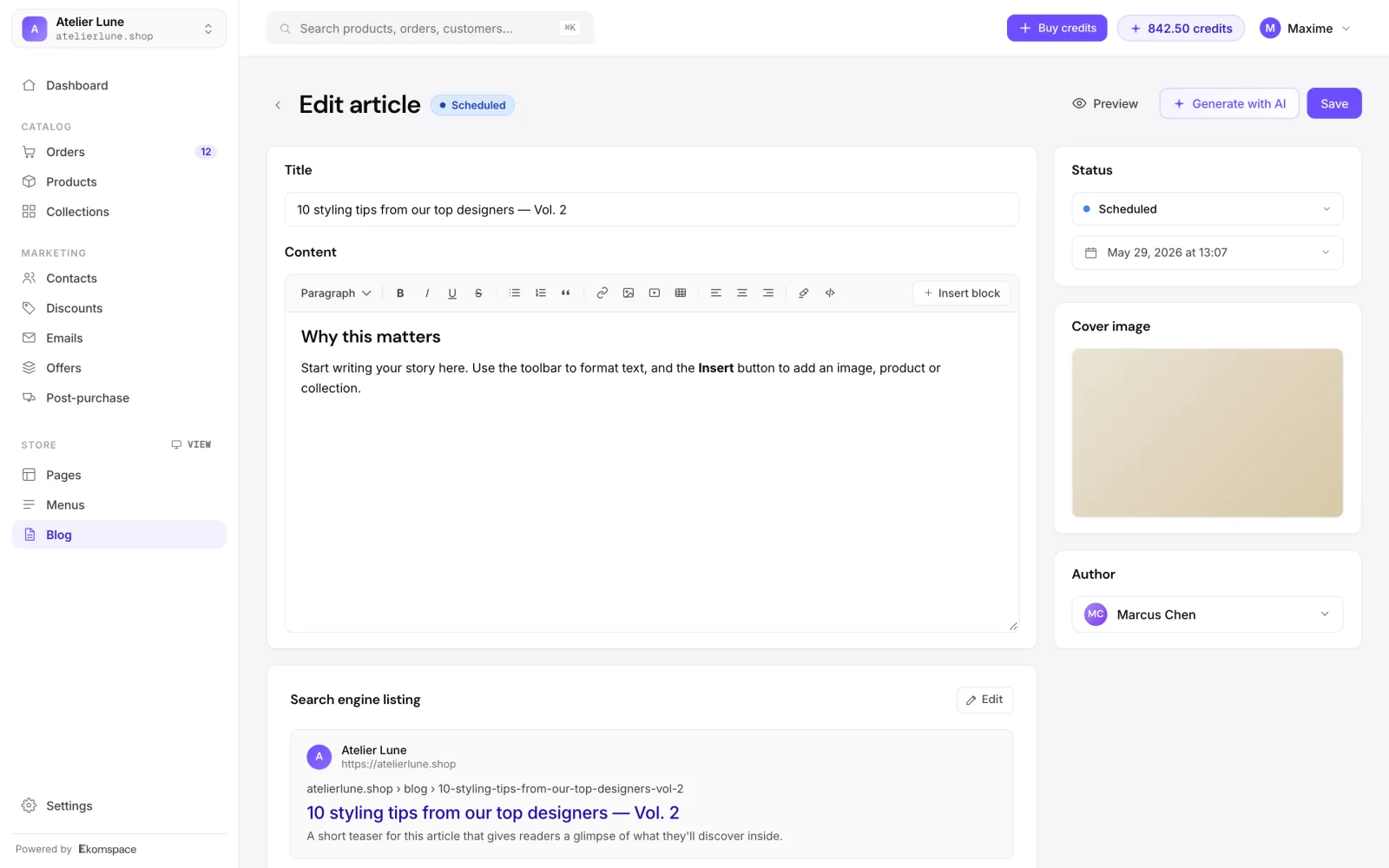
SEO & blog
Live Google preview, sitemap, Search Console connection और AI blog autopilot के साथ native SEO।
और जानें →आज ही अपना idea एक real store में बदलें
- आपका पूरा store generate होगा: pages, photos, logo, नाम
- Simple prompt से AI sections add करें
- सब कुछ refine करने के लिए drag & drop editor
- Products और collections के लिए AI descriptions