
अपना store design करें,
एक-एक section करके।
Sections को drag करके अपने store के हर page को बनाएं। एक style चुनें, mobile पर preview करें और जब सही लगे तो publish करें।
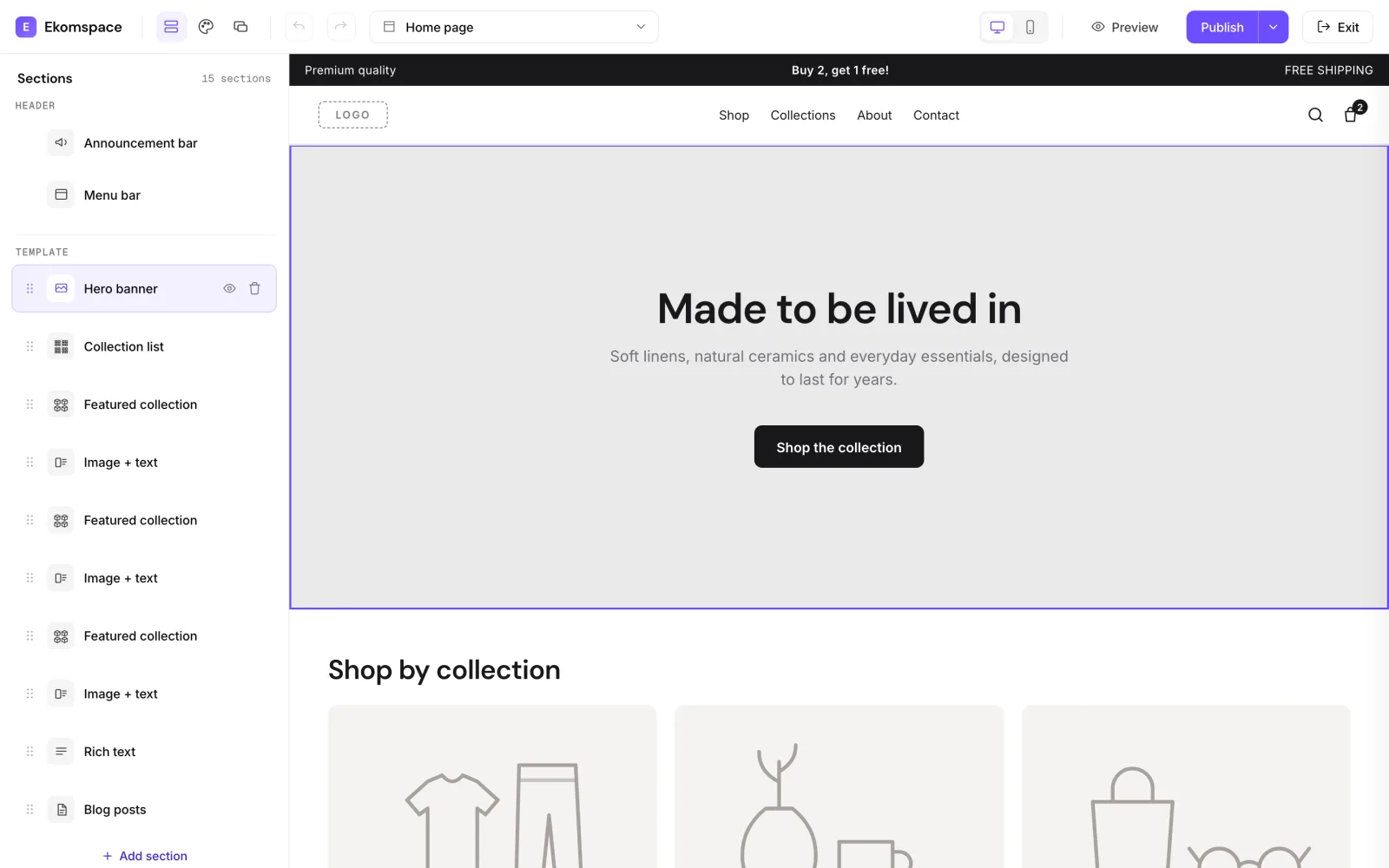
Drag करो, drop करो, publish करो
Sections को कुछ clicks में add, hide, reorder या delete करें और result को live देखें। किसी developer की ज़रूरत नहीं।
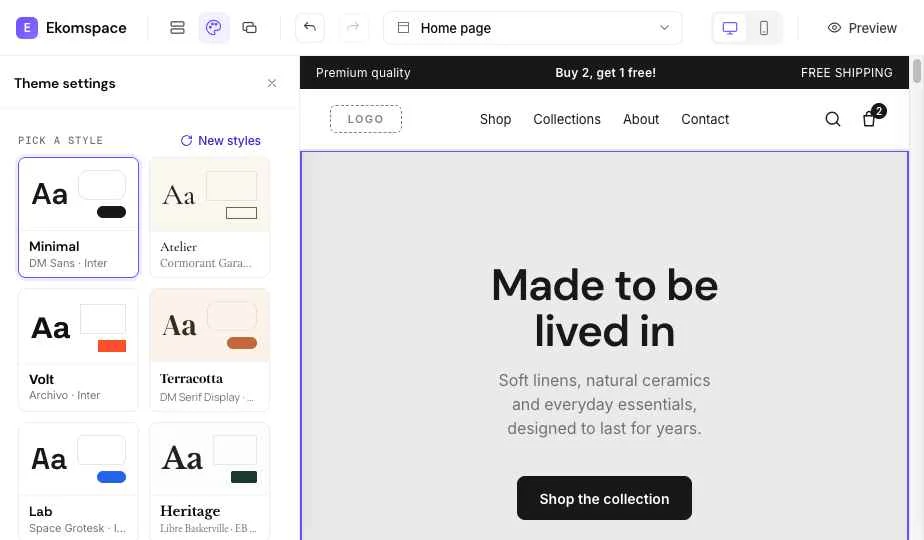
एक click में पूरी style
Style presets एक बार में आपके पूरे store के fonts और colours बदल देते हैं।
हर screen पर बेहतरीन
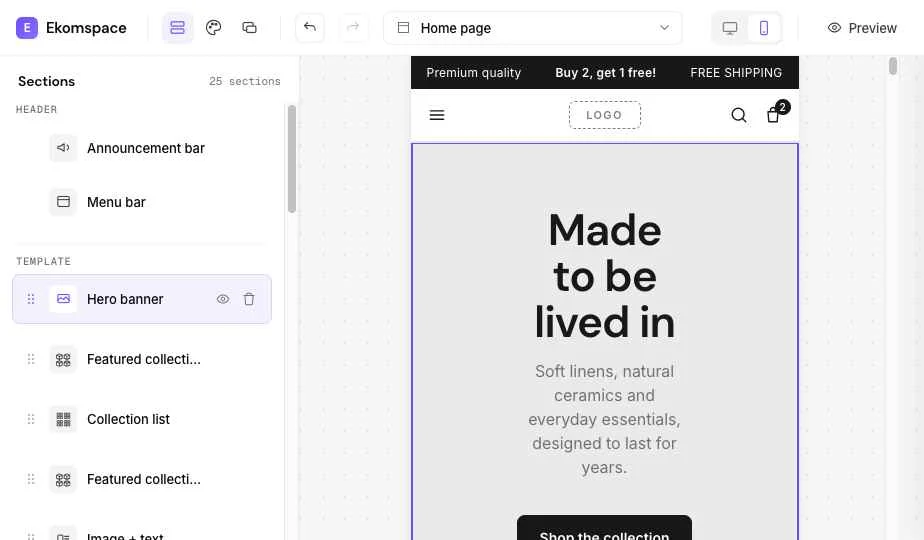
हर store 100% responsive है। Publish करने से पहले हर page check करने के लिए mobile preview पर switch करें।
एक converting store design करने के लिए सब कुछ
Home, collection, product, cart और checkout pages, header, footer और menus: सब कुछ एक ही जगह से edit होता है।
हर page के लिए ready-made sections
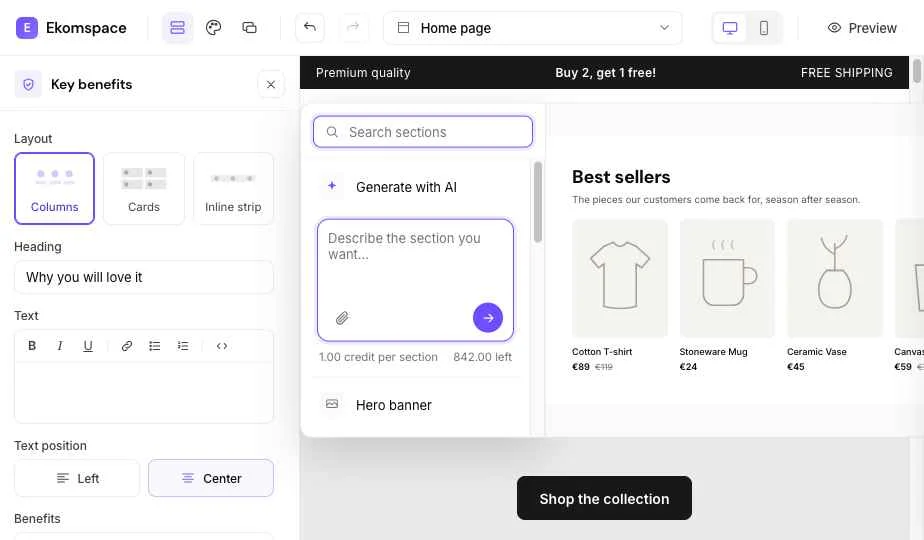
E-commerce के लिए बनाए गए sections से अपने pages तैयार करें। उन्हें order में drag करें, content set करें और preview में फौरन बदलाव देखें।
- Announcement bar, menu bar, hero banner और footer
- Featured collection, collection list, image + text, rich text
- Blog posts, comparison table और भी बहुत कुछ
- Section को delete किए बिना hide करें, undo और redo करें
- एक simple prompt से AI के साथ section add करें
Style Presets
एक style चुनें और पूरा store उसे follow करे — fonts, colours और buttons सभी जगह apply हो जाते हैं। फिर किसी भी section को अपने हिसाब से fine-tune करें।
- Minimal, Atelier, Volt, Terracotta, Lab और Heritage जैसे styles
- पूरे store में apply होने वाले font और colour presets
- छह style presets: Minimal, Atelier, Volt, Terracotta, Lab और Heritage
- Fonts और colours कभी भी बदलें
Built-in Mobile Preview
आपके ज़्यादातर visitors phone पर shopping करते हैं। एक click में editor को mobile view पर switch करें और हर page को वैसे देखें जैसे आपके customers देखेंगे।
- Editor में desktop और mobile preview
- 100% responsive sections
- Excellent Core Web Vitals के साथ fast pages
- Publish करने से पहले पूरे store का preview करें
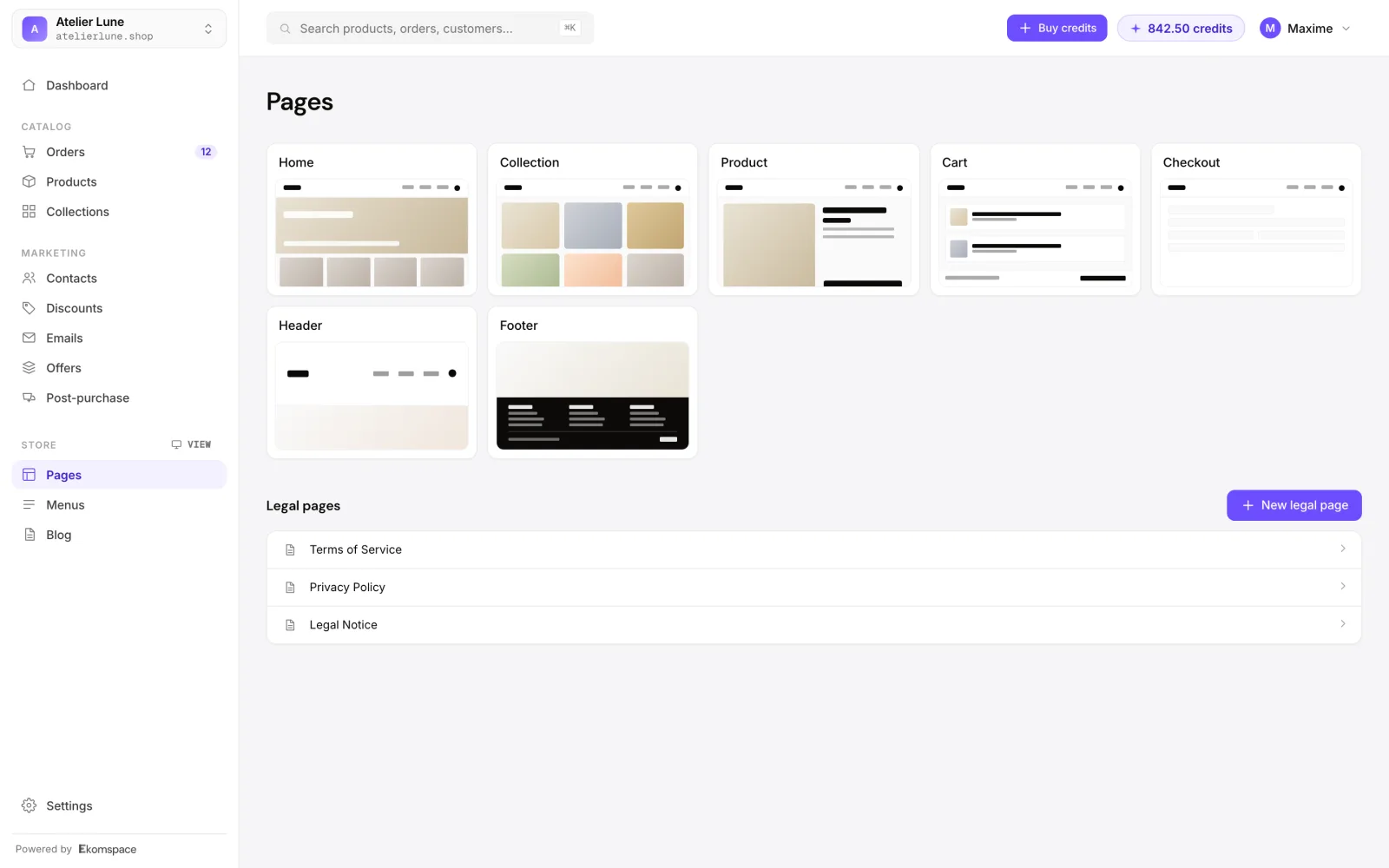
सभी pages और menus एक जगह
अपने key pages के templates, header और footer, और legal pages को edit करें। Nested menus से ऐसी navigation बनाएं जो आपके store में कहीं भी link कर सके।
- Home, collection, product, cart और checkout templates
- पूरे store में shared header और footer
- Terms of service, privacy policy और legal notice pages
- Products, collections, pages, blog posts या external URLs को link करने वाले menus, sub-items के साथ
तीन steps में store design करें
एक style चुनें
AI को अपना store generate करने दें, फिर एक style preset, अपने fonts और colours चुनें।
Sections को arrange करें
हर page पर sections को drag करके लगाएं और उन्हें अपने texts और images से भरें।
Mobile पर check करें और publish करें
Desktop और mobile पर preview करें, फिर एक click में अपने changes publish करें।
अक्सर पूछे जाने वाले सवाल
क्या coding जाननी ज़रूरी है?
नहीं। Editor drag & drop से काम करता है और हर section को simple fields से set up किया जाता है।
क्या पूरे store का look एक साथ बदल सकते हैं?
हां। Style presets एक click में पूरे store के fonts और colours बदल देते हैं, और आप AI से किसी भी section को redesign करवा सकते हैं।
क्या store mobile पर अच्छा दिखेगा?
हां। हर store 100% responsive है, और editor में mobile preview है ताकि publish करने से पहले हर page check कर सकें।
कौन से pages customize किए जा सकते हैं?
Home, collection, product, cart और checkout templates, header और footer, legal pages और आपके menus।
क्या editor में AI use कर सकते हैं?
हां। Section list में Generate with AI चुनें, जो section चाहिए उसे describe करें और वह आपके page में add हो जाएगा। इसमें AI credits लगते हैं।
और फीचर्स एक्सप्लोर करें
AI store builder
बताइए आपको क्या चाहिए: AI आपका पूरा store generate करता है — हर page, product photos, logo और store का नाम।
और जानें →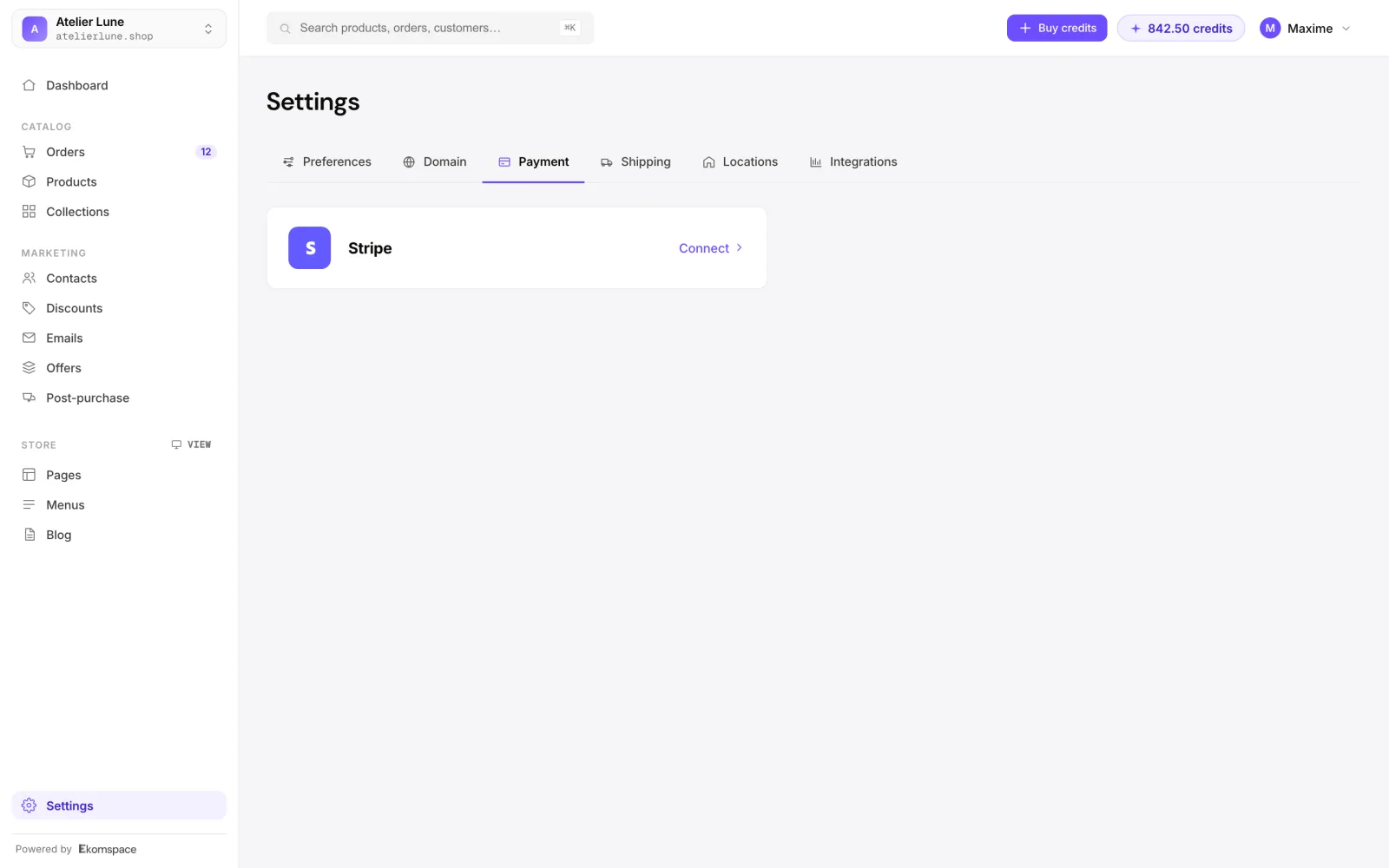
Checkout & payments
Stripe, PayPal, Apple Pay, Google Pay, Klarna, multi-currency और order bumps के साथ एक पूरी तरह editable checkout।
और जानें →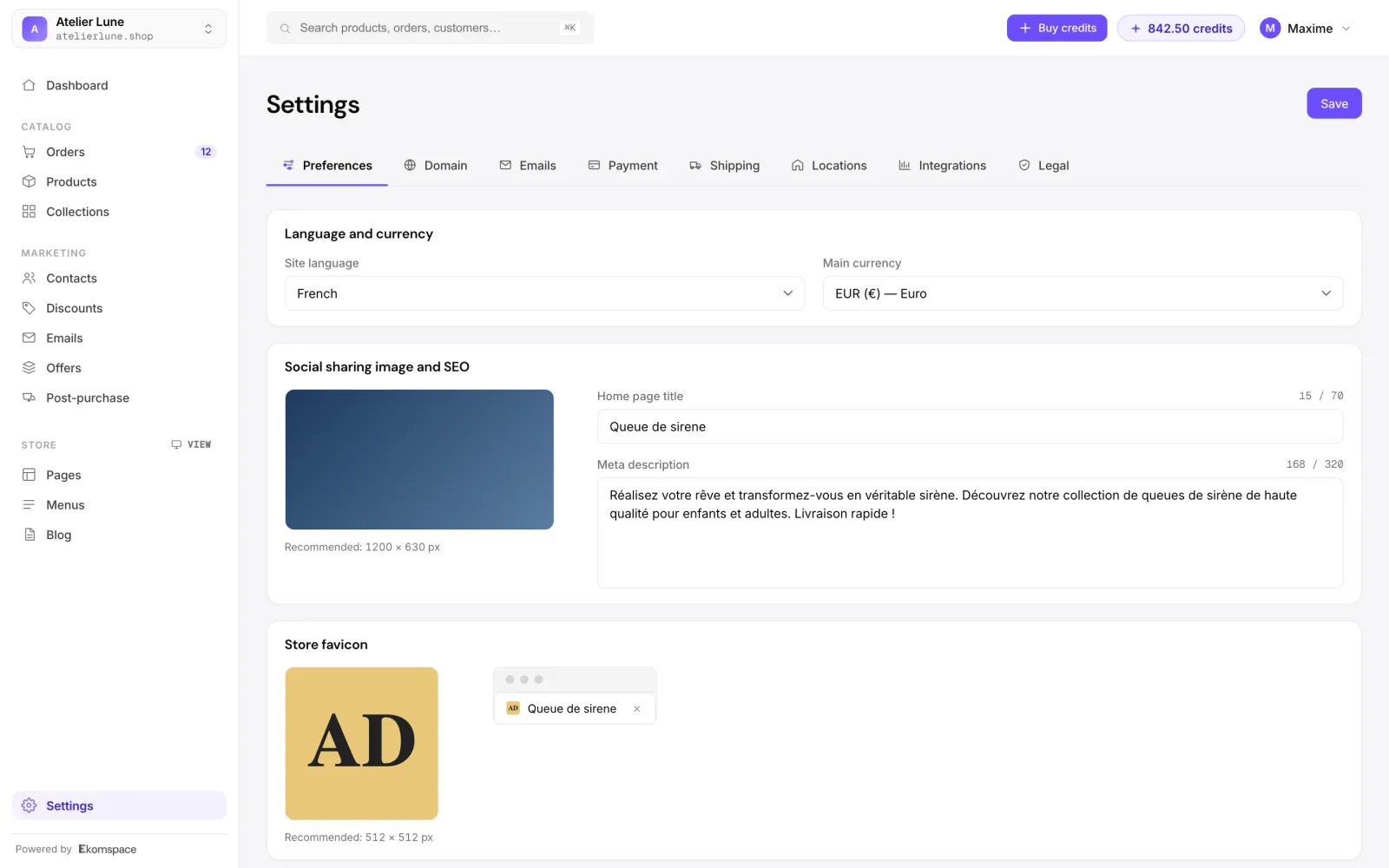
अंतरराष्ट्रीय स्तर पर बेचें
कोई भी भाषा, हर भाषा के लिए अपने domain पर एक store, हर store पर सभी currencies और worldwide shipping zones।
और जानें →एक store बनाएं जो आपके brand जैसा दिखे
- Ready-made sections के साथ drag & drop editor
- One-click style presets
- Mobile preview और responsive design
- Request पर AI edits