
Design your store,
section by section.
Build every page of your store by dragging sections into place. Pick a style, preview on mobile and publish when it looks right.
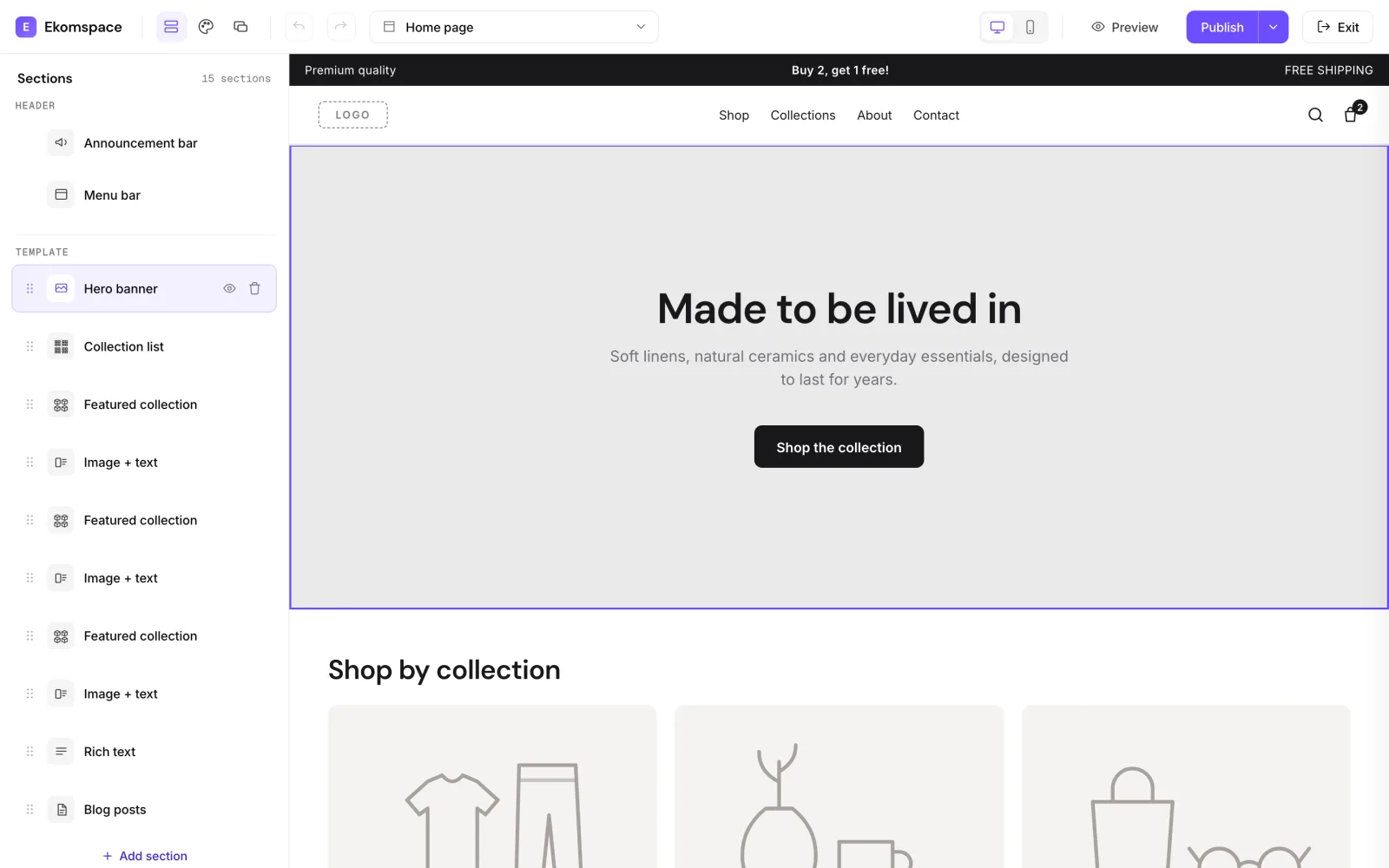
Drag, drop, publish
Add, hide, reorder or delete sections in a few clicks and see the result live. No developer needed.
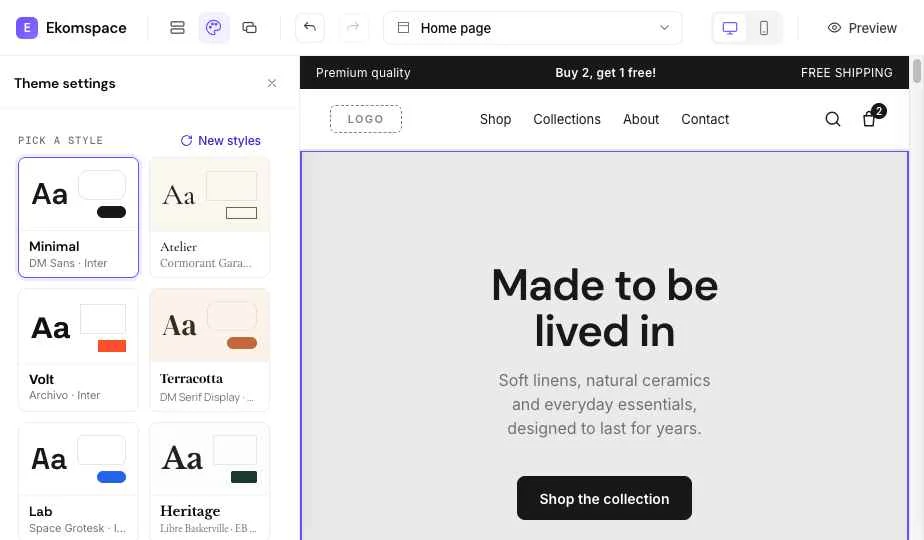
A style in one click
Style presets change fonts and colours across your whole store at once.
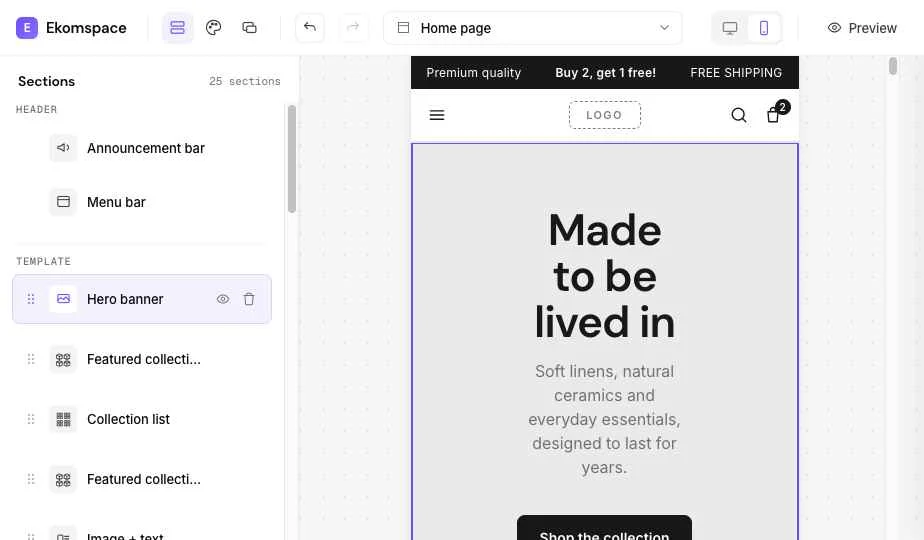
Perfect on every screen
Every store is 100% responsive. Switch to mobile preview to check each page before publishing.
Everything you need to design a store that converts
Home, collection, product, cart and checkout pages, header, footer and menus: everything is edited from one place.
Ready-made sections for every page
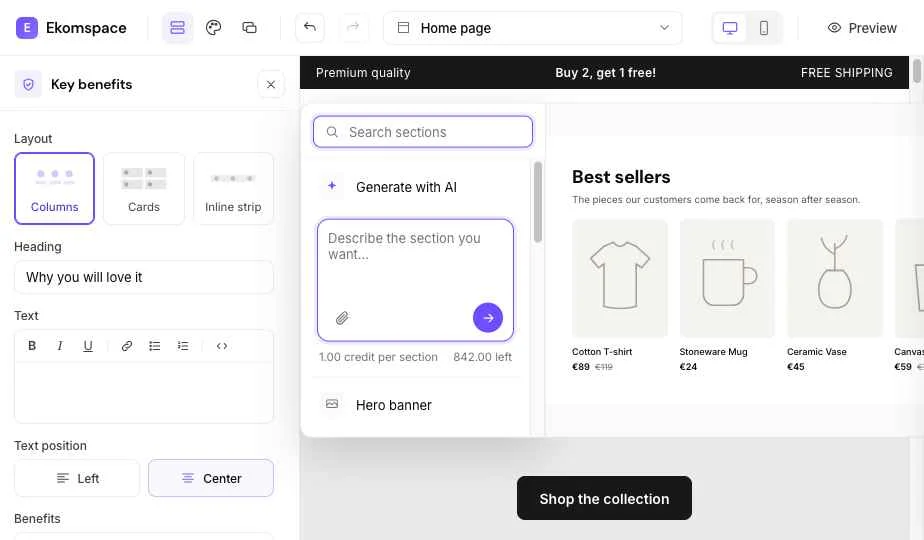
Build your pages from sections designed for e-commerce. Drag them into order, set their content and see the change instantly in the preview.
- Announcement bar, menu bar, hero banner and footer
- Featured collection, collection list, image + text, rich text
- Blog posts, comparison table and more
- Hide a section without deleting it, undo and redo
- Add a section with AI from a simple prompt
Style presets
Choose a style and your whole store follows: fonts, colours and buttons are applied everywhere. Then fine-tune any section to make it yours.
- Styles such as Minimal, Atelier, Volt, Terracotta, Lab and Heritage
- Font and colour presets applied store-wide
- Six style presets: Minimal, Atelier, Volt, Terracotta, Lab and Heritage
- Fonts and colours adjustable at any time
Mobile preview built in
Most of your visitors shop on their phone. Switch the editor to mobile view in one click and check every page as your customers will see it.
- Desktop and mobile preview in the editor
- 100% responsive sections
- Fast pages with excellent Core Web Vitals
- Preview the full store before you publish
Every page and menu in one place
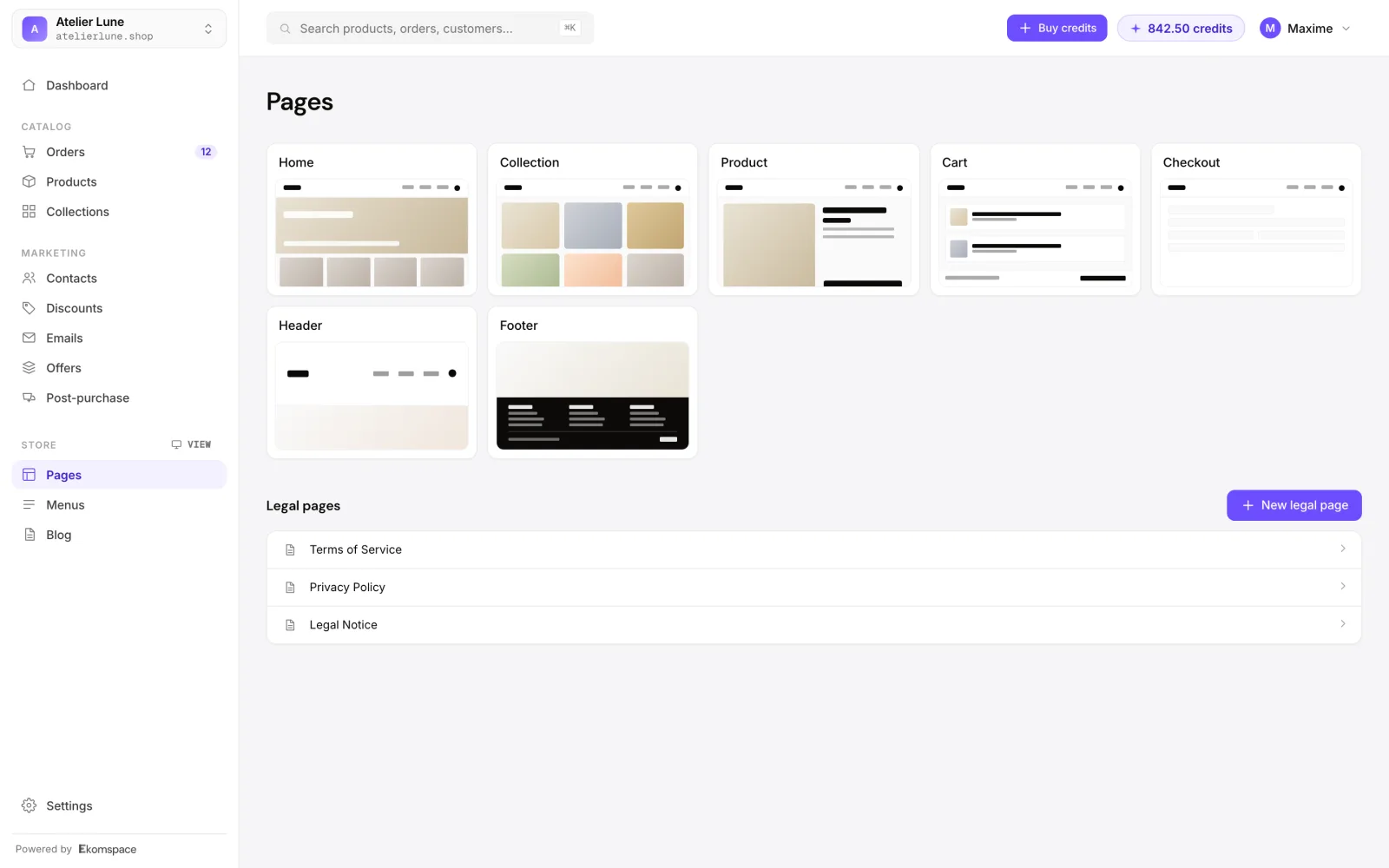
Edit the templates of your key pages, your header and footer, and your legal pages. Build your navigation with nested menus that link to anything in your store.
- Home, collection, product, cart and checkout templates
- Header and footer shared across the store
- Terms of service, privacy policy and legal notice pages
- Menus linking products, collections, pages, blog posts or external URLs, with sub-items
Design your store in three steps
Pick a style
Let the AI generate your store, then choose a style preset, your fonts and your colours.
Arrange your sections
Drag sections into place on each page and fill them with your texts and images.
Check on mobile and publish
Preview on desktop and mobile, then publish your changes in one click.
Frequently asked questions
Do I need to know how to code?
No. The editor works by drag & drop and every section is set up with simple fields.
Can I change the look of my whole store?
Yes. Style presets change fonts and colours across the whole store in one click, and you can ask the AI to redesign any section.
Will my store look good on mobile?
Yes. Every store is 100% responsive, and the editor has a mobile preview so you can check each page before publishing.
Which pages can I customise?
Home, collection, product, cart and checkout templates, the header and footer, legal pages and your menus.
Can I use AI in the editor?
Yes. Choose Generate with AI in the section list, describe the section you want and it is added to your page. It uses AI credits.
Explore more features
AI store builder
Describe what you need: the AI generates your whole store, with every page, product photos, logo and store name.
Learn more →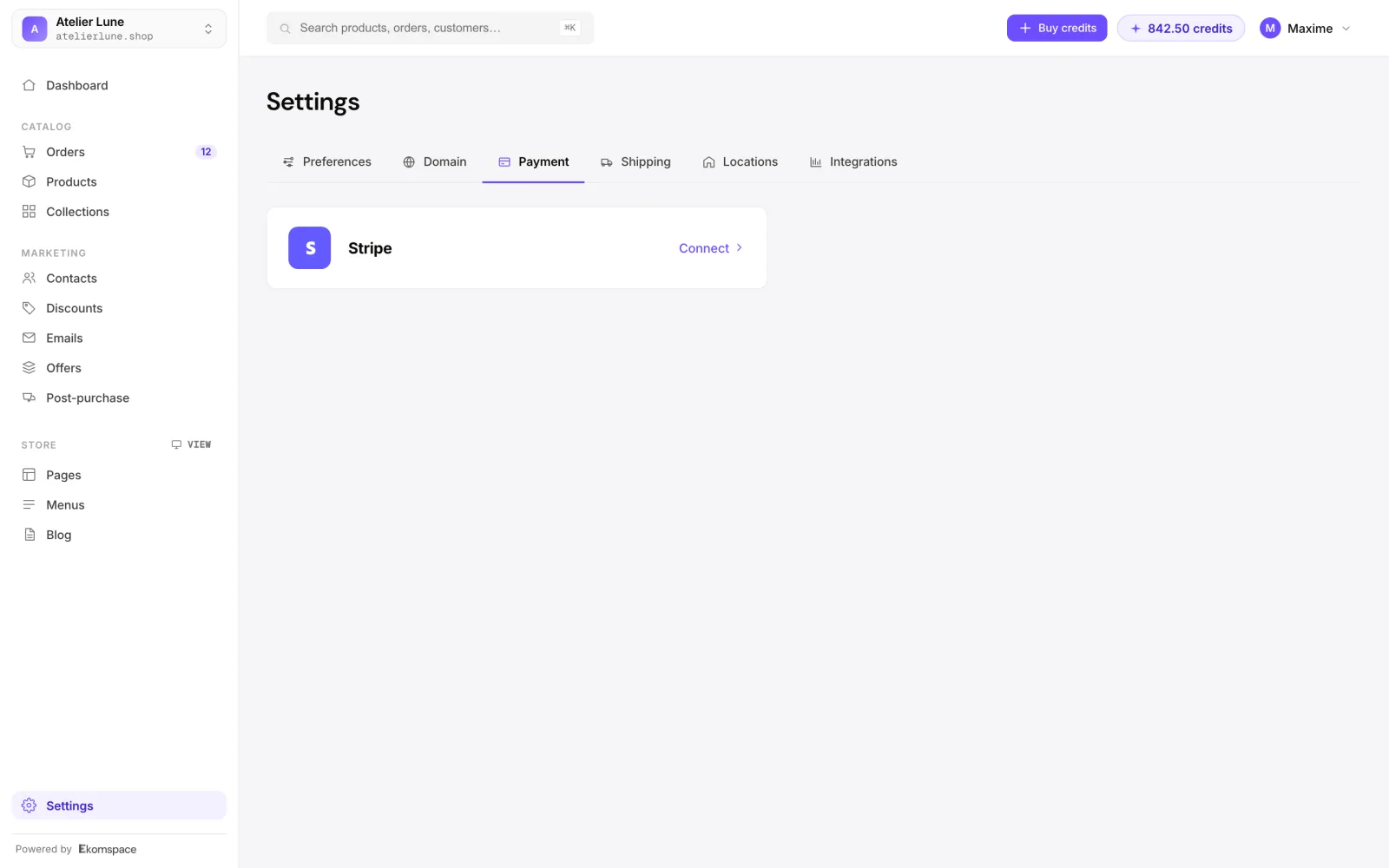
Checkout & payments
A fully editable checkout with Stripe, PayPal, Apple Pay, Google Pay, Klarna, multi-currency and order bumps.
Learn more →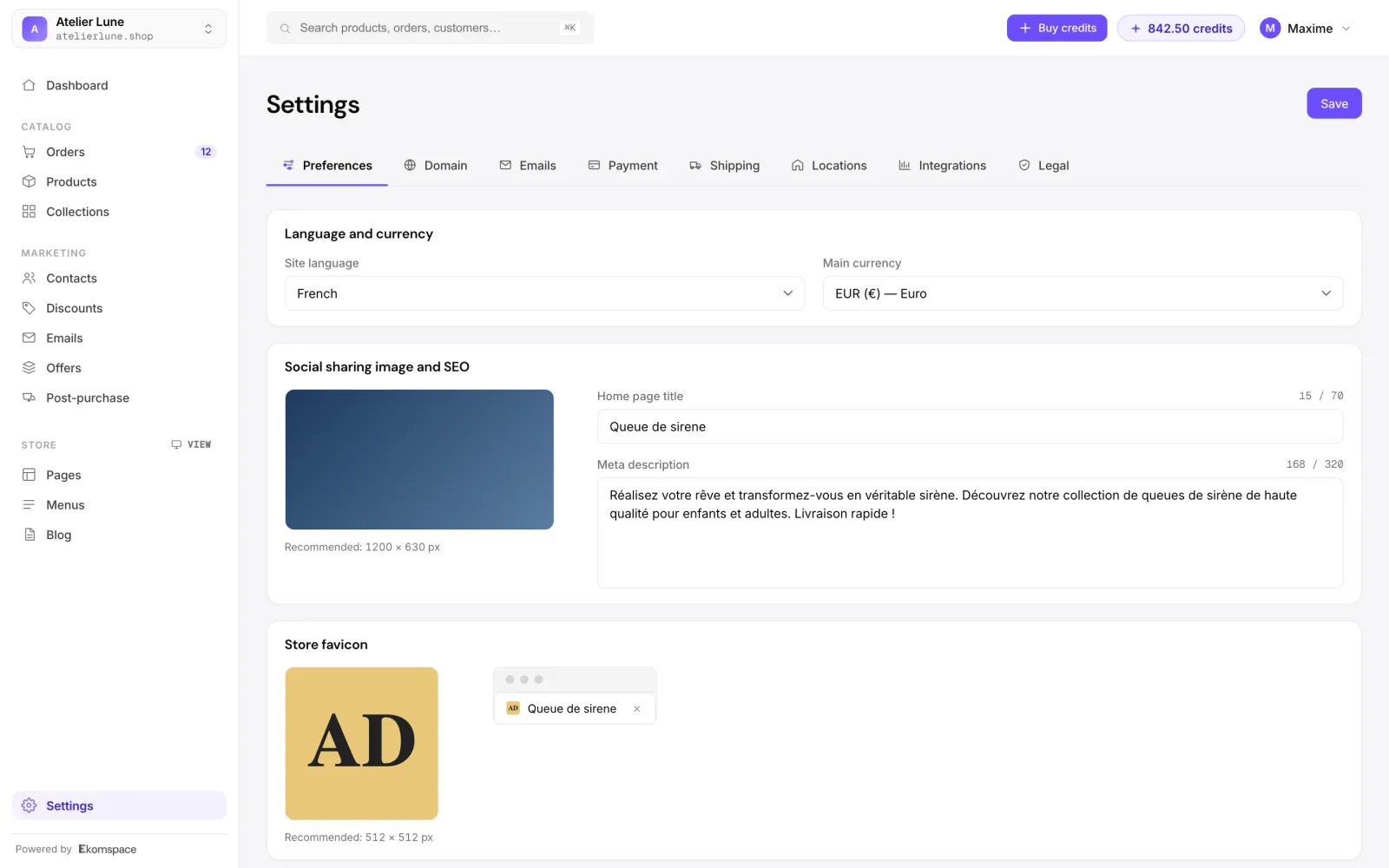
Sell internationally
Any language, one store per language on its own domain, all currencies on every store and shipping zones worldwide.
Learn more →Build a store that looks like your brand
- Drag & drop editor with ready-made sections
- One-click style presets
- Mobile preview and responsive design
- AI edits on request