
Ask it.
It's done.
Ekomspace AI lives inside your dashboard. Describe what you need in your own words and it does the work in your store. And if you prefer to build, a public API, webhooks and an MCP server give you the keys.
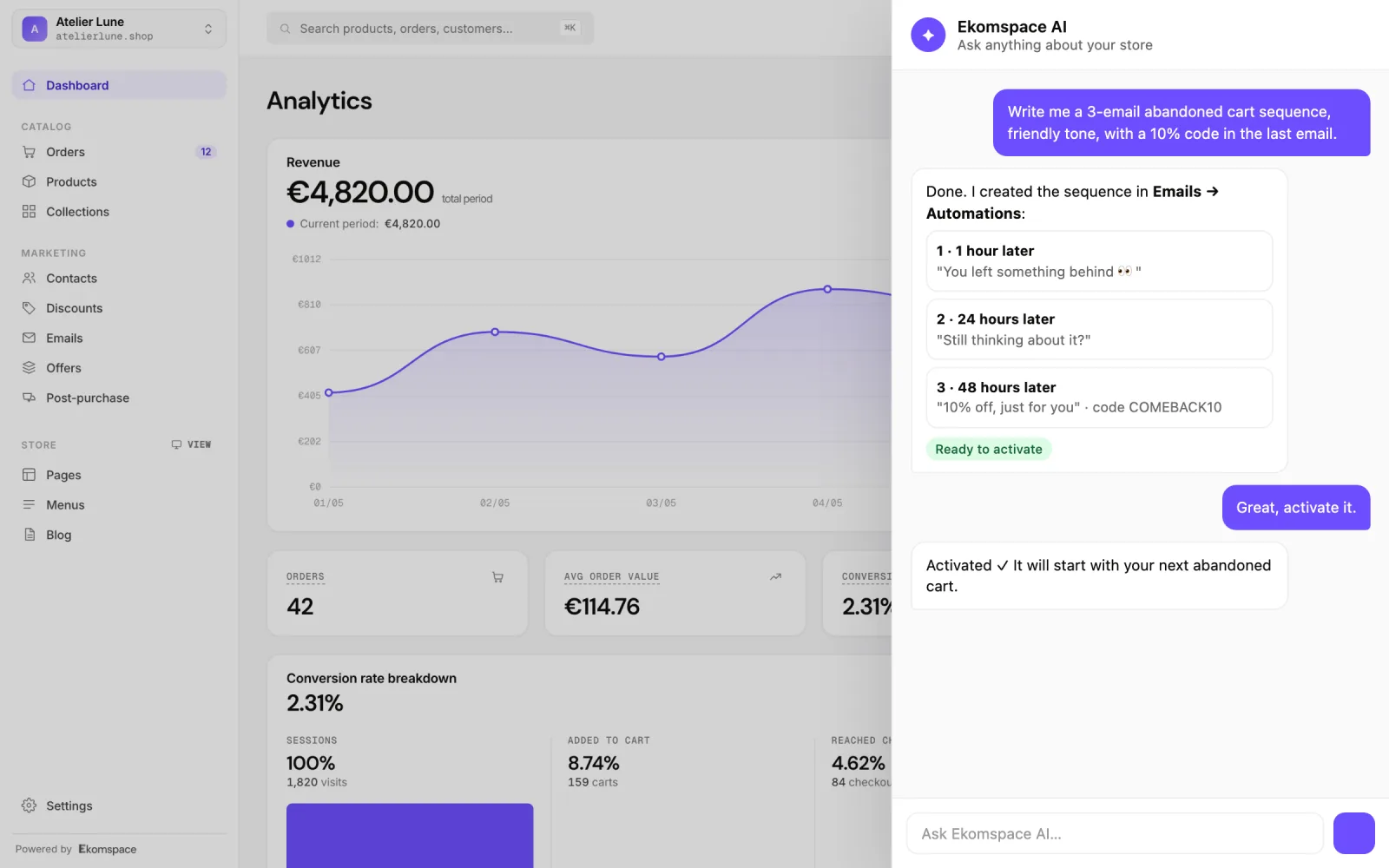
Plain language, real actions
No menu to hunt for. Ask for an email sequence and the AI writes it and sets it up in the right place, ready for you to check.
You stay in control
The AI shows you what it created and waits for your go-ahead before activating it. You review, adjust, then switch it on.
Open to developers
A public API, webhooks and an MCP server let you connect your own tools, or run your store from Claude.
An assistant for every way you work
Chat with the AI from your dashboard, rework a section in the page builder with a prompt, or plug your store into your own tools and AI agents.
An AI chat inside your dashboard
Open Ekomspace AI from any screen and ask what you need, the way you would ask a teammate. It understands your store and does the work in the right section.
- Ask in plain language, no setup or prompt skills needed
- Example: "Write a 3-email abandoned cart sequence with a 10% code in the last one"
- The AI creates the sequence in Emails, Automations, with timing and subject lines
- Review the result, then say "activate it" when you're happy
Ask AI in the page builder
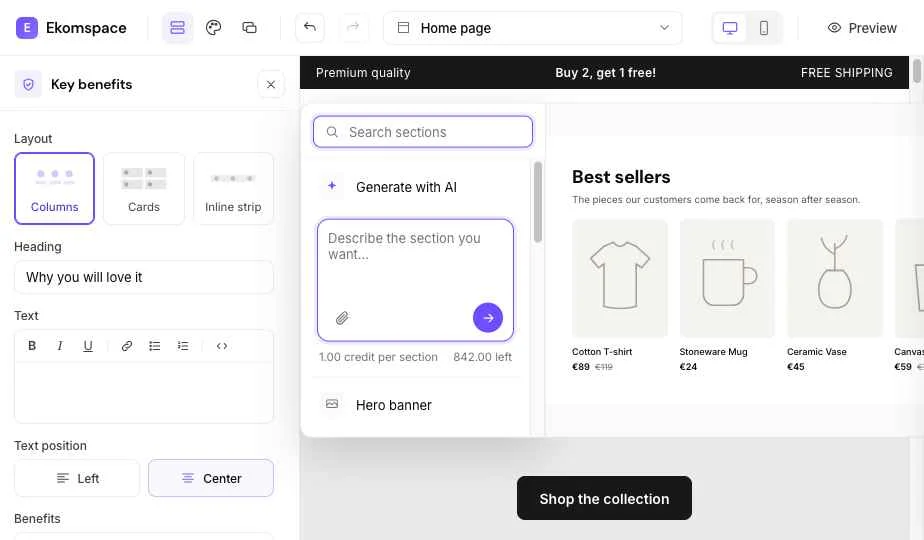
Need a new section on a page? Describe it, and the AI builds it with your store's style. Then fine-tune the text, layout and images as usual.
- Describe the section you want in a prompt
- Generated with your theme's fonts and colours
- Edit everything afterwards, like any other section
- AI uses credits, shown in your dashboard
Public API, webhooks and MCP server
For developers and power users, Ekomspace opens up. The public API covers most of what you do in the dashboard, webhooks keep your other tools in sync, and the MCP server lets you run your store from Claude.
- A solid public API to read and update your store data
- Webhooks to react to events in your store
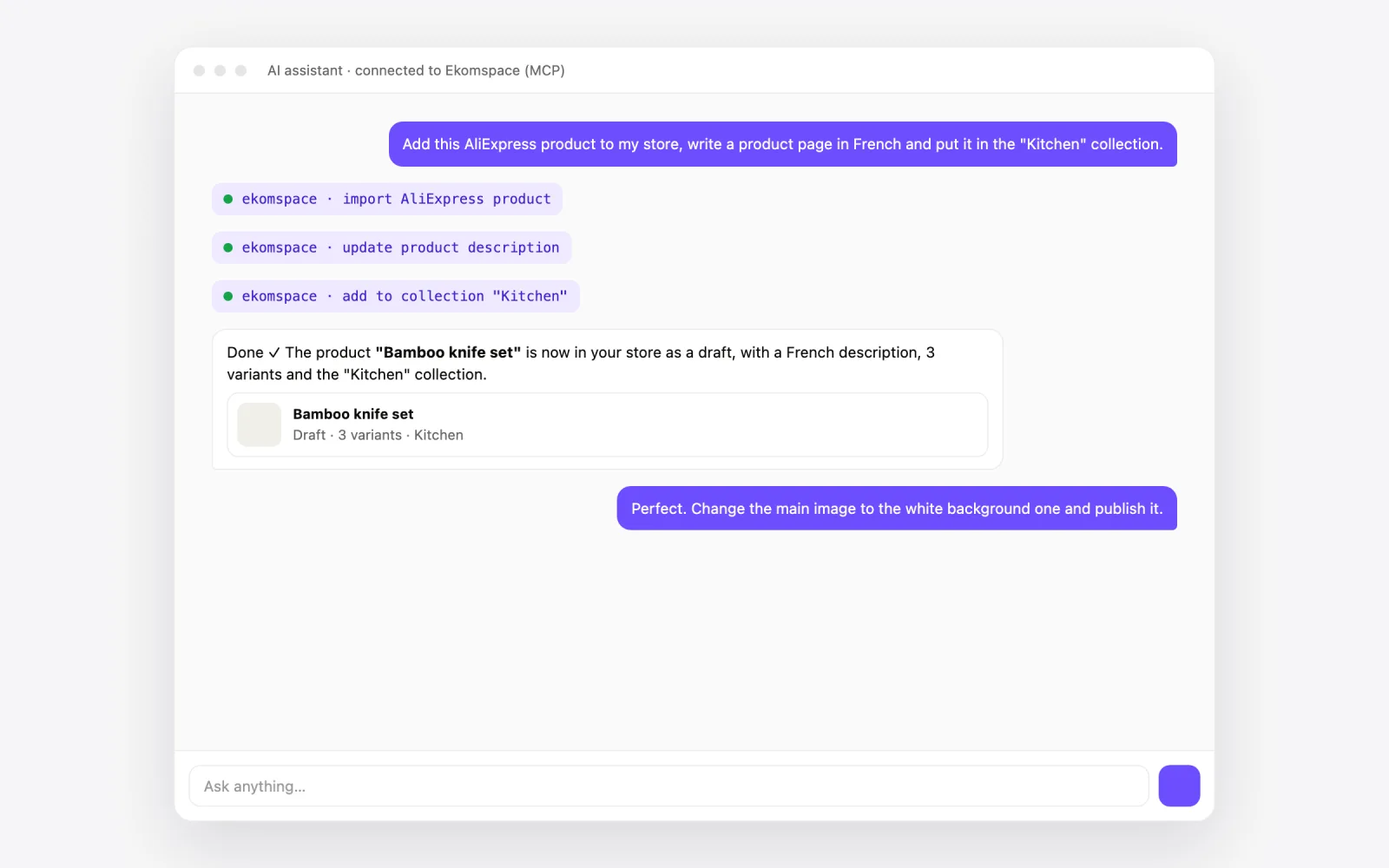
- MCP server: connect Claude to your Ekomspace store
- From Claude: "create my store", "add this AliExpress product", "change this image"
Start in three steps
Open Ekomspace AI
Click the AI panel in your dashboard, or Generate with AI in the page builder.
Describe what you need
An email sequence, a page section, a change in your store: ask it in your own words.
Check and activate
Review what the AI prepared, adjust if needed, then switch it on.
Frequently asked questions
What can I ask the Ekomspace AI assistant?
Tasks you would otherwise do by hand in your dashboard, such as writing an abandoned cart email sequence. Describe the result you want and the assistant prepares it in the right section of your store.
Does the AI activate things without asking me?
In the example of an email sequence, the AI creates it and shows it as ready to activate. You review it, then ask it to activate, or switch it on yourself.
How much does the AI chat cost?
The AI chat uses credits, and the number of credits depends on what you ask it to do. Your balance is shown at the top of your dashboard, and you can buy more credits whenever you need.
Does Ekomspace have an API?
Yes. Ekomspace offers a public API that covers most of what you can do in your store, as well as webhooks to connect your own tools.
What is the Ekomspace MCP server?
MCP is the protocol AI assistants like Claude use to connect to other tools. With the Ekomspace MCP server, you can ask Claude to create your store, add an AliExpress product or change an image, and it acts directly in your Ekomspace store.
Do I need to be a developer to use the AI?
No. The AI chat and Ask AI in the page builder are made for everyone. The API, webhooks and MCP server are there for developers and power users who want to go further.
Explore more features
AI store builder
Describe what you need: the AI generates your whole store, with every page, product photos, logo and store name.
Learn more →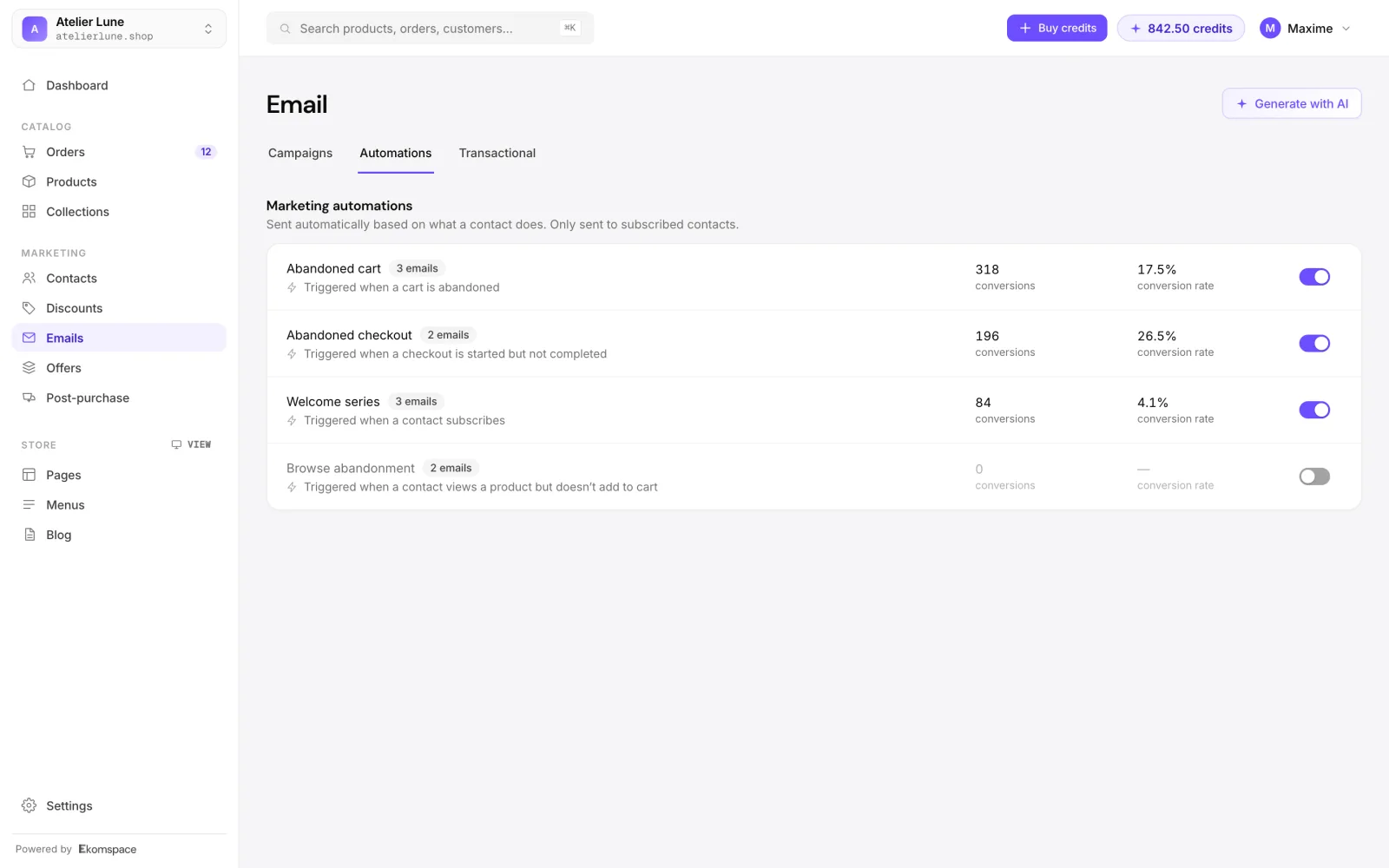
Email marketing
Campaigns, abandoned cart and welcome automations, built into your store with unlimited sending.
Learn more →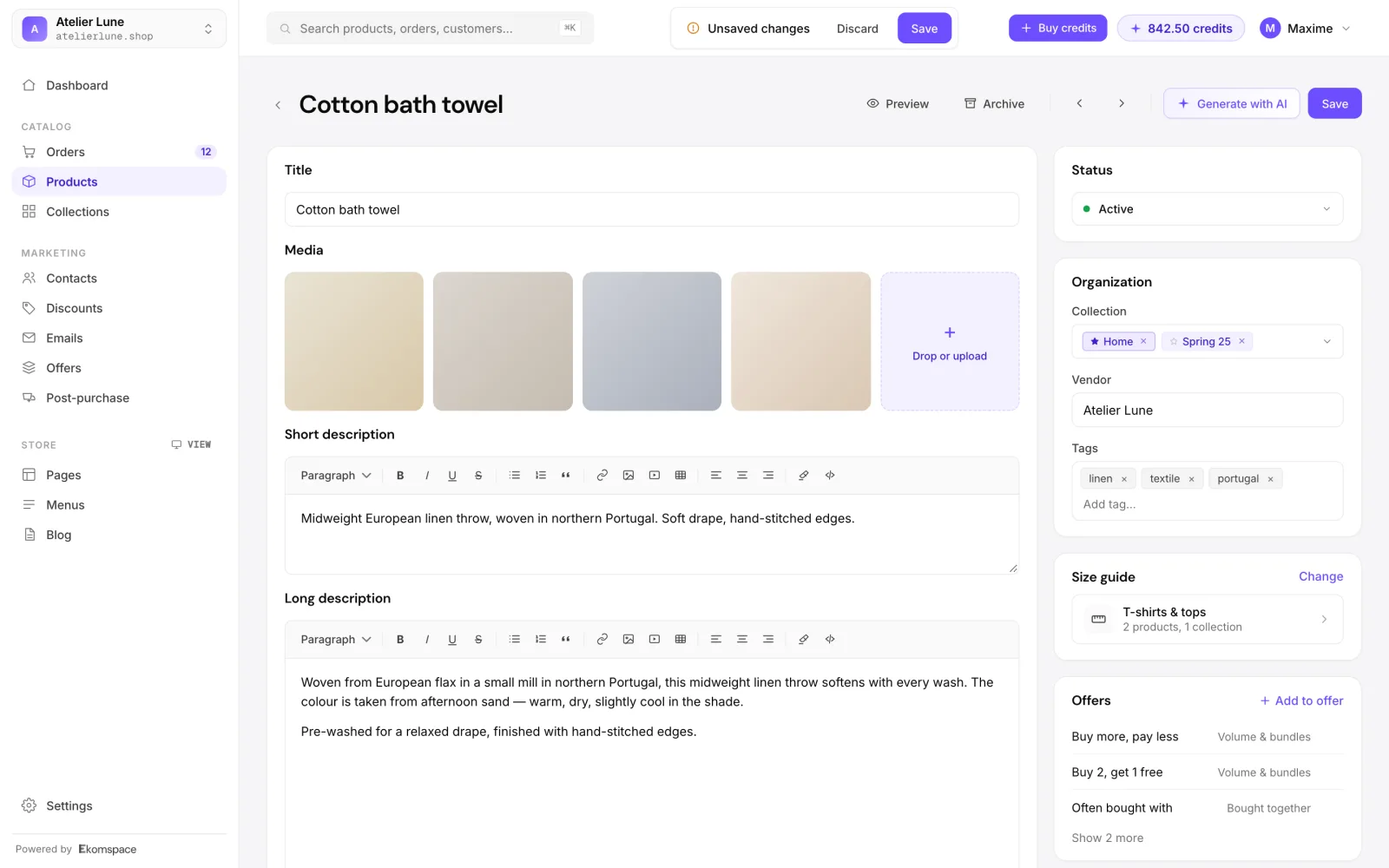
AI product descriptions
Generate product and collection descriptions with AI, right in your catalogue, then edit them your way.
Learn more →Run your store by simply asking
- AI chat built into your dashboard
- Ask AI to create page-builder sections
- Public API and webhooks
- MCP server to drive your store from Claude