
Promo codes that sell,
under your control.
Launch a sale, welcome new subscribers or reward loyal customers with a code that fits. You set the value, the conditions and the dates, and you see how often each code is used.
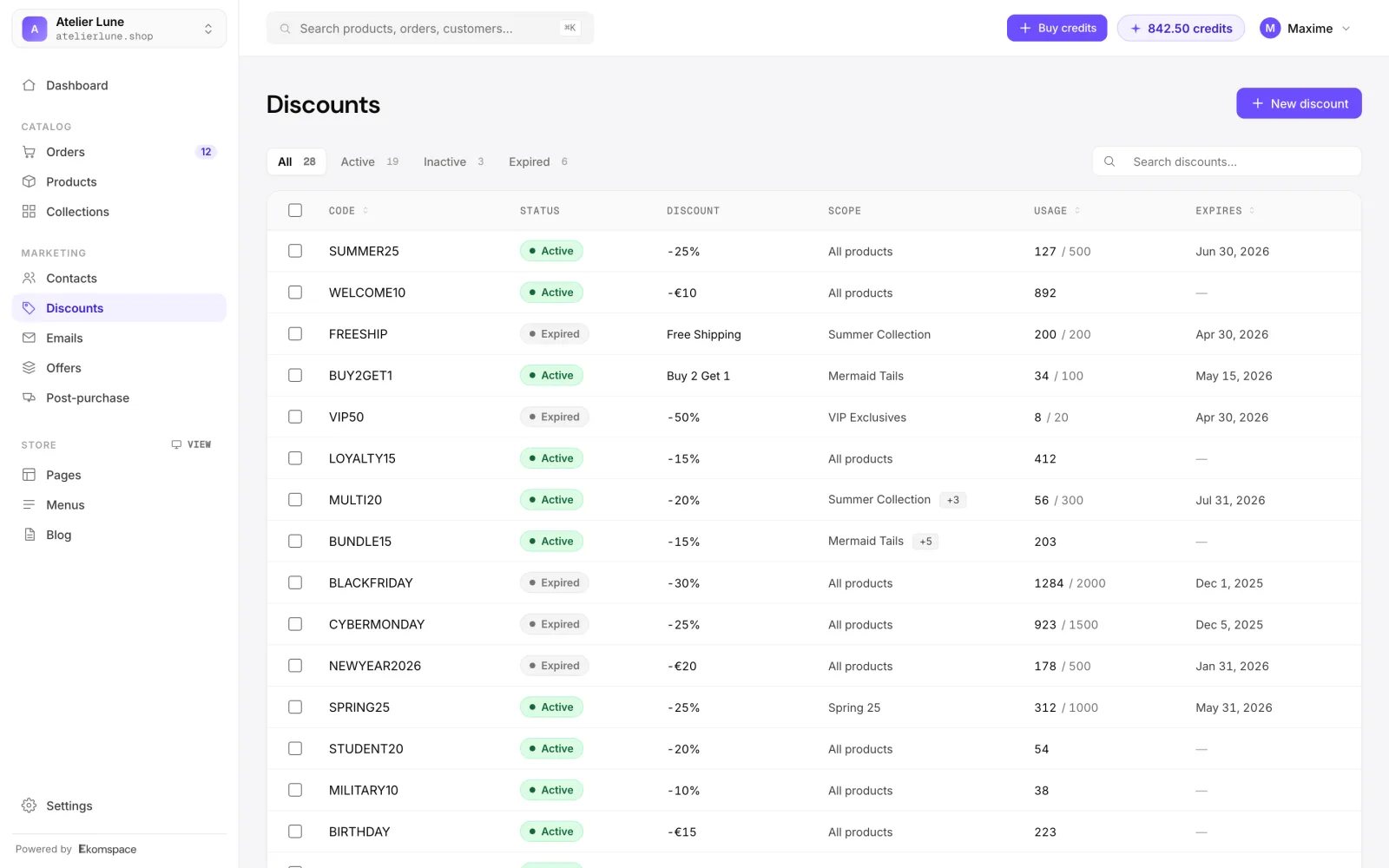
Every type of discount
Percentage, fixed amount, free shipping or Buy X get Y: pick the mechanic that fits your promotion.
Conditions that protect your margin
Minimum purchase, eligible products, total usage limit and limit per customer keep each promotion under control.
Usage at a glance
See how many times each code has been used against its limit, and which codes are active, inactive or expired.
Everything you need to run your promotions
Codes are created and managed from the Discounts section of your dashboard. No app to install, and the codes work straight away at checkout.
Create a code in seconds
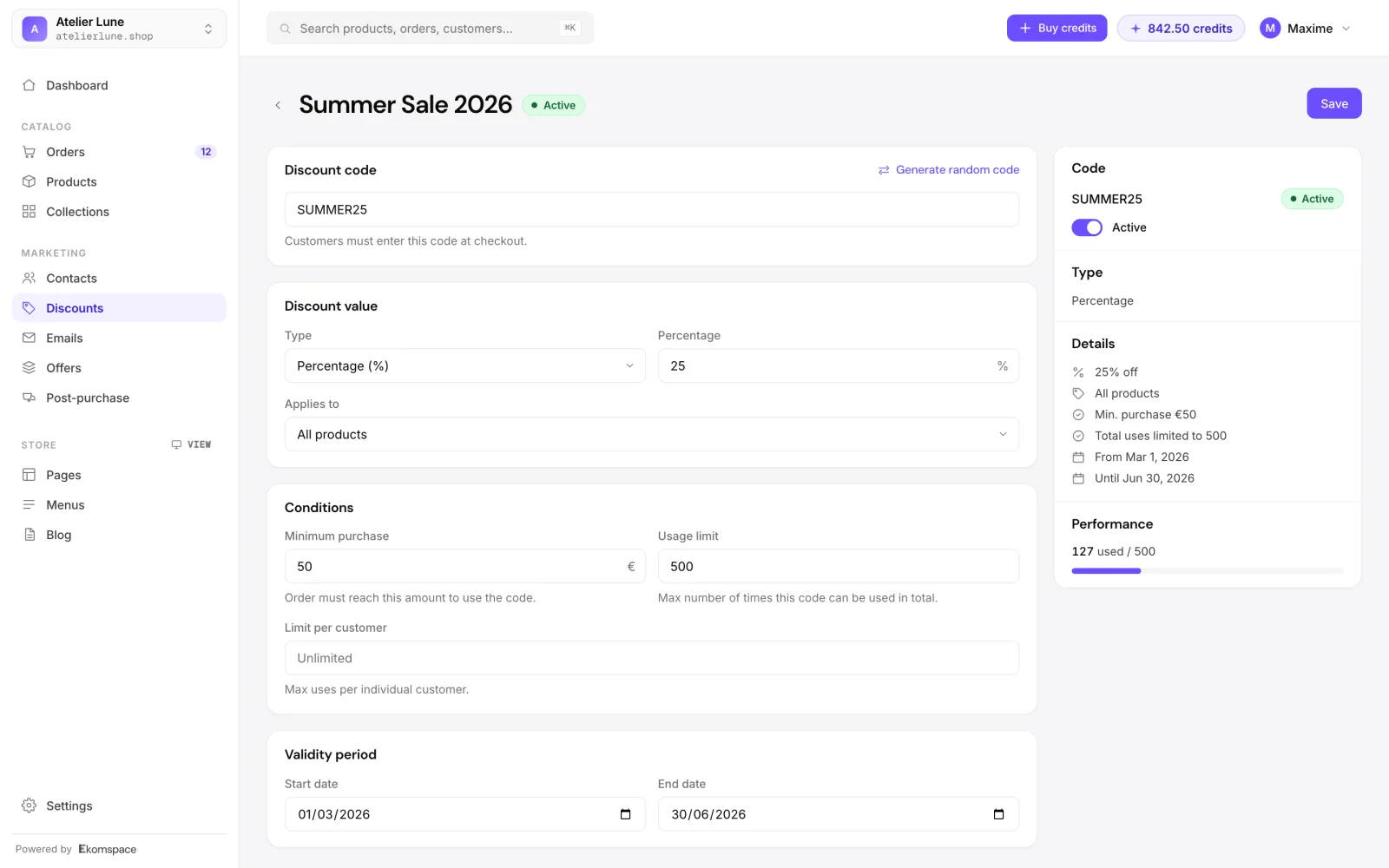
Type your code or generate a random one, choose the type of discount and what it applies to. A summary on the side recaps every rule before you save.
- Percentage, fixed amount, free shipping or Buy X get Y
- Applies to all products, collections or chosen products
- Random code generator for unique codes
- Activate or deactivate a code with one switch
Conditions, dates and limits
Decide who can use a code, when and how often. Your sales start and end on time, and no code is used more than you planned.
- Minimum purchase amount to use the code
- Total usage limit across all customers
- Limit per customer
- Start date and end date
- Expired codes stop working automatically
All your codes in one table
Filter your codes by status, search by name and sort by usage or expiry date. You instantly see which promotions are running and how far they have gone.
- Tabs for all, active, inactive and expired codes
- Discount value and scope on every line
- Usage shown against the limit, for example 127 / 500
- Expiry date for each code
Your promotion live in three steps
Create the code
Enter or generate a code, then pick its type and value.
Set the rules
Add a minimum purchase, eligible products, usage limits and validity dates.
Share it and follow it
Send it in an email campaign or on your site, then track its usage from the Discounts table.
Frequently asked questions
Which types of discount codes can I create?
Percentage discounts, fixed amount discounts, free shipping and Buy X get Y. Each code can apply to all products, specific collections or chosen products.
Can I limit how many times a code is used?
Yes. You can set a total usage limit and a limit per customer, and track usage against that limit in the discounts list.
Can I schedule a code for a sale?
Yes. Set a start date and an end date. Once the end date has passed, the code is marked as expired and can no longer be used.
Can I require a minimum order amount?
Yes. Add a minimum purchase amount: the code only works when the order reaches it.
Do discount codes work with my other offers?
For bundles, volume discounts and other offers, you choose whether they can be combined with discount codes, offer by offer.
Explore more features
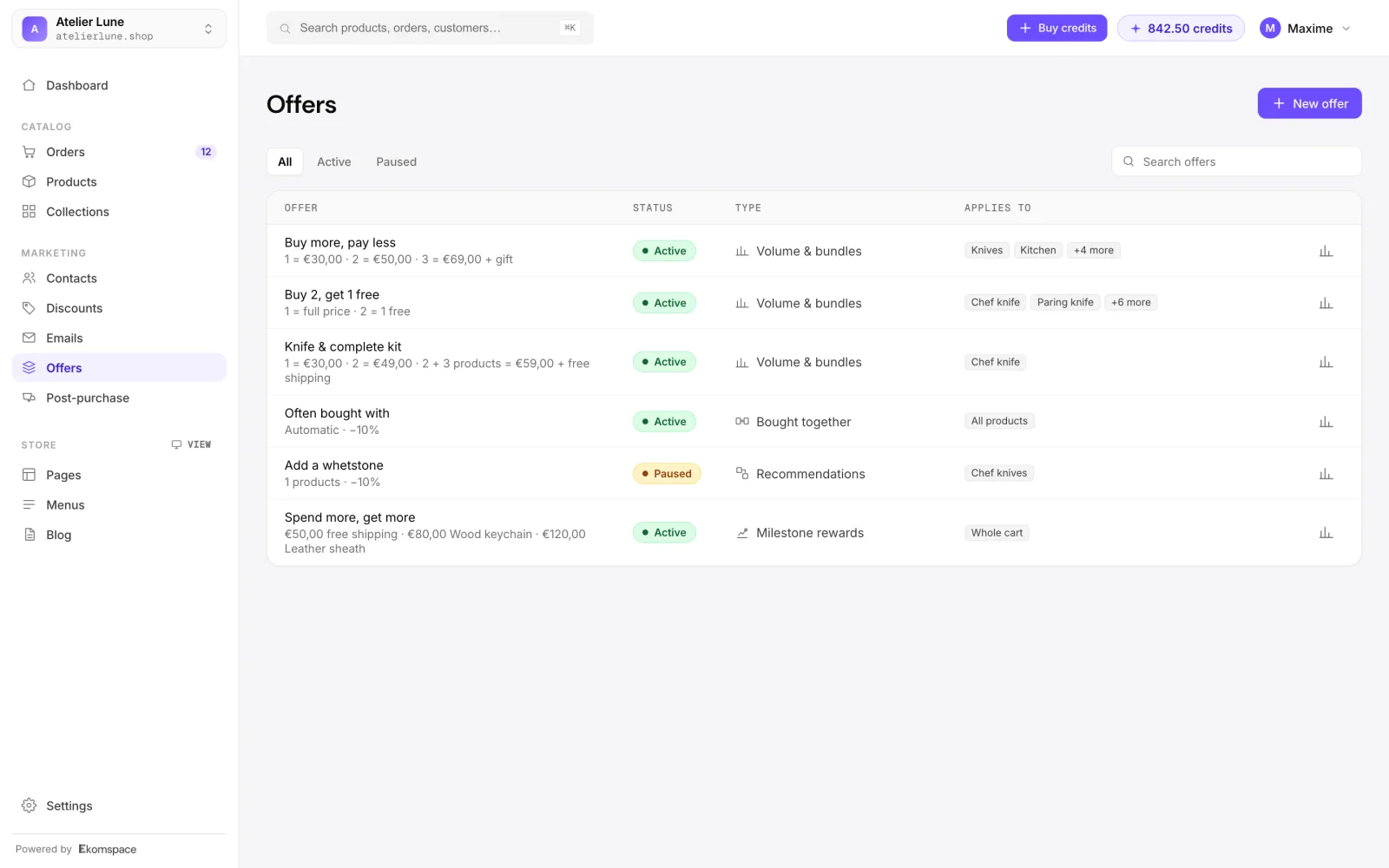
Upsells & order bumps
One-click post-purchase upsells, order bumps, bundles and milestone rewards, all native, with revenue per offer.
Learn more →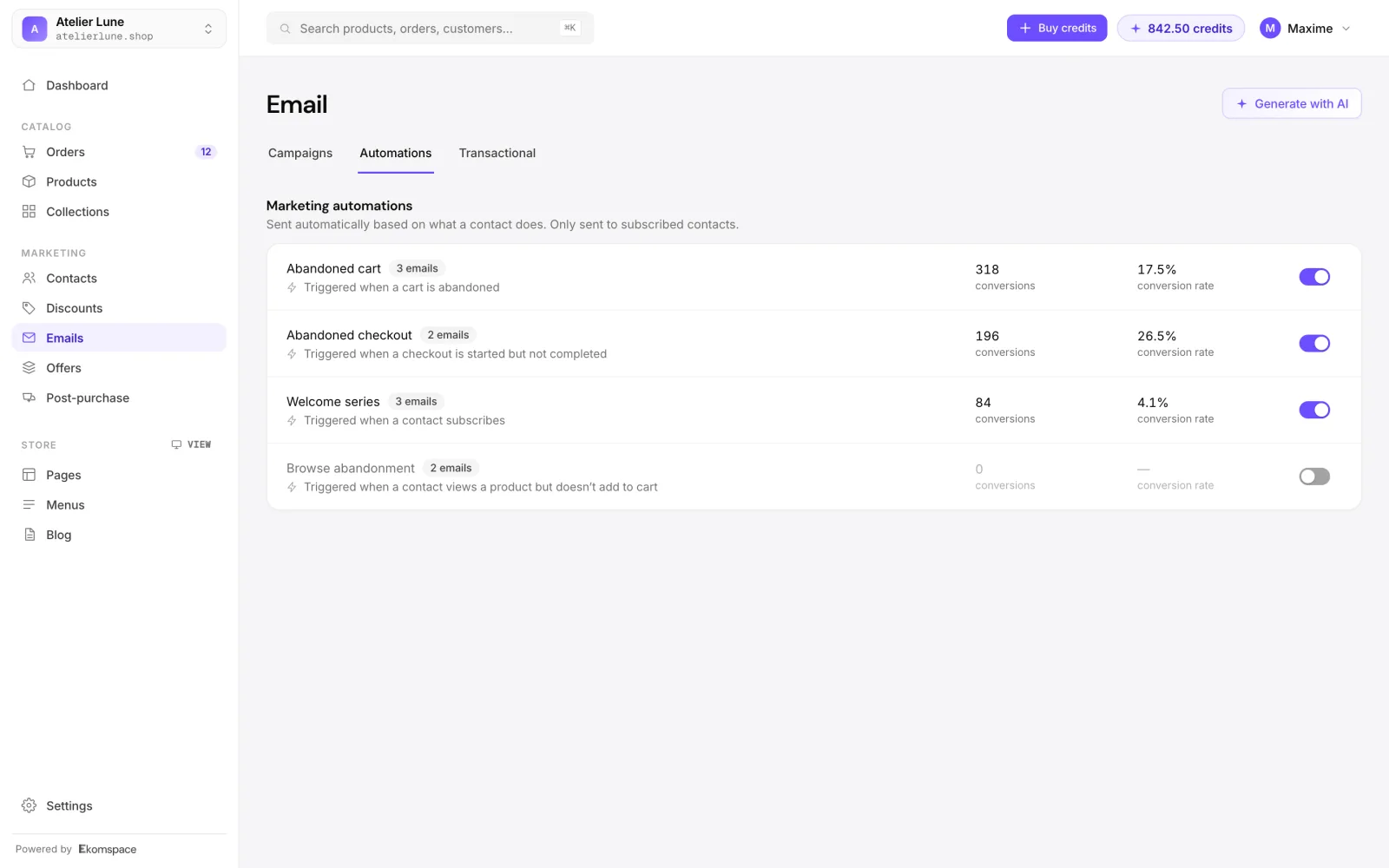
Email marketing
Campaigns, abandoned cart and welcome automations, built into your store with unlimited sending.
Learn more →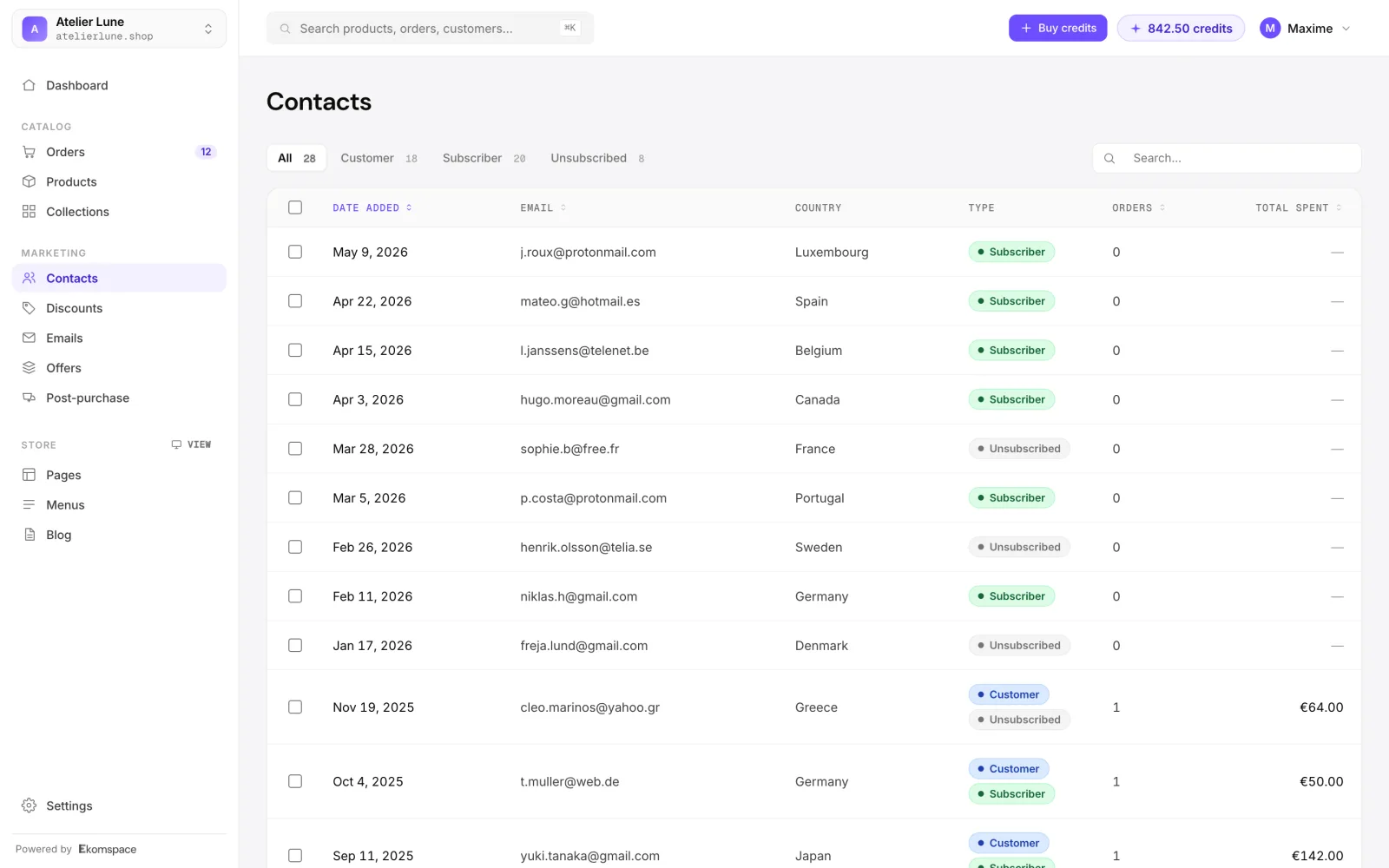
Customer management
Customers and subscribers in one CRM, with order history, total spent, consent and activity timeline.
Learn more →Launch your next promotion today
- Percentage, fixed amount, free shipping and Buy X get Y
- Minimum purchase, dates and usage limits
- Usage tracked for every code
- No extra app to install