
Your catalogue,
under control.
Create products with all their variants, track stock per location and organise your catalogue into collections that update themselves. Everything your customers see, and everything you need to ship, in one place.
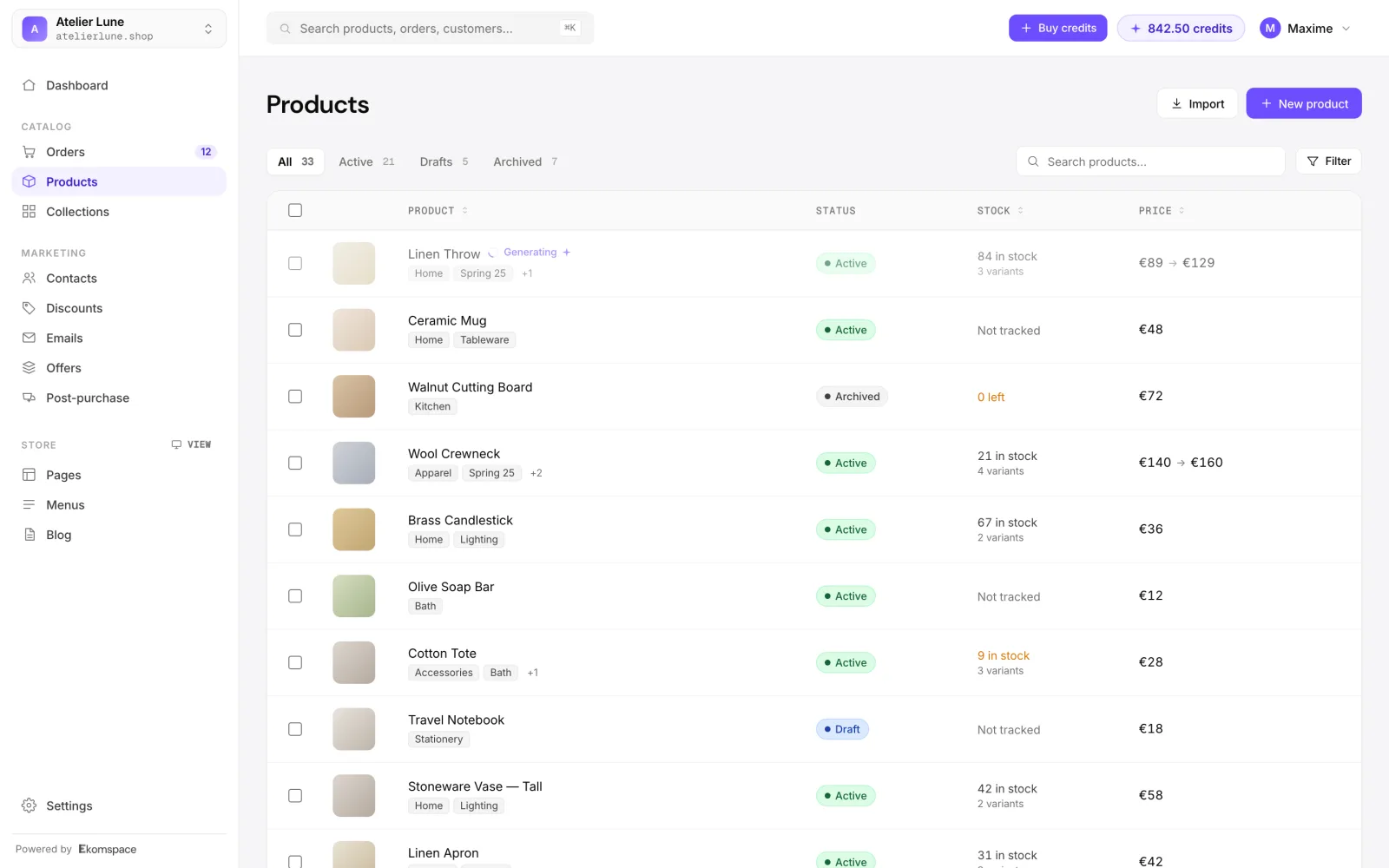
Variants done properly
Size, colour, material: each variant has its own price, SKU and stock level.
Stock across all your locations
Main warehouse, logistics partner, AliExpress: see the quantity available in each location for every variant.
Collections that update themselves
Build automated collections with rules, and new products land in the right place without lifting a finger.
Everything you need to manage your catalogue
From creating your first product to running stock across several warehouses, Ekomspace gives you clear screens and no unnecessary steps.
Complete product pages, quickly
Add photos, a short and a long description, a vendor, tags and collections on a single screen. Short of inspiration? The "Generate with AI" button writes your descriptions for you.
- Media gallery with drag and drop upload
- Short and long descriptions with a rich text editor
- Vendor, tags and collections to organise your catalogue
- Size guide attached to the product
- Active, draft or archived status
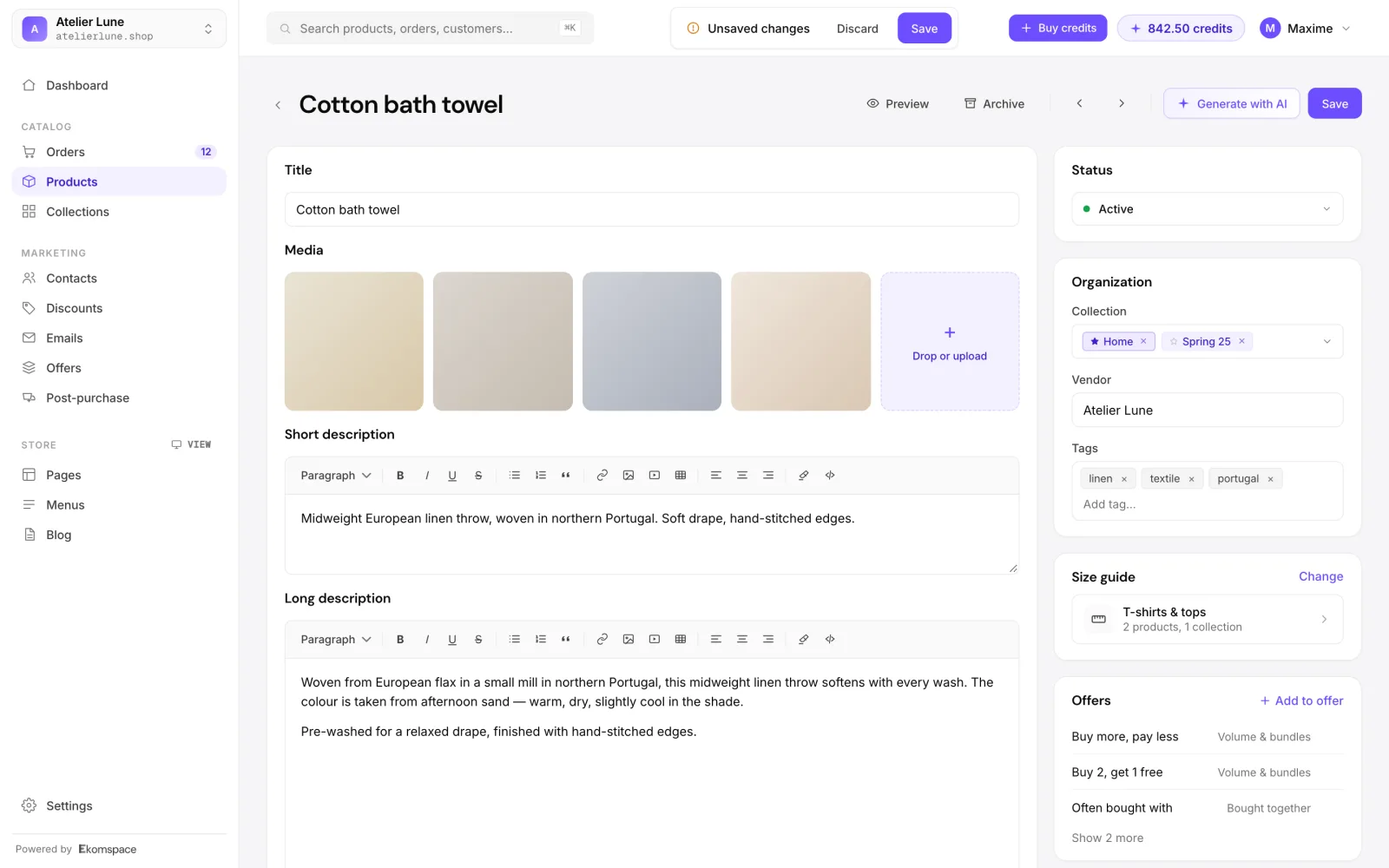
Stock per variant and per location
The inventory screen lists every variant with its SKU and quantity in each of your locations. Filter in one click to see what is running low or out of stock.
- Multiple warehouses and locations
- Stock per location for every variant
- Low stock, out of stock and not tracked filters
- Low-stock alerts so you can restock in time
- Variants linked to AliExpress suppliers
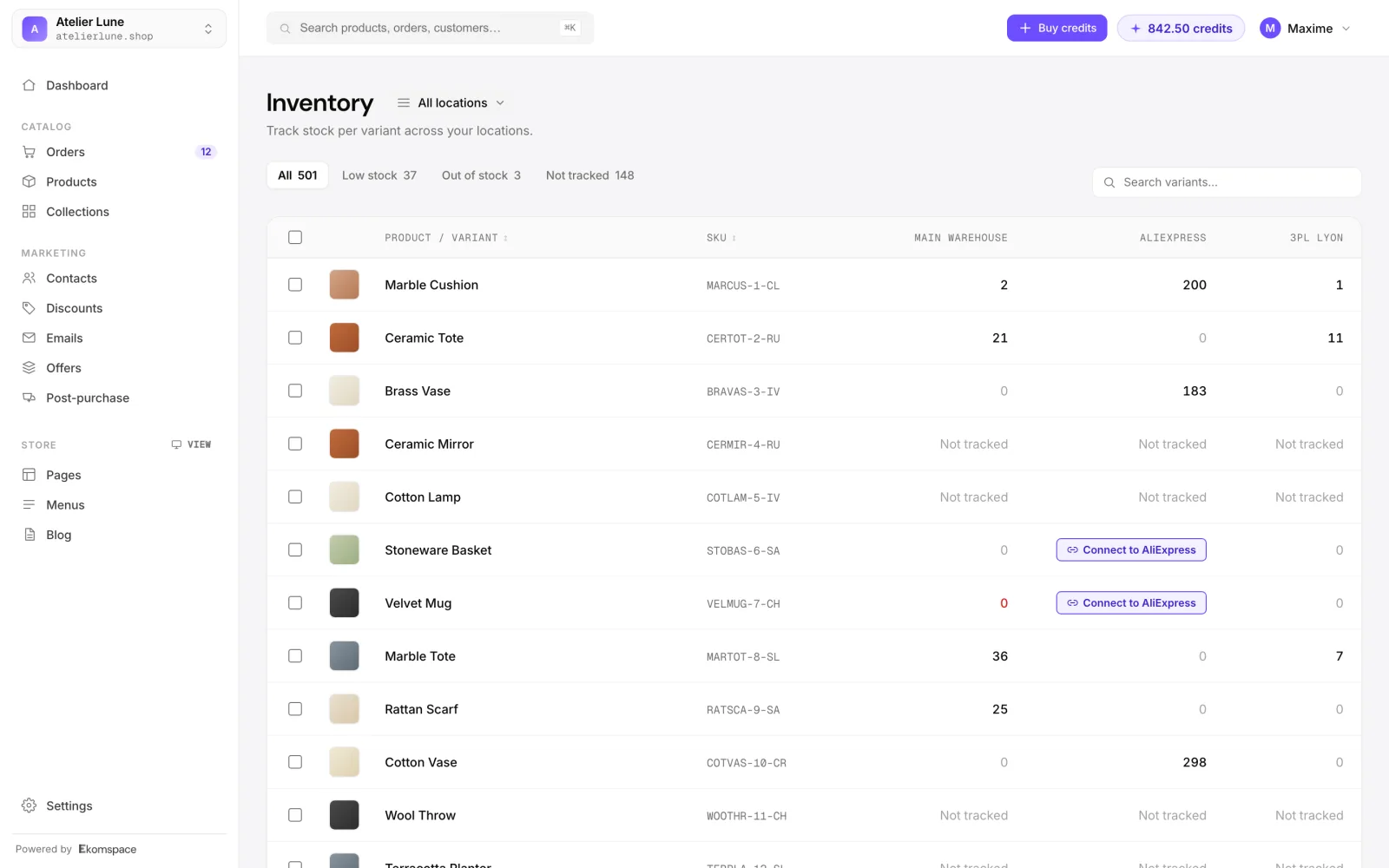
Manual and automated collections
Group your products the way your customers shop. Pick products by hand, or set rules such as "price under 30 €" or "tag contains linen" and let the collection fill itself.
- Manual collections for curated selections
- Automated collections based on rules
- Cover image, short and long description
- Descriptions generated with AI in one click
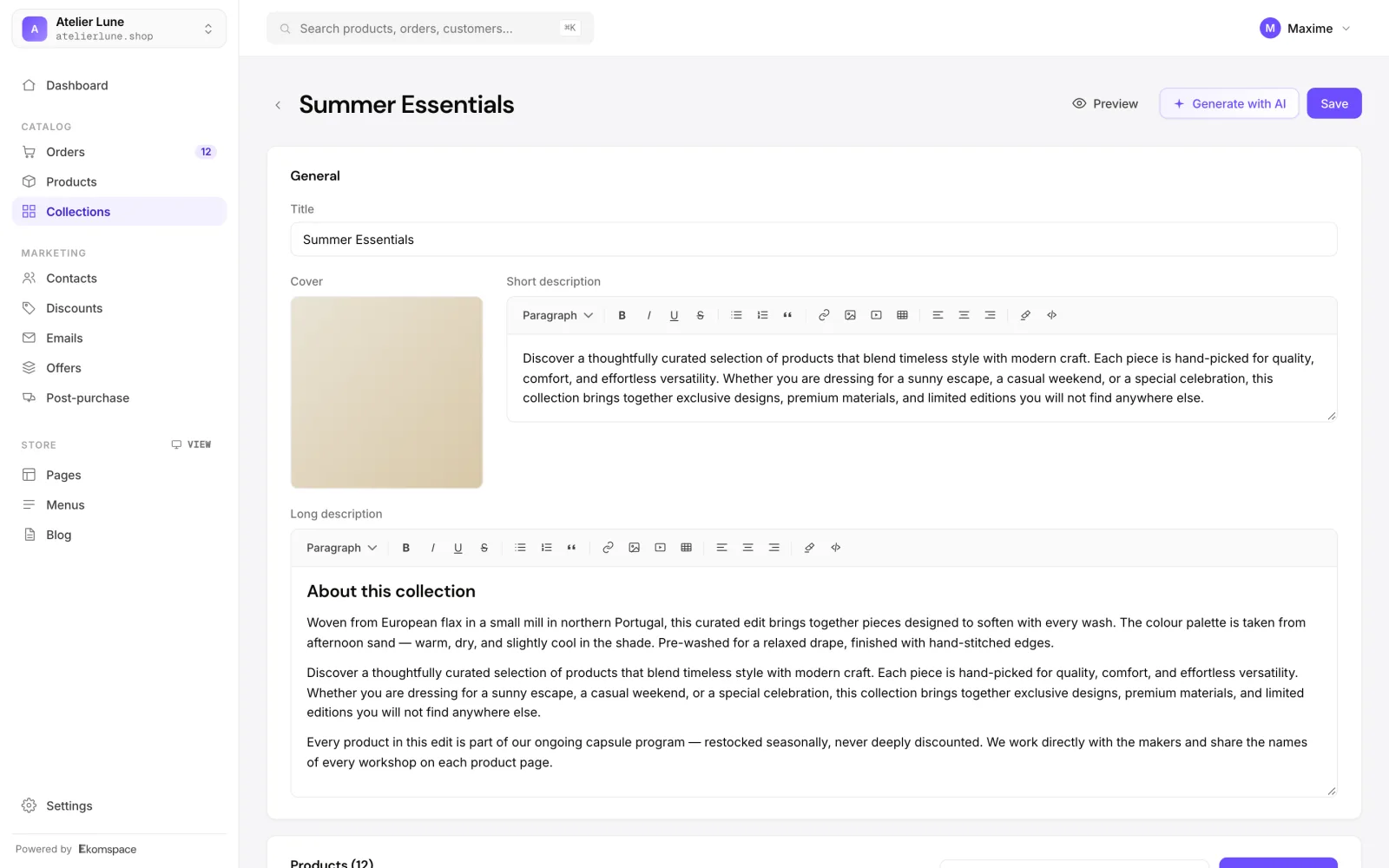
A clear product list, and import
Find any product in seconds by status, stock or price. Starting out or moving from another platform? Import your products instead of creating them one by one.
- Tabs for all, active, draft and archived products
- Stock and number of variants visible at a glance
- Search and filters
- Product import
Your catalogue ready in three steps
Add or import your products
Create your products one by one or import your existing catalogue.
Set variants and stock
Add sizes and colours, then enter prices, SKUs and quantities for each location.
Organise into collections
Create manual or automated collections and attach size guides where they help.
Frequently asked questions
How many products can I add?
Up to 500 products on the Starter plan, and unlimited products on the Pro and Business plans.
Can I manage stock across several warehouses?
Yes. You can create several locations, such as your own warehouse or a logistics partner, and track the stock of each variant in every location.
What is an automated collection?
It is a collection filled by rules instead of by hand, for example "price under 30 €" or "tag contains linen". Products that match the rules are added automatically.
Will I be warned before running out of stock?
Yes. Low-stock alerts flag the variants that need restocking, and the inventory screen has dedicated low stock and out of stock filters.
Can I import my products from another platform?
Yes, the products list has an Import button. Moving from Shopify? The built-in import tool, available on every plan, brings your store over. From WooCommerce, Wix or PrestaShop, the Ekomspace team migrates it for you, included from the Pro plan or on any 12- or 24-month plan.
Can I add size guides?
Yes. Create a size guide once and attach it to the products or collections that need it.
Explore more features
AliExpress dropshipping
Order on AliExpress in one click, one order or in bulk, with addresses filled in and tracking synced back. Built in, no extra app.
Learn more →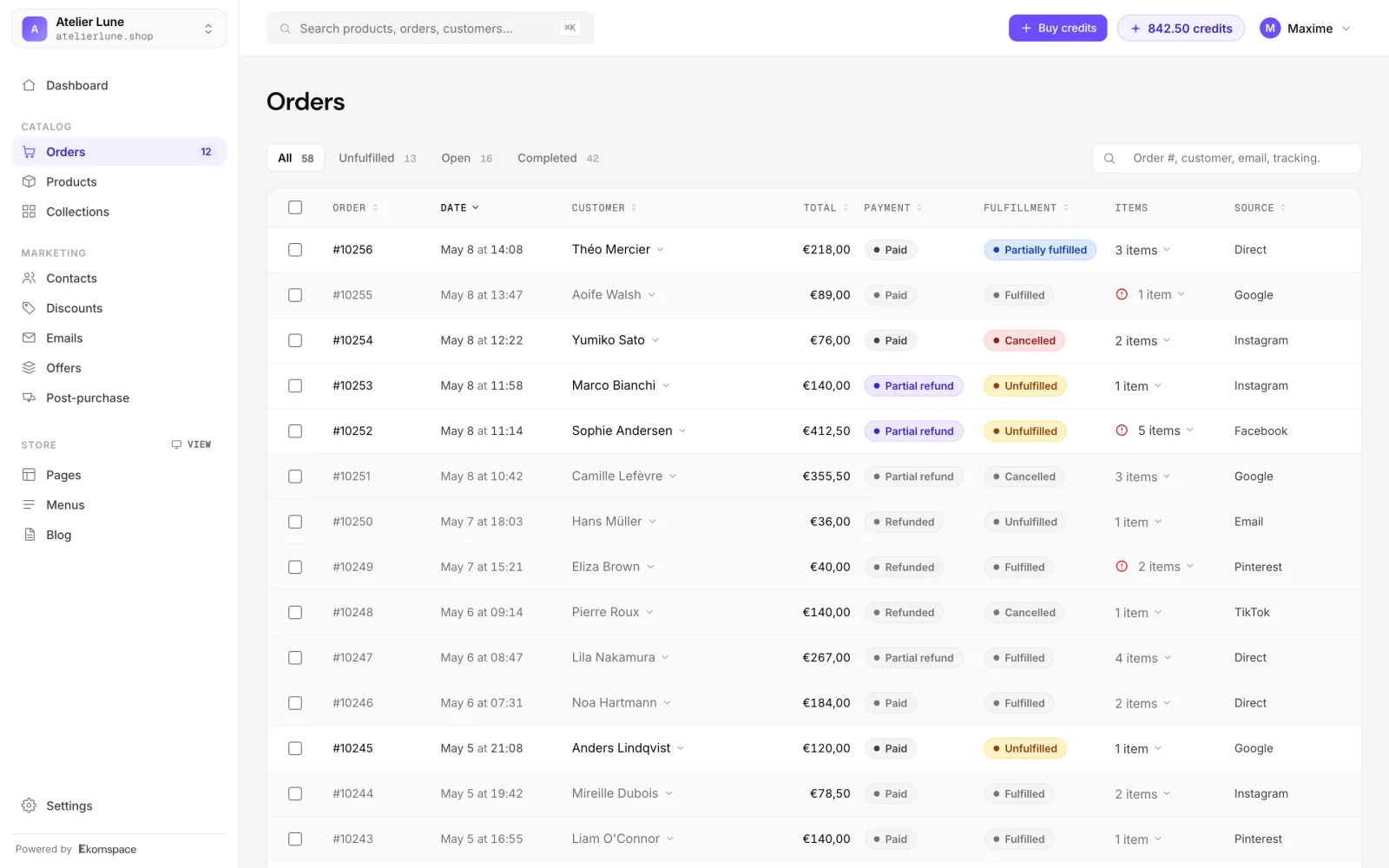
Orders & shipping
Orders list and detail, statuses, packing slips, fulfilment per warehouse, shipping zones and automatic rates.
Learn more → AI product descriptions
Generate product and collection descriptions with AI, right in your catalogue, then edit them your way.
Learn more →Bring order to your catalogue
- Variants with their own price, SKU and stock
- Multi-warehouse inventory
- Low-stock alerts
- Manual and automated collections