Track every sale,
without touching code.
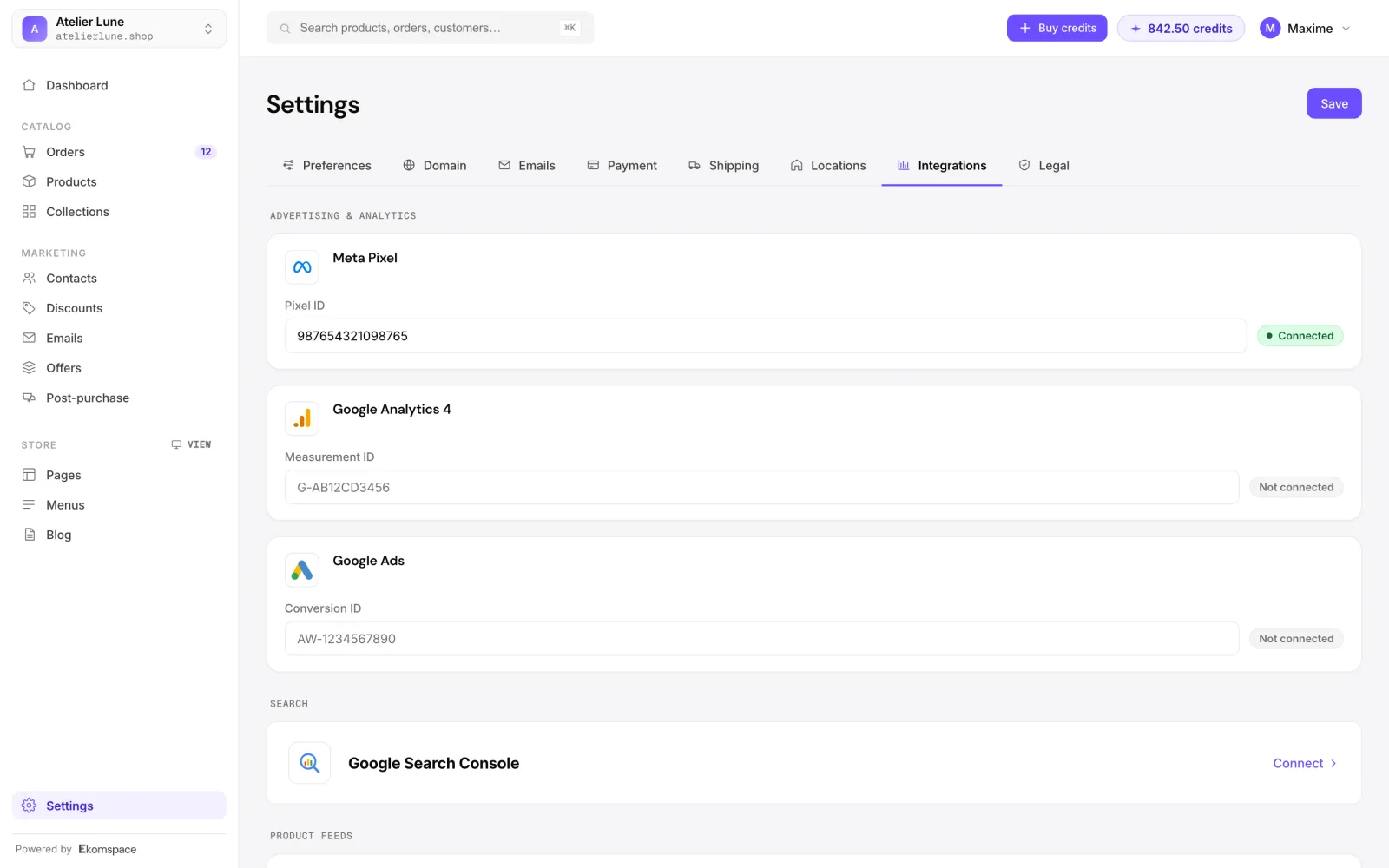
Connect your Google Ads account and your conversion actions are created and installed for you. Add Meta (with the server-side Conversions API), TikTok and GA4 from one settings screen, and give your campaigns the data they need.
Google Ads set up for you
Connect your account: purchase, add to cart, checkout and sign-up conversions are created and their tags installed automatically.
Every pixel in one place
Meta Pixel and Conversions API, TikTok and GA4 are added from your settings. No theme code to edit.
Better data, better campaigns
Ad platforms learn from real purchases on your store, so your budget goes to the people who actually buy.
All your tracking, from one settings screen
Ads only perform when the platforms know what happens after the click. Ekomspace sends them the right events, and you keep a clear view of where your orders come from.
Google Ads conversion tracking, done automatically
Setting up Google Ads conversions by hand means creating actions, copying tags and checking that every event fires. With Ekomspace, you connect your Google Ads account and the setup is done for you.
- Purchase, add to cart, begin checkout, add payment info and sign-up conversion actions created for you
- Their tags installed on your store automatically
- No Google Tag Manager or code required
- Your campaigns and budgets stay entirely in your hands
Meta Pixel, Conversions API and TikTok
Running ads on social media? Add your Meta Pixel and turn on the Conversions API, which sends events from the server so fewer purchases go untracked. Add your TikTok pixel the same way. The status shows at a glance whether each integration is connected.
- Meta Pixel for Facebook and Instagram ads
- Meta Conversions API, server-side
- TikTok pixel
- Google Analytics 4 with your measurement ID
- Connected or not connected status on every integration
Search Console, Merchant Center and order sources
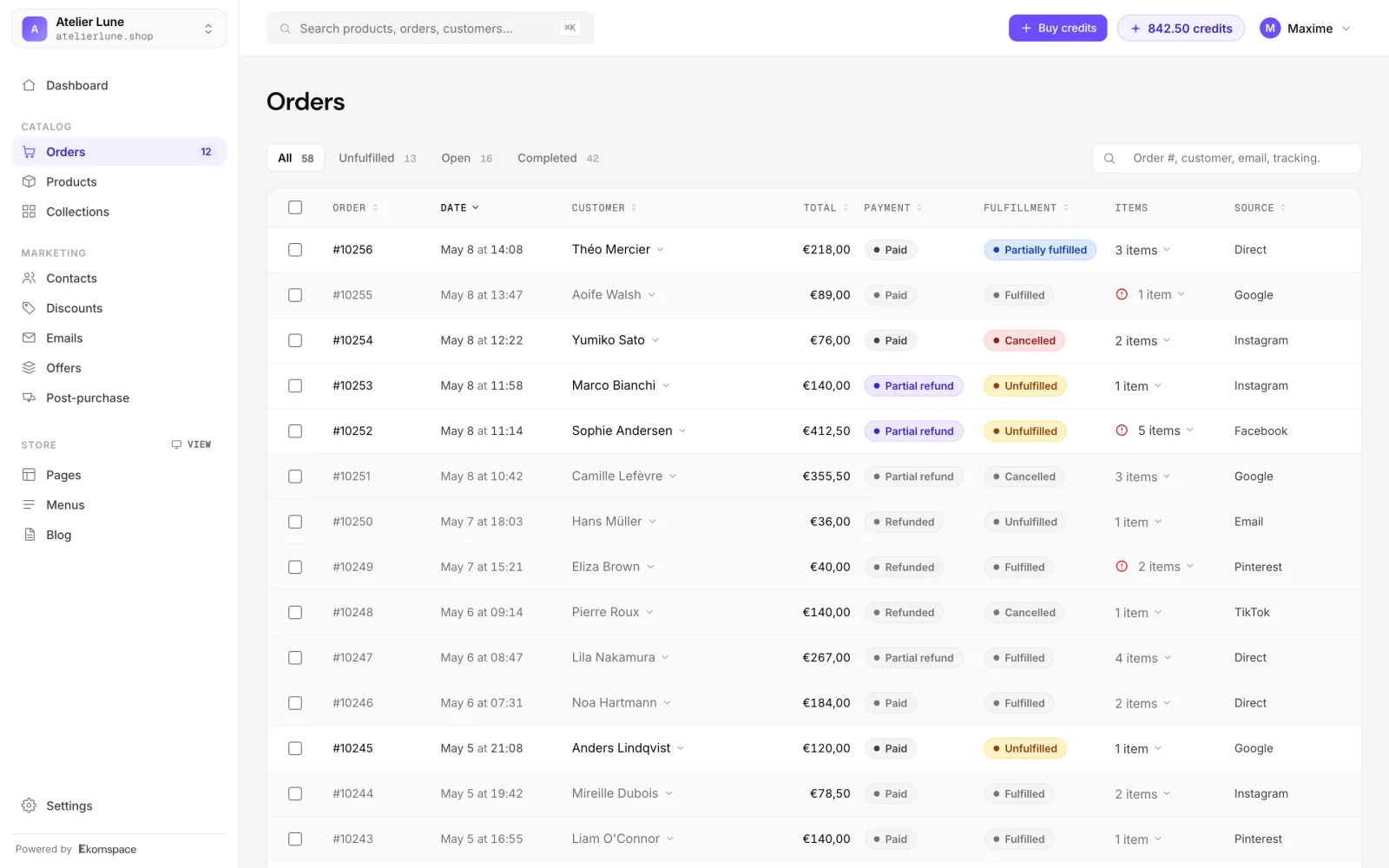
Beyond ads, connect Google Search Console so your sitemap is submitted and the AI SEO agent can use your ranking data, and send your products to Google Merchant Center with a product feed for your Shopping campaigns. Then see in your orders which channel brought each sale.
- Google Search Console connection: sitemap submitted, ranking data for the AI SEO agent
- Google Merchant Center product feed for Shopping campaigns
- Pinterest tag coming soon
- Source of each order shown: Google, Instagram, Facebook, TikTok, Direct…
Ekomspace's use of information received from Google APIs adheres to the Google API Services User Data Policy , including the Limited Use requirements. See our Privacy Policy.
Tracking ready in three steps
Open your integrations
Go to Settings, then Integrations, in your Ekomspace dashboard.
Connect your accounts
Connect Google Ads and Search Console, then add your Meta, TikTok and GA4 IDs.
Launch your campaigns
Your conversions are tracked from the first visit. Follow the results in your ad platforms and in your orders.
Frequently asked questions
How does Google Ads conversion tracking work on Ekomspace?
You connect your Google Ads account from your settings. Ekomspace then creates the purchase, add to cart, begin checkout, add payment info and sign-up conversion actions, and installs their tags on your store. You don't need to copy any code.
What does Ekomspace do with my Google Ads data?
Ekomspace only creates conversion actions in your account and reads their tags to install them on your store. It does not manage your campaigns, your bids or your budgets. You can remove Ekomspace's access at any time from your Google account.
Which ad pixels can I add?
Google Ads (connected automatically with its conversion actions), Meta Pixel with the server-side Conversions API, TikTok and Google Analytics 4. A Pinterest tag is coming soon.
Do I need Google Tag Manager or a developer?
No. Pixels and conversion tags are installed by Ekomspace on every page of your store. You only paste IDs or connect accounts.
Can I see which channel brought each order?
Yes. Your orders list shows the source of every order, such as Google, Instagram, Facebook, TikTok or Direct, so you can compare channels without leaving your store.
Explore more features
Analytics
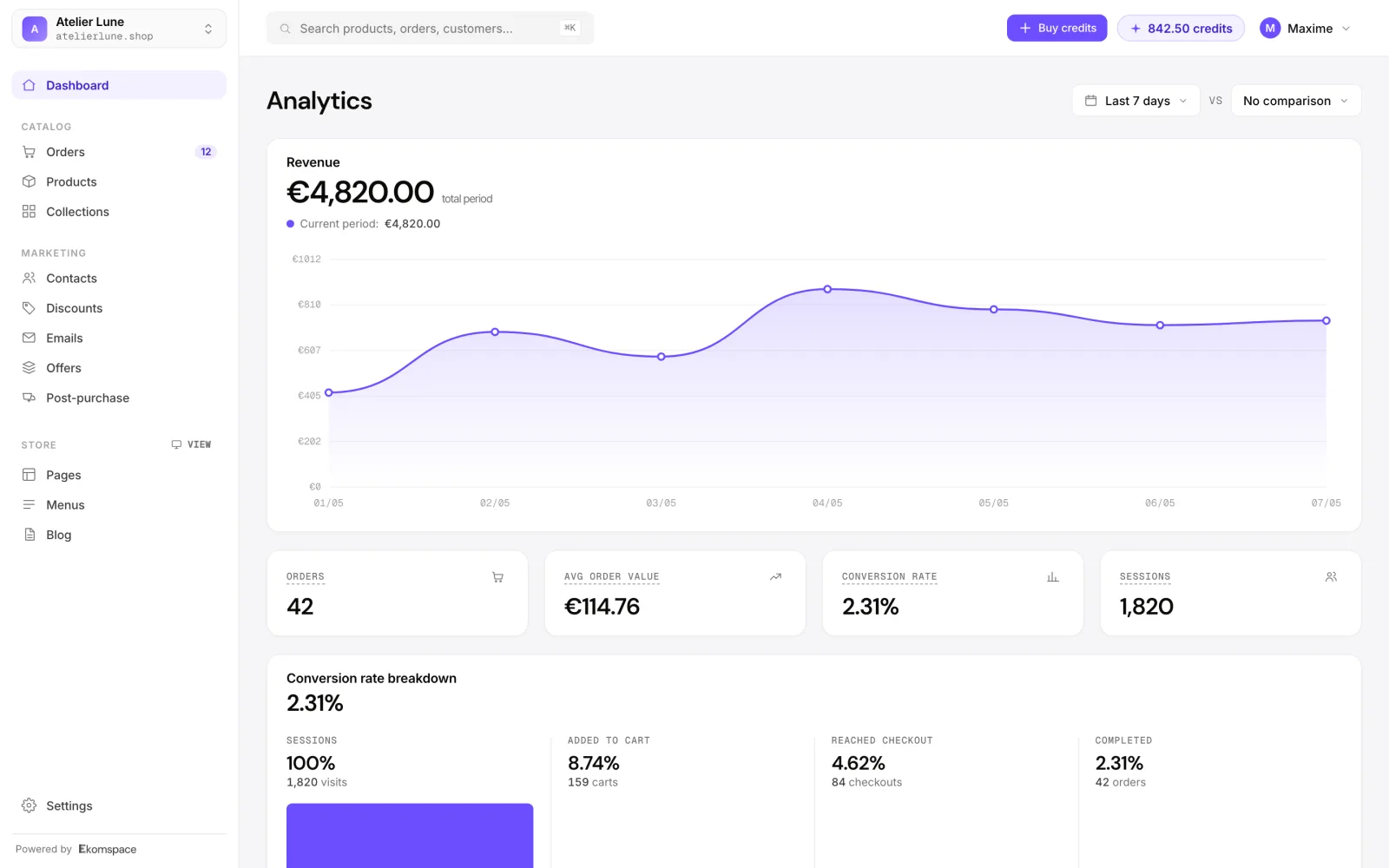
Revenue, AOV, conversion rate, sessions and sales funnel on one dashboard, with period comparison.
Learn more →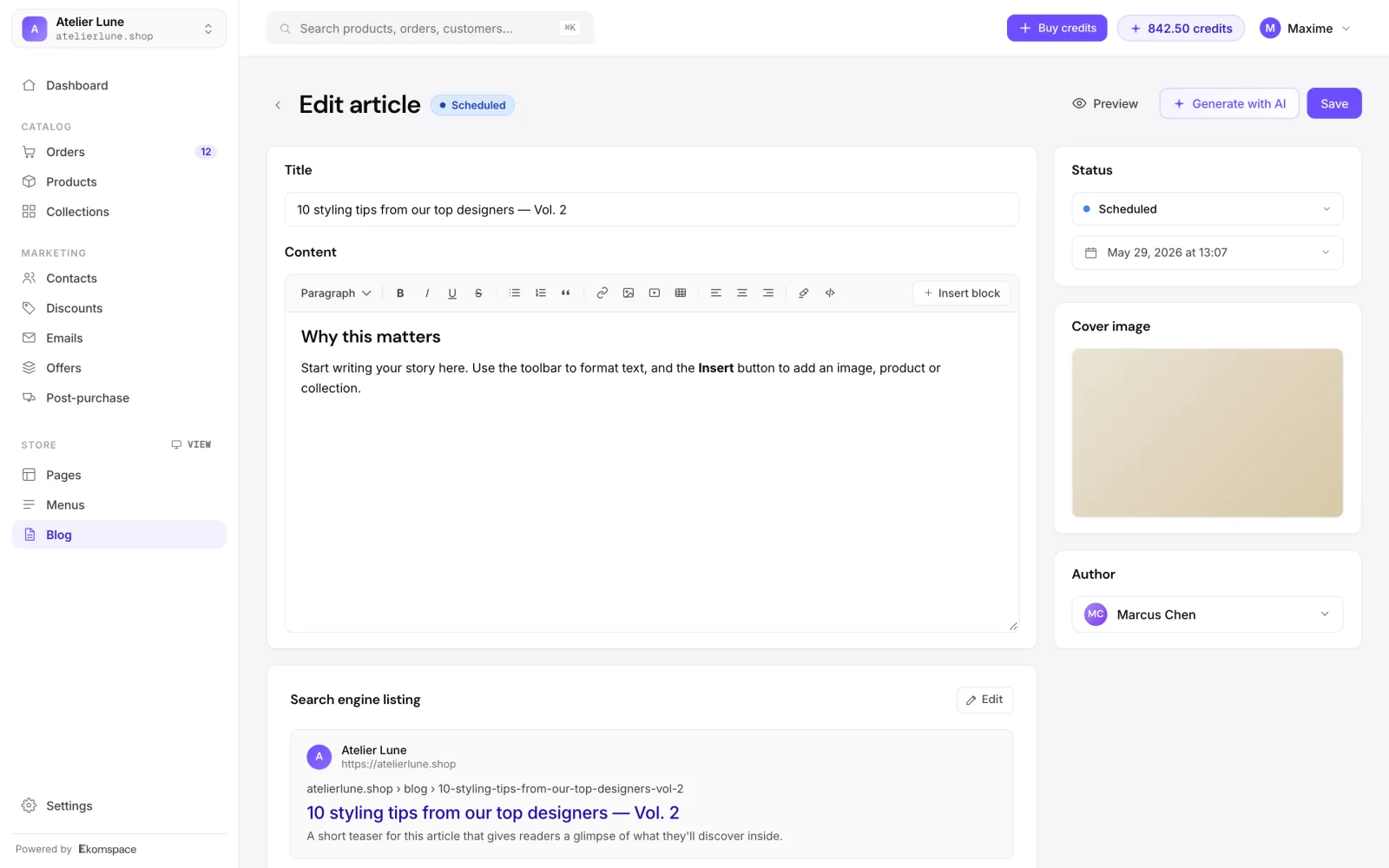
SEO & blog
Native SEO with live Google preview, sitemap, Search Console connection and an AI blog autopilot.
Learn more →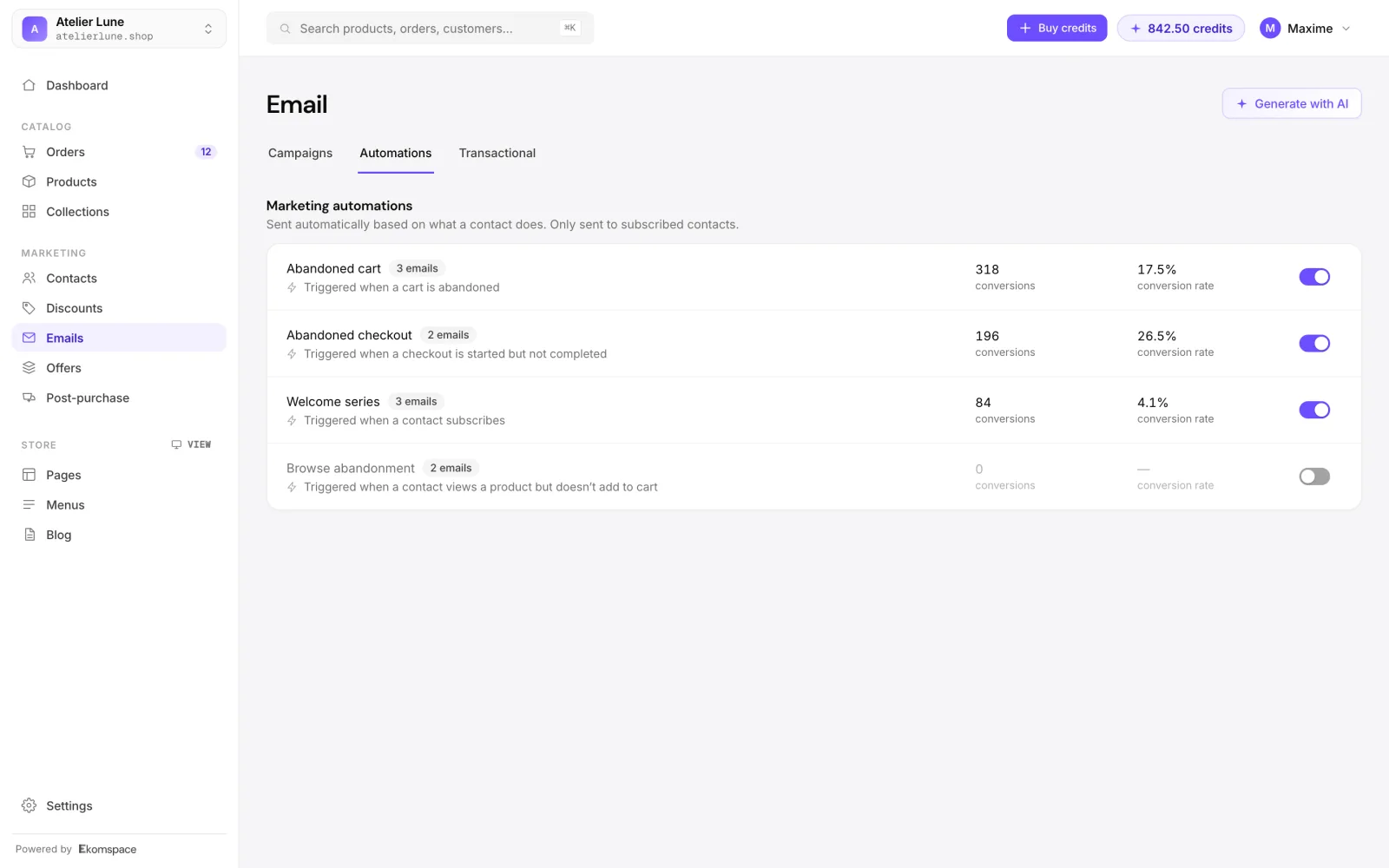
Email marketing
Campaigns, abandoned cart and welcome automations, built into your store with unlimited sending.
Learn more →Give your ads the data they need
- Automatic Google Ads conversion tracking
- Meta Pixel and Conversions API, TikTok
- GA4, Search Console and Merchant Center
- Order source visible on every sale