
Turn visitors
into subscribers.
Most visitors leave without buying. Ekomspace popups catch their email at the right moment, with an offer they want, and hand every new contact to your email marketing.
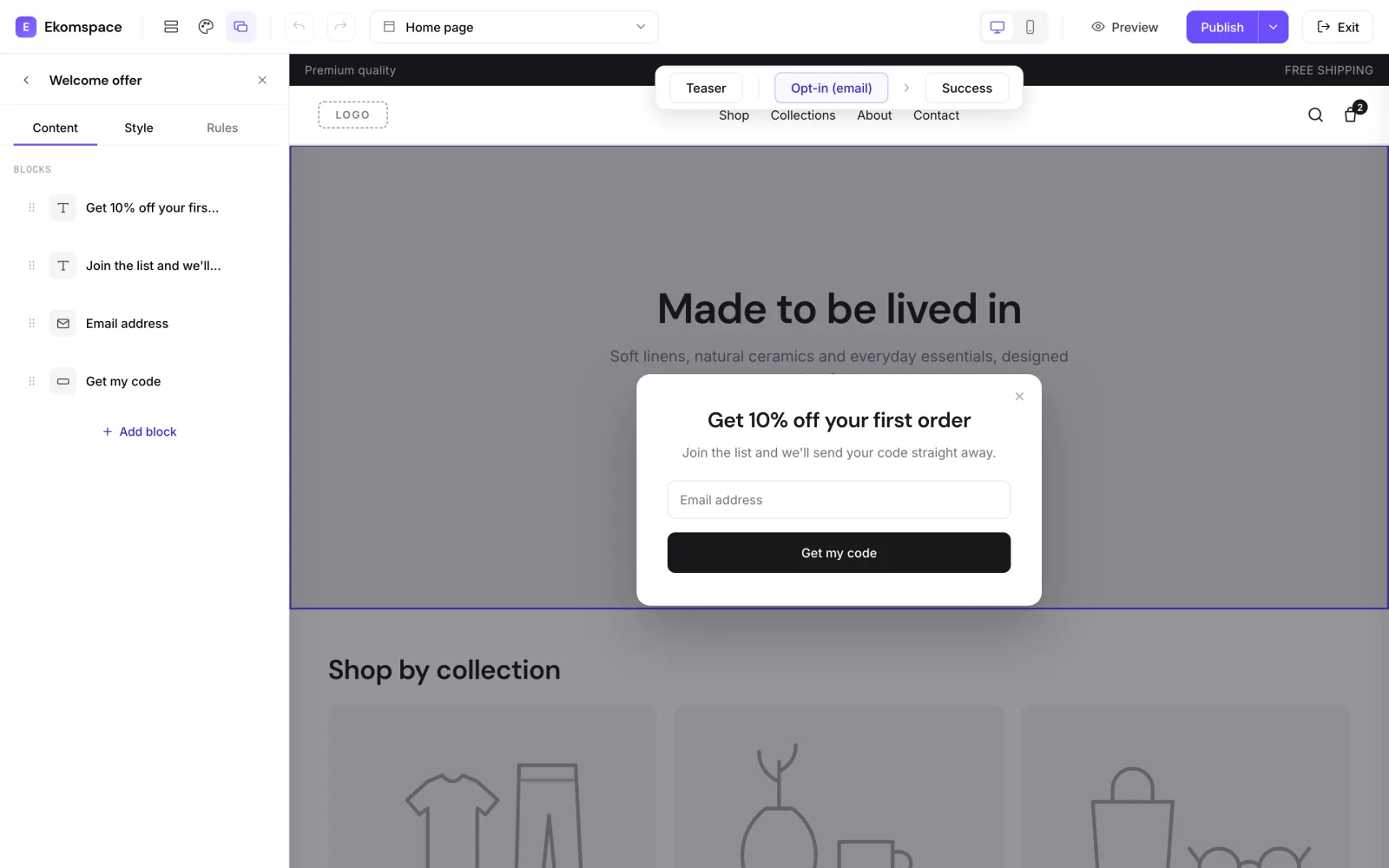
Fully customisable
Popups are created in the page builder, with the same blocks and styles as your store. Content, style and display rules are yours to shape. No extra app, no script to paste.
Shown at the right moment
Exit intent, a delay, a scroll depth or a number of pages viewed: you decide when the popup appears, and on which pages.
Code on screen or by email
Show the discount code right after sign-up, send it in an automatic welcome series, or both. Every email collected also joins your contacts.
Everything you need to grow your email list
From the welcome offer to the display rules, each popup is set up in a few clicks from the Popup tool of the page builder.
A popup in three steps
Each popup follows a simple path: a teaser to catch attention, the opt-in form to collect the email, and a success message once the visitor has signed up. Every step is fully customisable, directly on a preview of your store.
- Teaser, Opt-in (email) and Success steps
- Content blocks: title, text, email field and button
- Add, remove and reorder blocks as you like
- Style tab to match your brand's fonts and colours
- Desktop and mobile preview before you publish
Display rules that respect your visitors
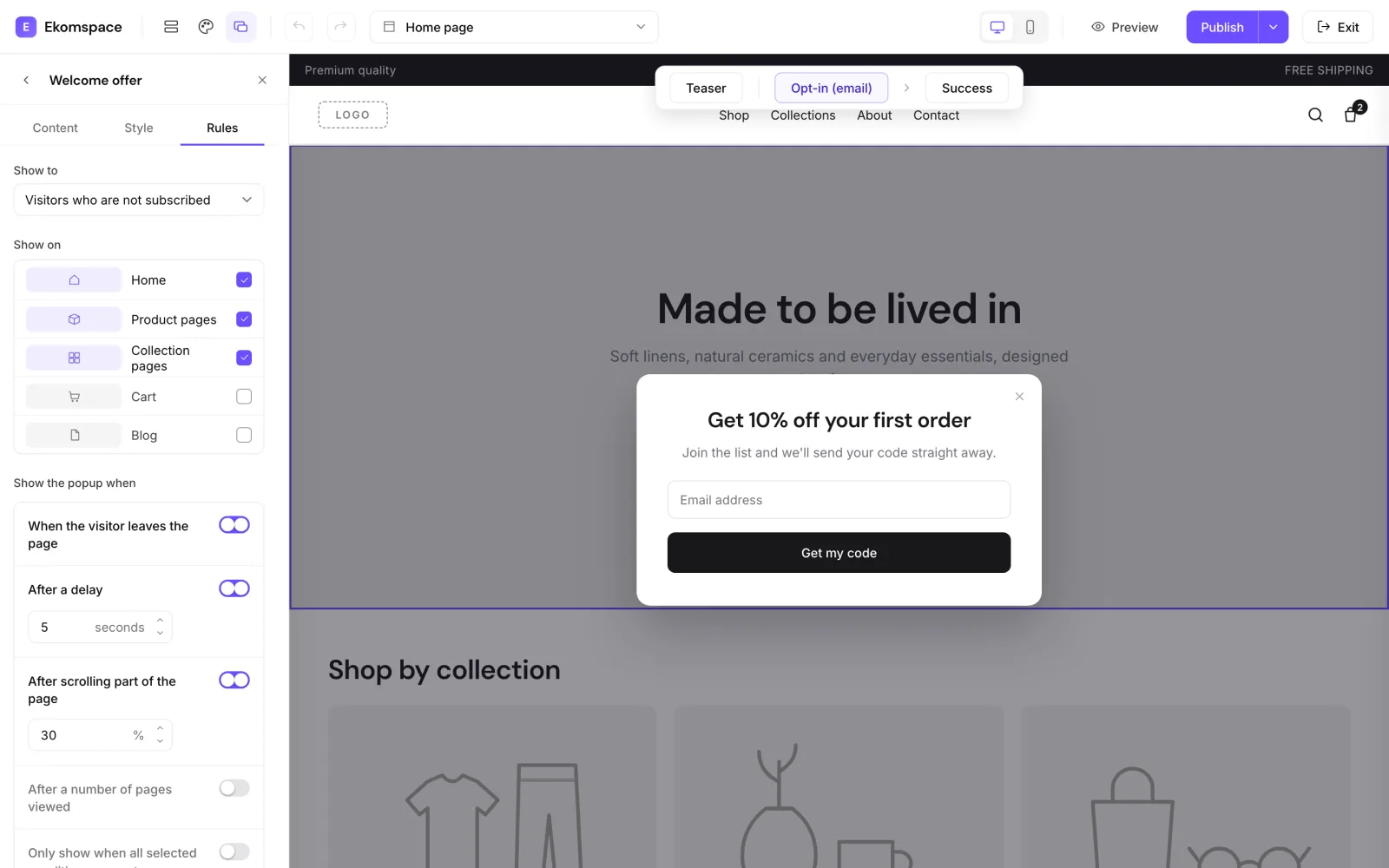
Choose who sees the popup, where and when. Show it only to people who haven't subscribed yet, on the pages where it makes sense, and at the moment they're most likely to say yes.
- Show to visitors who are not subscribed
- Show on home, product, collection, cart or blog pages
- Exit intent: when the visitor is about to leave the page
- After a delay in seconds, after scrolling a share of the page, or after a number of pages viewed
- Combine conditions and show only when all of them are met
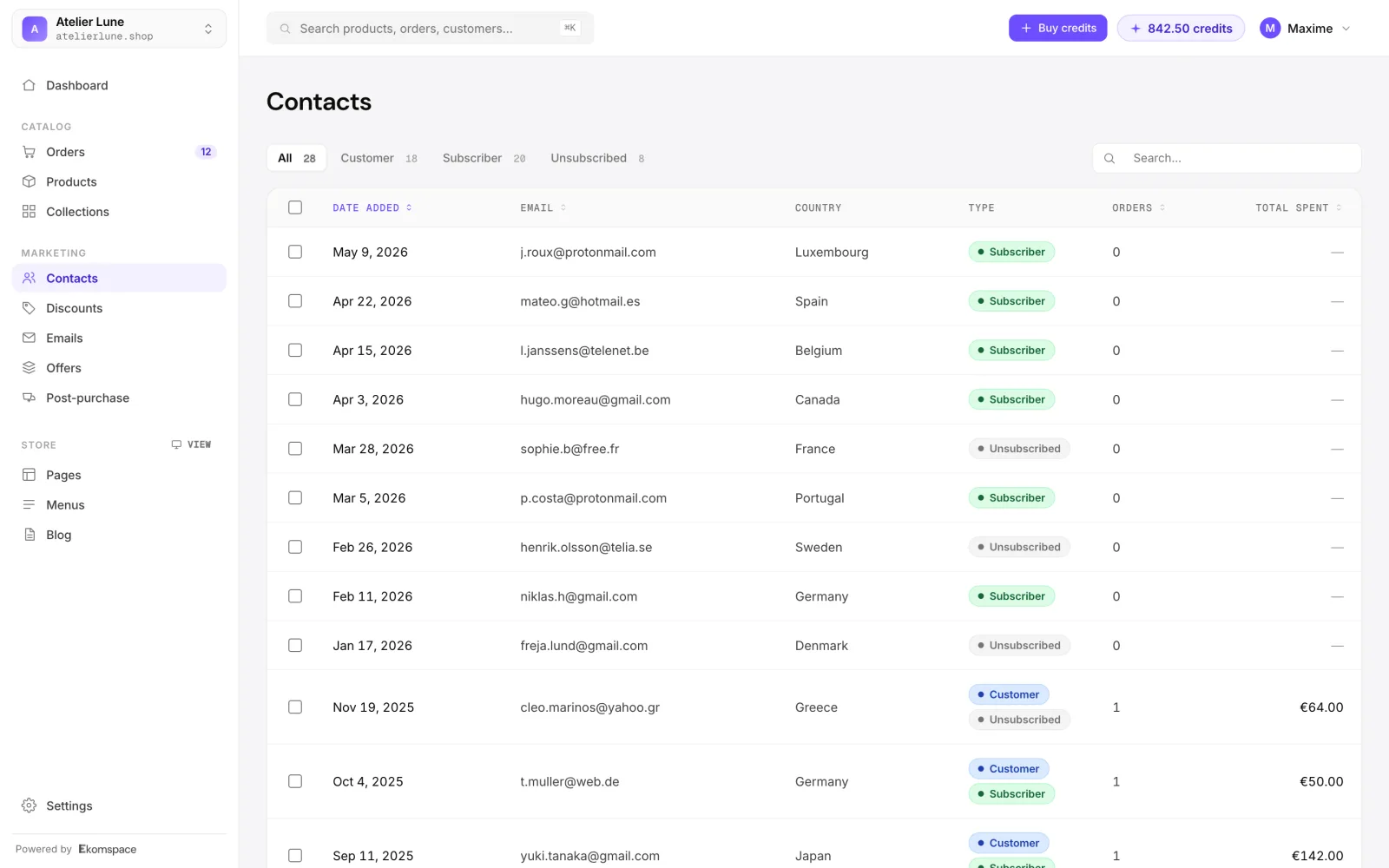
From sign-up to first order
You choose how the offer reaches your new subscriber. Show the discount code on the Success step, right after sign-up, and/or send a welcome series with an automation set up in Emails > Automations: when an email is captured, the series goes out on its own.
- Discount code shown on the Success step, right after sign-up
- Welcome series sent automatically when an email is captured
- Automation set up in a few clicks in Emails > Automations
- New sign-ups added to your contacts as subscribers
- Filter contacts by customer, subscriber or unsubscribed
Live in three steps
Create your popup
Open the Popup tool in the page builder, write your offer and adjust the style to your brand.
Set the rules
Choose the audience, the pages and the trigger: exit intent, delay, scroll or pages viewed.
Turn it on
Switch the popup on and publish. New emails flow into your contacts, and your welcome automation takes it from there.
Frequently asked questions
Do I need an app to add a popup to my store?
No. Popups are built into Ekomspace and created in the page builder. There is nothing to install and no code to paste.
Can I create an exit intent popup?
Yes. In the Rules tab, turn on "When the visitor leaves the page" and the popup appears when the visitor is about to leave. You can also trigger it after a delay, a scroll depth or a number of pages viewed.
Can I offer a discount code in exchange for an email?
Yes, and you choose how it is delivered. Create the code in Discounts, then show it on the Success step right after sign-up, send it in a welcome series triggered when an email is captured (set up in Emails > Automations), or do both.
Where do the collected emails go?
They are added to your Ekomspace contacts as subscribers. You can then reach them with your welcome series, automations and campaigns, without any export.
Can I have several popups at the same time?
Yes. You can create several popups, each with its own content and rules, and turn each one on or off whenever you like.
Will my popup annoy customers who already subscribed?
Not if you don't want it to. Set "Show to" to visitors who are not subscribed, and choose exactly which pages it appears on.
Explore more features
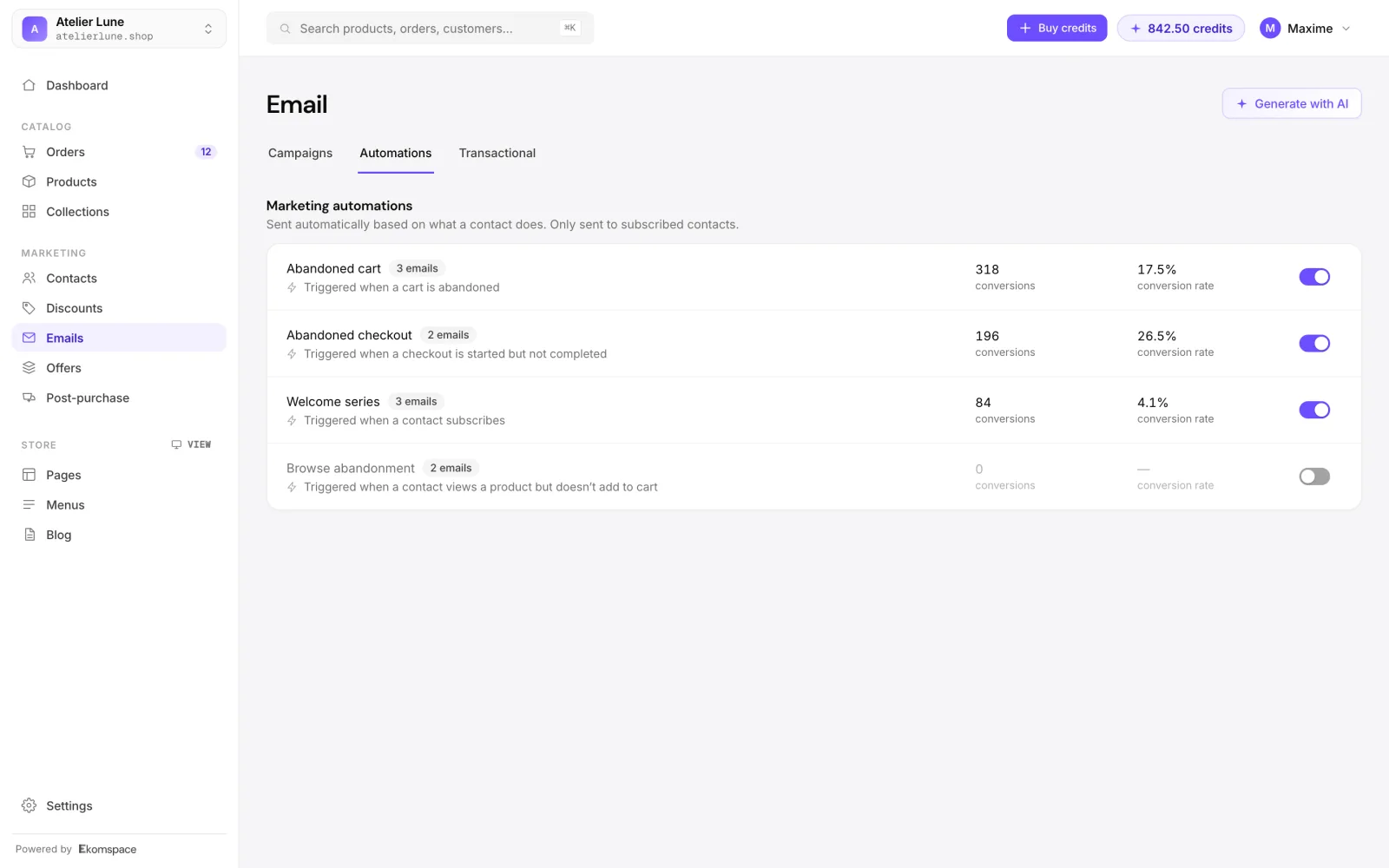
Email marketing
Campaigns, abandoned cart and welcome automations, built into your store with unlimited sending.
Learn more →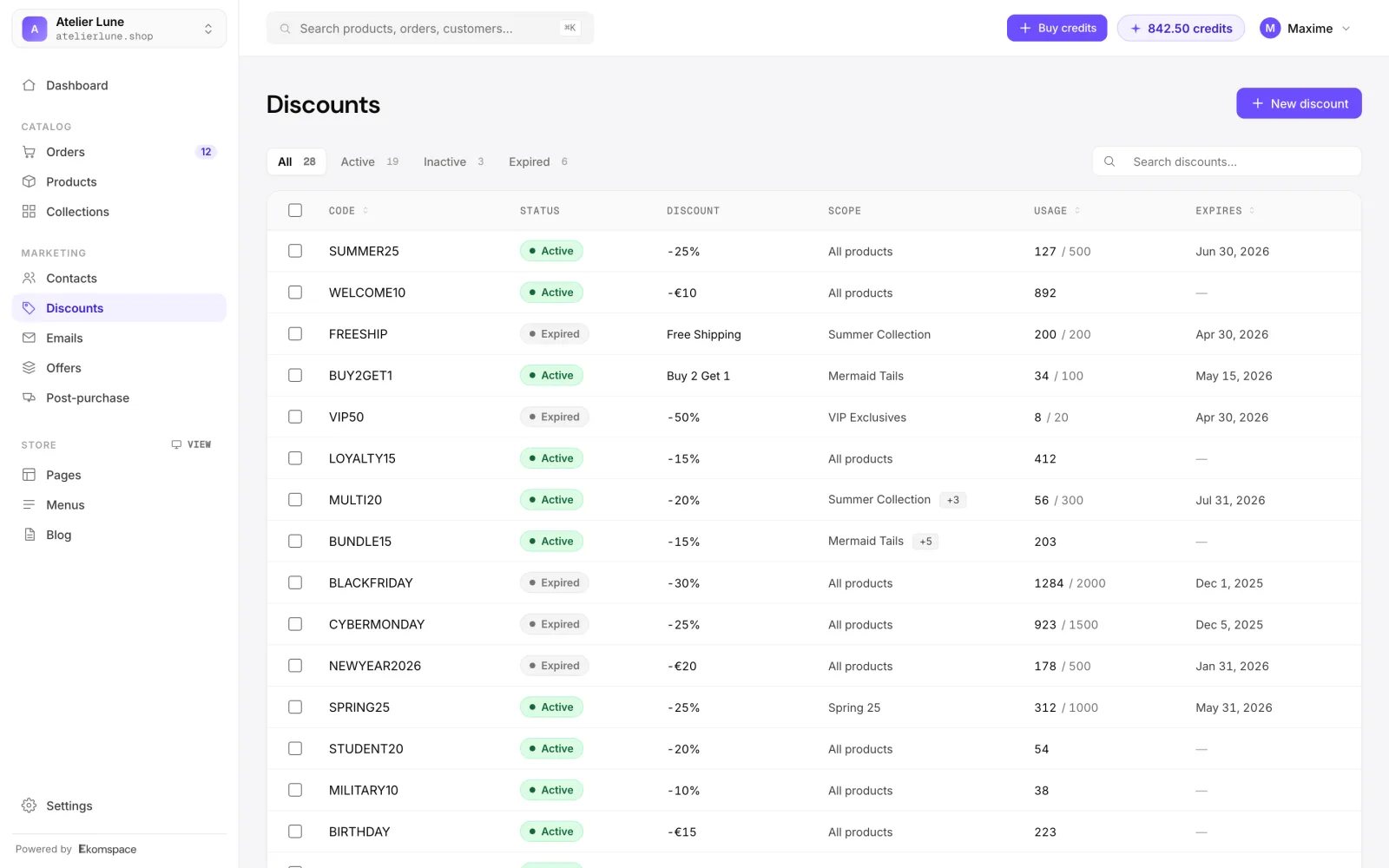
Discount codes
Percentage, fixed amount, free shipping and Buy X get Y codes, with conditions, dates, limits and usage stats.
Learn more → Customer management
Customers and subscribers in one CRM, with order history, total spent, consent and activity timeline.
Learn more →Start growing your email list today
- Fully customisable popups, built in the page builder
- Exit intent, delay, scroll and page view triggers
- Page targeting and subscriber rules
- Emails added to your contacts automatically