
Order से
दरवाज़े तक।
हर order एक साफ़ list में आता है — payment और fulfilment status के साथ। उसे खोलें, packing slip print करें, सही warehouse से fulfil करें और shipping rates checkout पर खुद-ब-खुद calculate हो जाएँ।
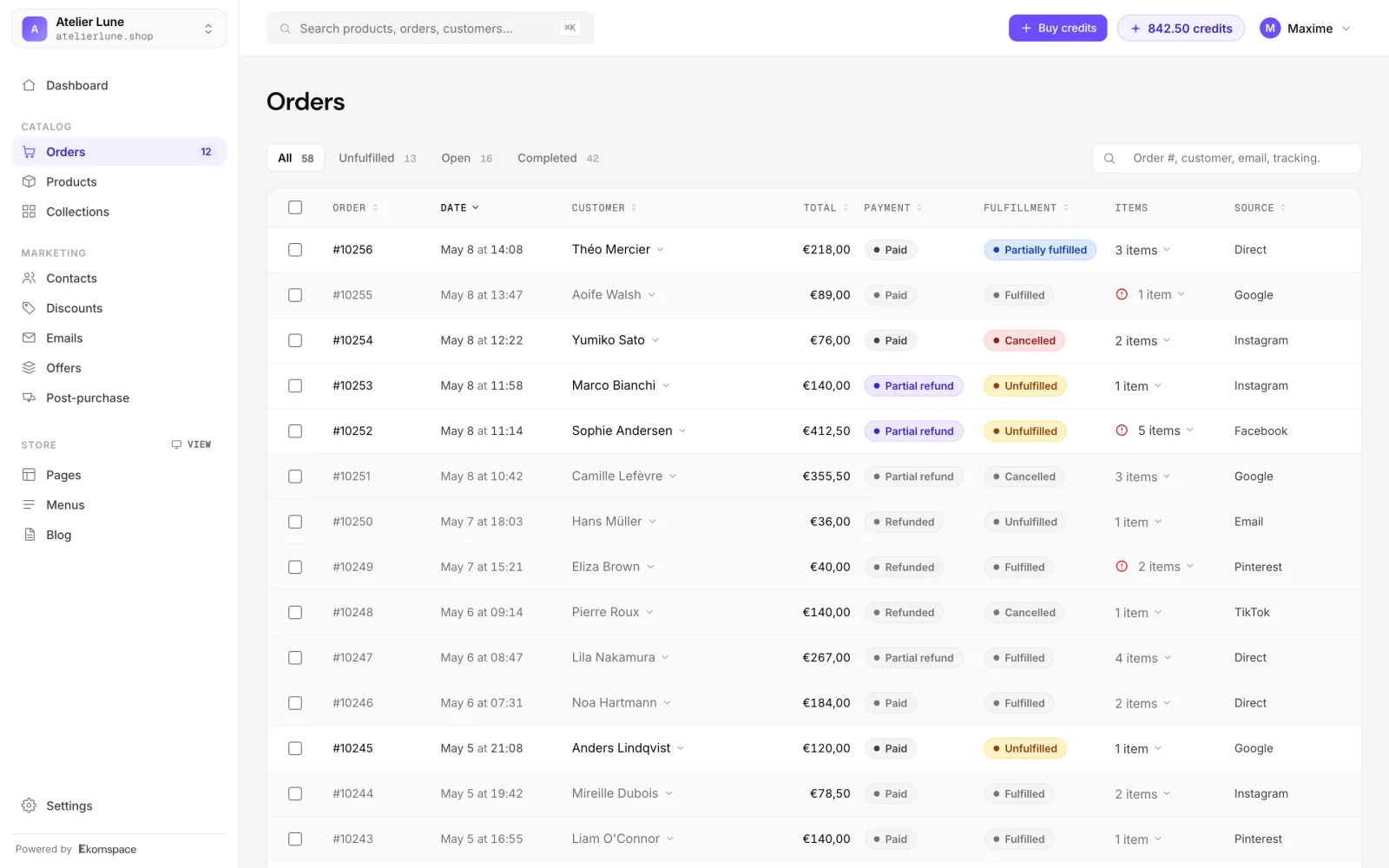
हर order, बिल्कुल साफ़
हर order का payment, fulfilment और source सामने दिखता है — tabs से एक नज़र में पता चलता है कि क्या ship होना बाकी है।
सही जगह से fulfil करें
कई warehouses में रखे items वाला order location के हिसाब से बँट जाता है — हर हिस्सा वहीं से ship होता है जहाँ stock है।
Shipping rates जो खुद calculate हों
एक बार zones और carriers set करें: destination, weight और dimensions के हिसाब से rates अपने आप निकल आते हैं।
Orders process और ship करने के लिए सब कुछ
Ekomspace रोज़ का काम आसान रखता है: एक list जो बताए क्या करना है, हर order के लिए एक screen जहाँ यह हो जाए, और shipping rules जो बिना आपके चलते रहें।
एक orders list जो बताए क्या करना है
अपने सभी orders उनकी date, customer, total, payment status और fulfilment status के साथ देखें। Tabs unfulfilled, open और completed orders को अलग रखते हैं, ताकि कुछ भी छूटे नहीं।
- Payment status: paid, partial refund, refunded
- Fulfilment status: unfulfilled, partially fulfilled, fulfilled, cancelled
- हर order का source: Instagram, Google, Facebook, Direct…
- Order number, customer, email या tracking से search करें
हर order का पूरा विवरण
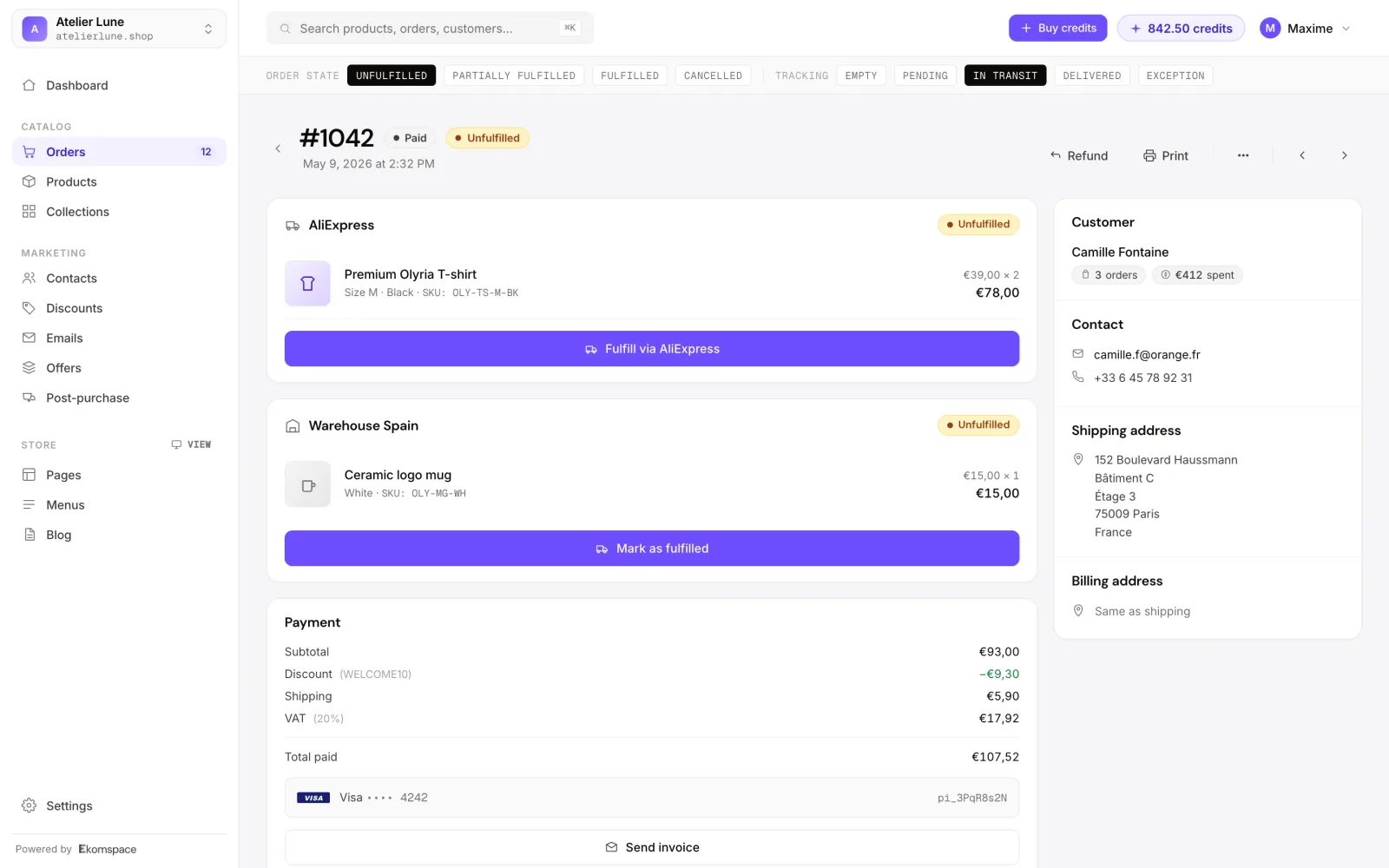
Order खोलें और items, customer, shipping address और payment summary देखें। Items warehouse के हिसाब से group होते हैं, और AliExpress के items एक click में आपकी AliExpress cart में चले जाते हैं — shipping address भरी हुई।
- Items warehouse के हिसाब से grouped, अलग-अलग fulfill
- Dropshipped items के लिए "Order on AliExpress", tracking वापस sync
- Customer के order count, total spent, contact और addresses
- Payment summary: subtotal, discount, shipping, VAT और total
- Refund, print और invoice भेजने के options
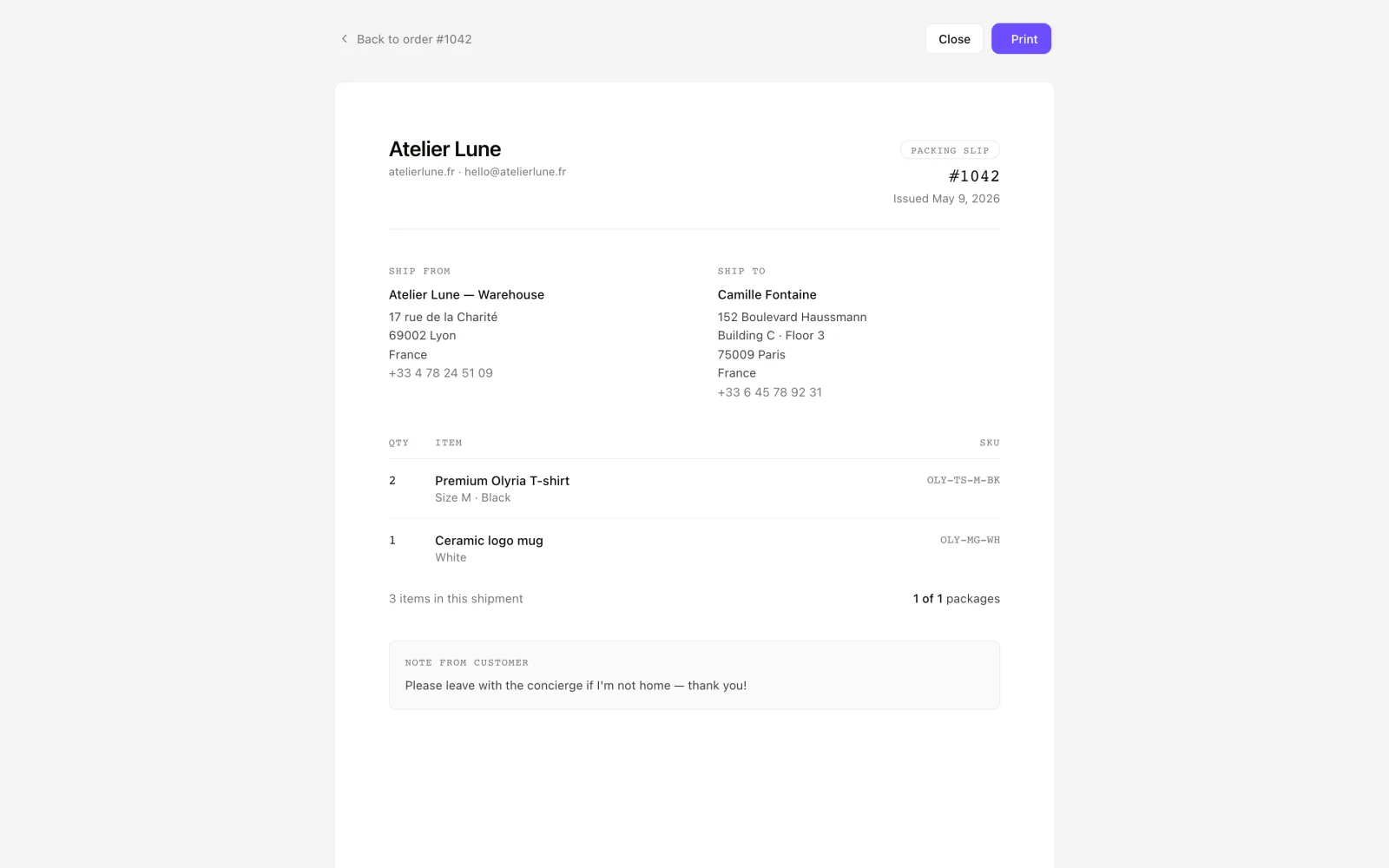
Print के लिए तैयार packing slips
हर order के लिए एक साफ़ packing slip बनाएँ — sender address, recipient, items और उनके SKUs के साथ। आपकी packing team को exactly पता रहता है कि box में क्या जाना है।
- Ship from और ship to addresses
- Quantity, item, variant और SKU
- Shipment में items और packages की संख्या
- Customer का note slip पर दिखता है
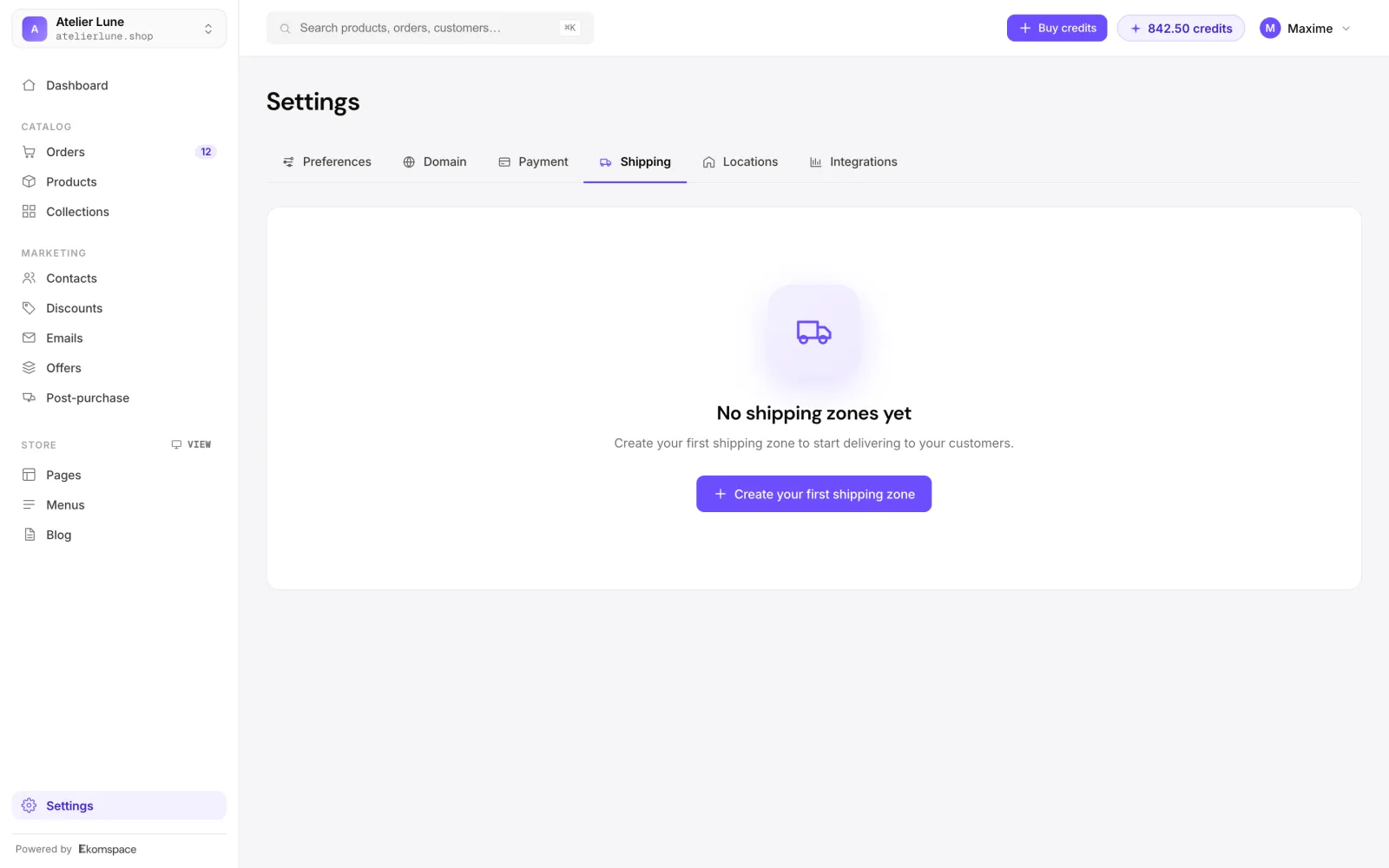
Shipping zones और automatic rates
जिन देशों में deliver करते हैं उनके लिए shipping zones बनाएँ, integrated carriers connect करें और Ekomspace को हर order के location, weight और dimensions के आधार पर rates calculate करने दें।
- जिन देशों में deliver करते हैं उनके लिए shipping zones
- Integrated carriers
- Location, weight और dimensions के हिसाब से automatic rates
- Ship करने के लिए कई warehouses और locations
तीन steps में Shipping set up करें
अपने shipping zones बनाएँ
जिन देशों में deliver करते हैं उन्हें चुनें और carriers connect करें।
Rates खुद calculate होने दें
Checkout पर destination, weight और dimensions से shipping costs अपने आप निकलते हैं।
अपने orders process करें
Packing slip print करें, हर order fulfil करें और mobile app पर नई sales की notification पाएँ।
अक्सर पूछे जाने वाले सवाल
क्या मैं अपने phone से orders manage कर सकता/सकती हूँ?
हाँ। Ekomspace mobile app से आप orders manage कर सकते हैं और हर sale पर notification पा सकते हैं।
Shipping rates कैसे calculate होती हैं?
आप shipping zones बनाते हैं, फिर rates delivery location, order के weight और dimensions से automatically calculate होती हैं।
क्या मैं कई warehouses से ship कर सकता/सकती हूँ?
हाँ। जब किसी order में अलग-अलग locations पर रखे items हों, तो वे warehouse के हिसाब से group होते हैं और हर group अलग से fulfill होता है।
AliExpress orders कैसे काम करते हैं?
AliExpress supplier से जुड़े items order में अपने अलग group में दिखते हैं। एक order के लिए या bulk में "Order on AliExpress" click करें — items आपकी AliExpress cart में customer की shipping details भरी हुई पहुँच जाते हैं। AliExpress पर payment करें, और tracking number आपके store में अपने आप sync हो जाता है।
क्या मैं packing slips print कर सकता/सकती हूँ?
हाँ। हर order में एक printable packing slip होती है जिसमें sender और recipient addresses, items, उनके SKUs और customer का कोई भी note होता है।
और फीचर्स एक्सप्लोर करें
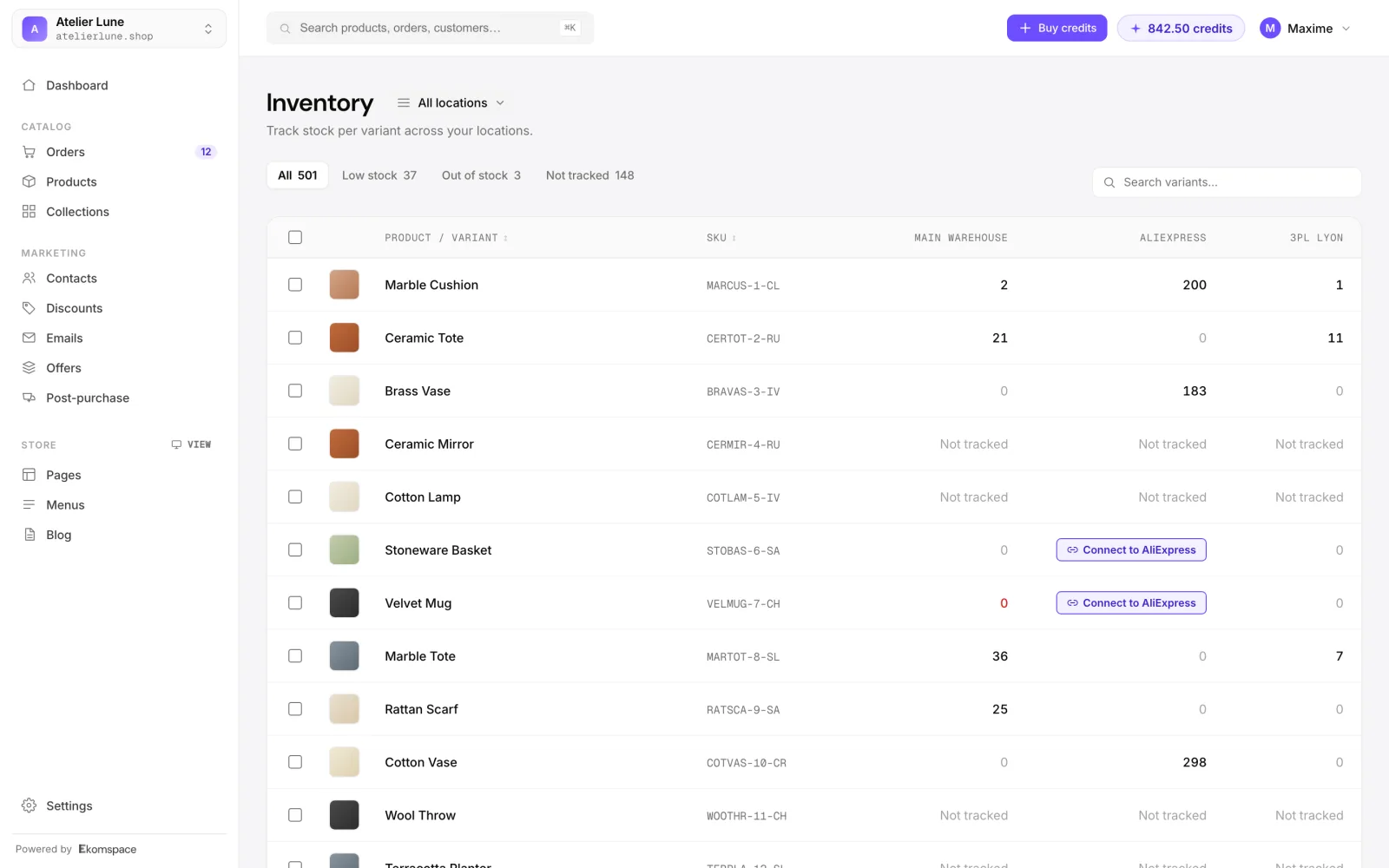
Products & Inventory
Products, variants, warehouse के हिसाब से stock, low-stock alerts, automated collections, size guides और import।
और जानें → AliExpress dropshipping
एक click में AliExpress पर order करें, एक या bulk में, addresses भरे हुए और tracking sync। Built-in, कोई extra app नहीं।
और जानें →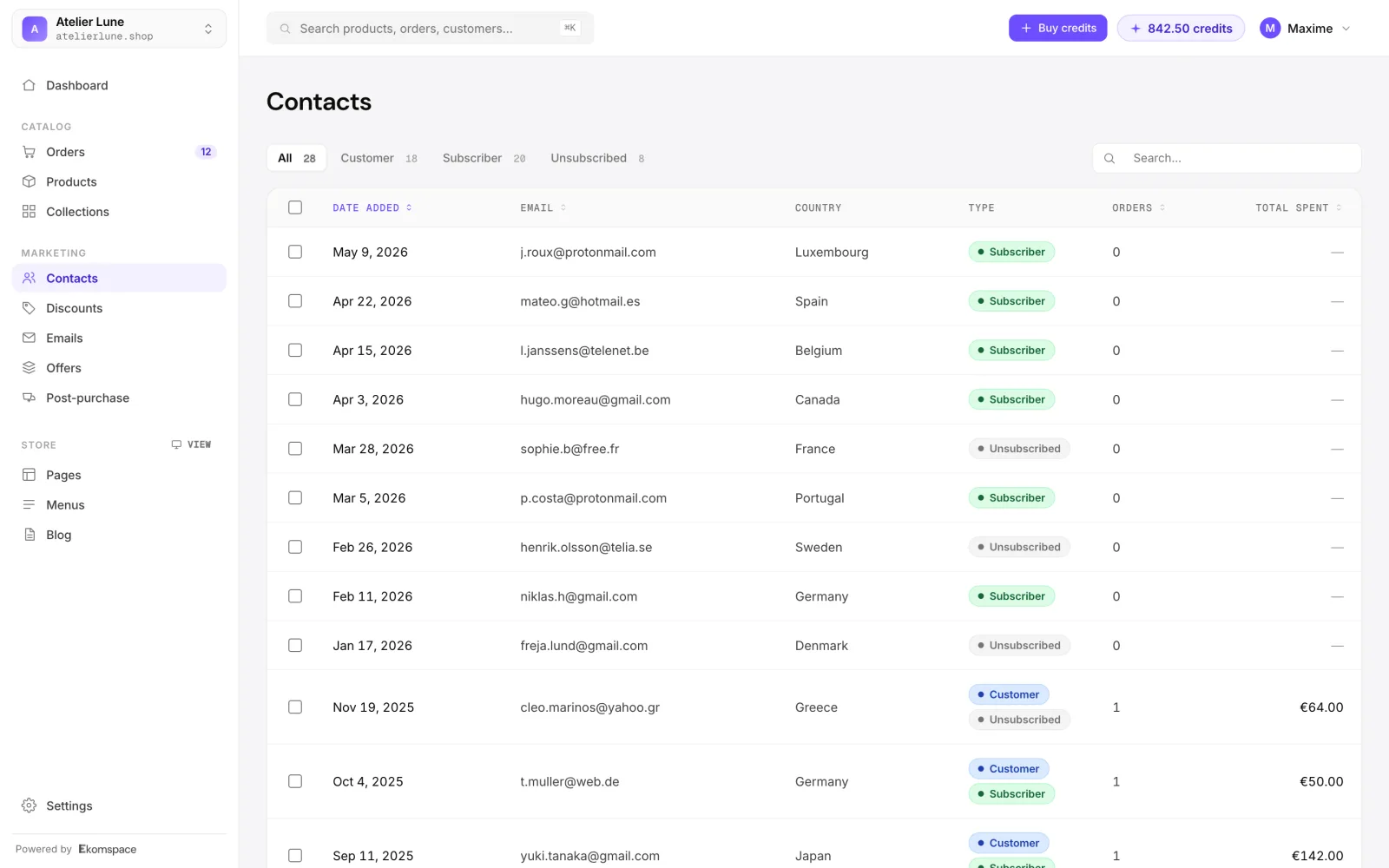
ग्राहक प्रबंधन
एक CRM में customers और subscribers, order history, कुल खर्च, consent और activity timeline के साथ।
और जानें →बिना झंझट orders ship करें
- Payment और fulfilment status के साथ साफ़ orders list
- Warehouse-wise fulfilment
- Printable packing slips
- Shipping zones और automatic rates