
आपका blog,
आप बेचते रहें, AI लिखता रहे।
Autopilot चालू करें, तय करें कितने articles चाहिए और कब live हों। AI उन्हें लिखकर आपके store के blog पर publish करता है — बिना आपका वक्त लिए, content बढ़ता रहता है।
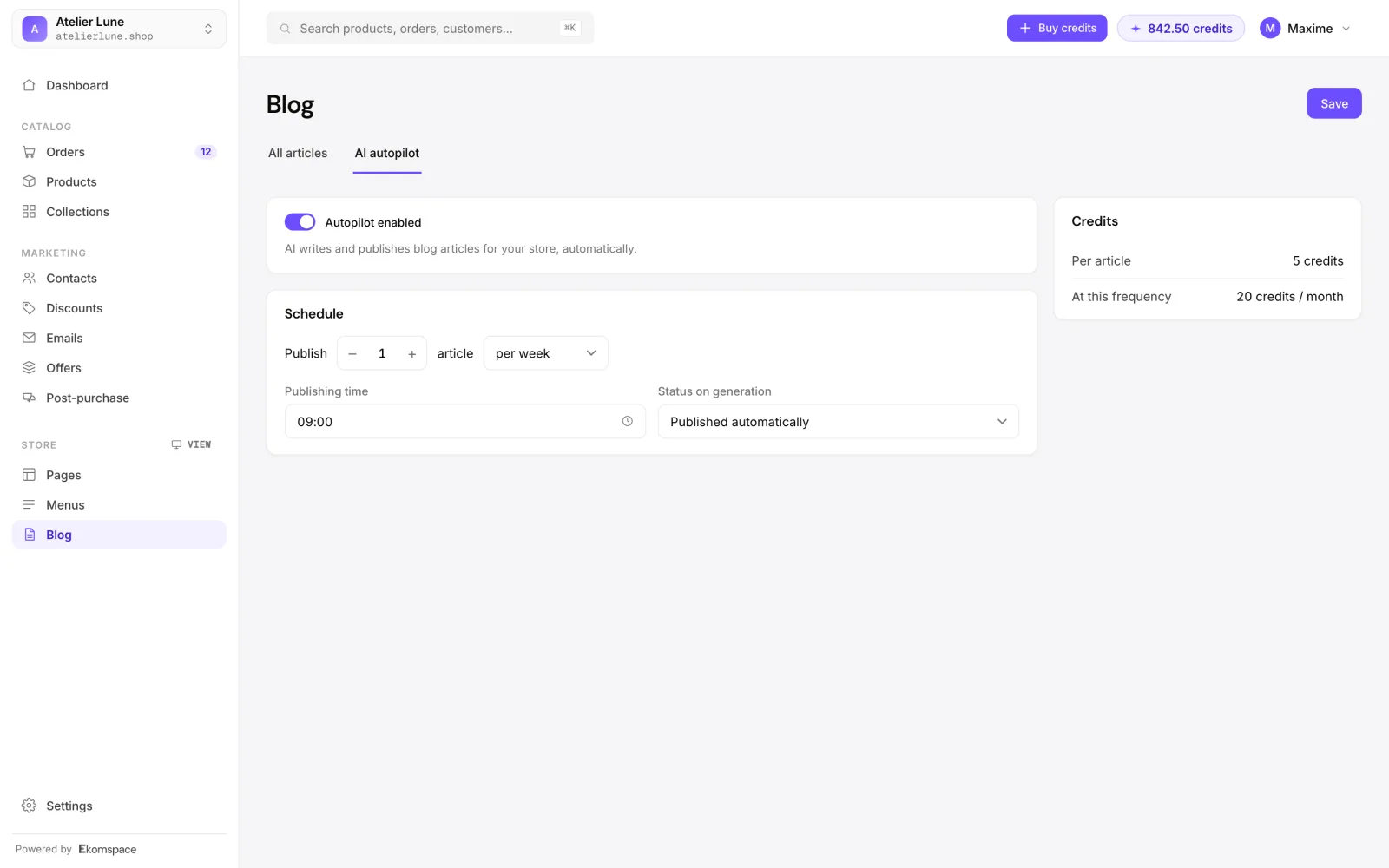
Autopilot पर एक SEO agent
AI आपके store के लिए articles automatically लिखता और publish करता है। एक बार pace set करें, वो चलता रहता है।
कंट्रोल आपके हाथ में
सीधे publish करें या हर नए article को draft में रखें — review, edit और approve करके ही live करें।
हर article की साफ कीमत
हर article में fixed credits लगते हैं — screen पर दिखते हैं, साथ में आपकी चुनी frequency का monthly total भी।
Store का blog चलाने के लिए सब कुछ
Autopilot, article editor और search tools — सब आपके dashboard के Blog section में। कोई plugin नहीं, कोई अलग CMS नहीं।
Pace आप तय करें, writing AI करे
AI autopilot tab खोलें, frequency और publishing time चुनें, और save करें। नए articles खुद-ब-खुद लिखकर आपके blog में आते रहते हैं।
- हफ्ते या महीने में कितने articles publish करने हैं, चुनें
- दिन का वो वक्त चुनें जब articles live हों
- Automatically publish करें या नए articles को drafts में save करें
- 5 credits प्रति article, monthly total आपके लिए calculate होता है
- Autopilot कभी भी on या off करें
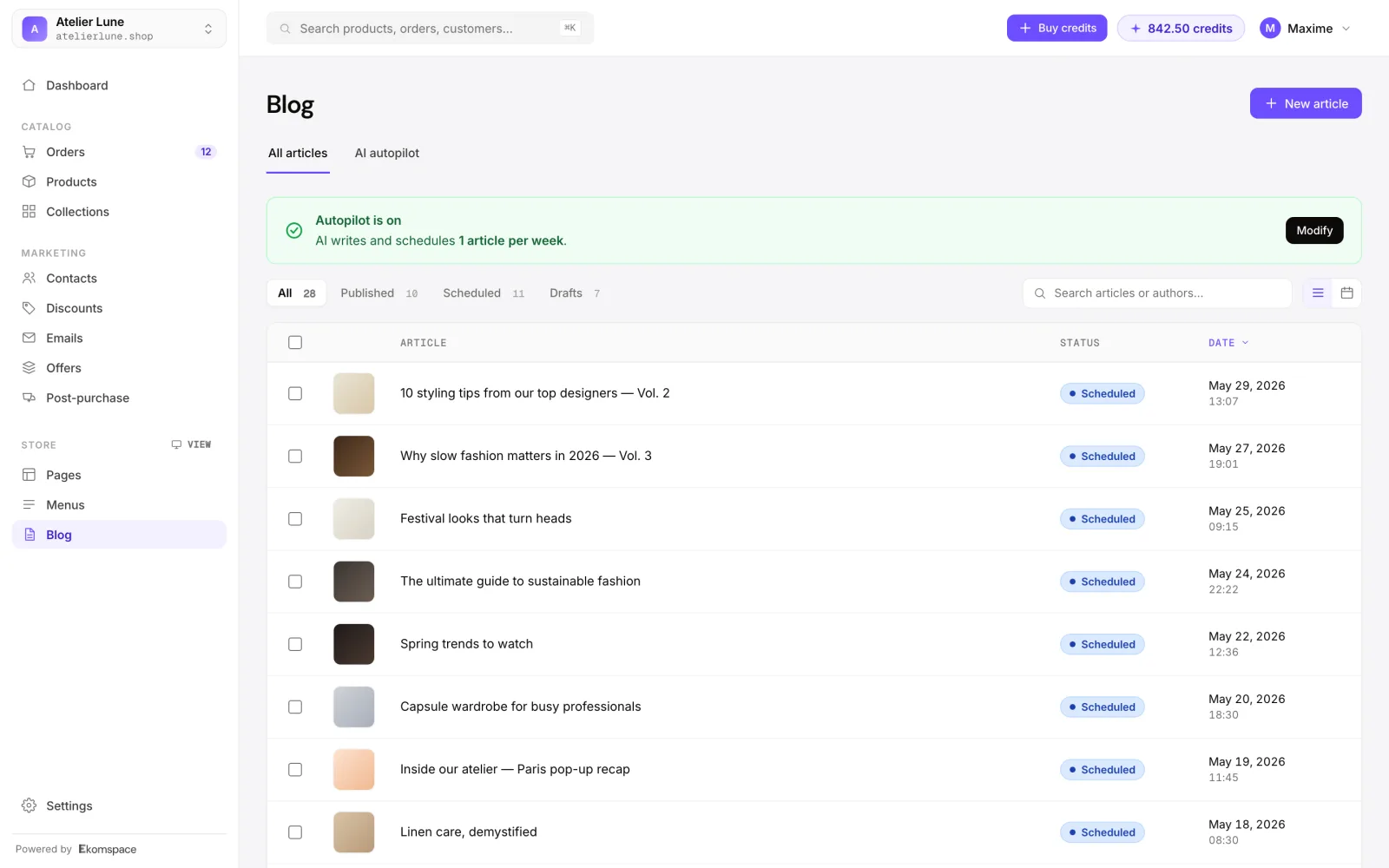
सारे articles एक जगह
AI के लिखे और आपके खुद के articles एक साथ दिखते हैं। Status से filter करें, title या author से search करें, और देखें आगे क्या आने वाला है।
- Published, scheduled और draft articles अलग-अलग tabs में
- एक banner याद दिलाता है कि autopilot on है और किस pace पर
- एक ही field में articles या authors search करें
- Publishing plan का list और calendar view
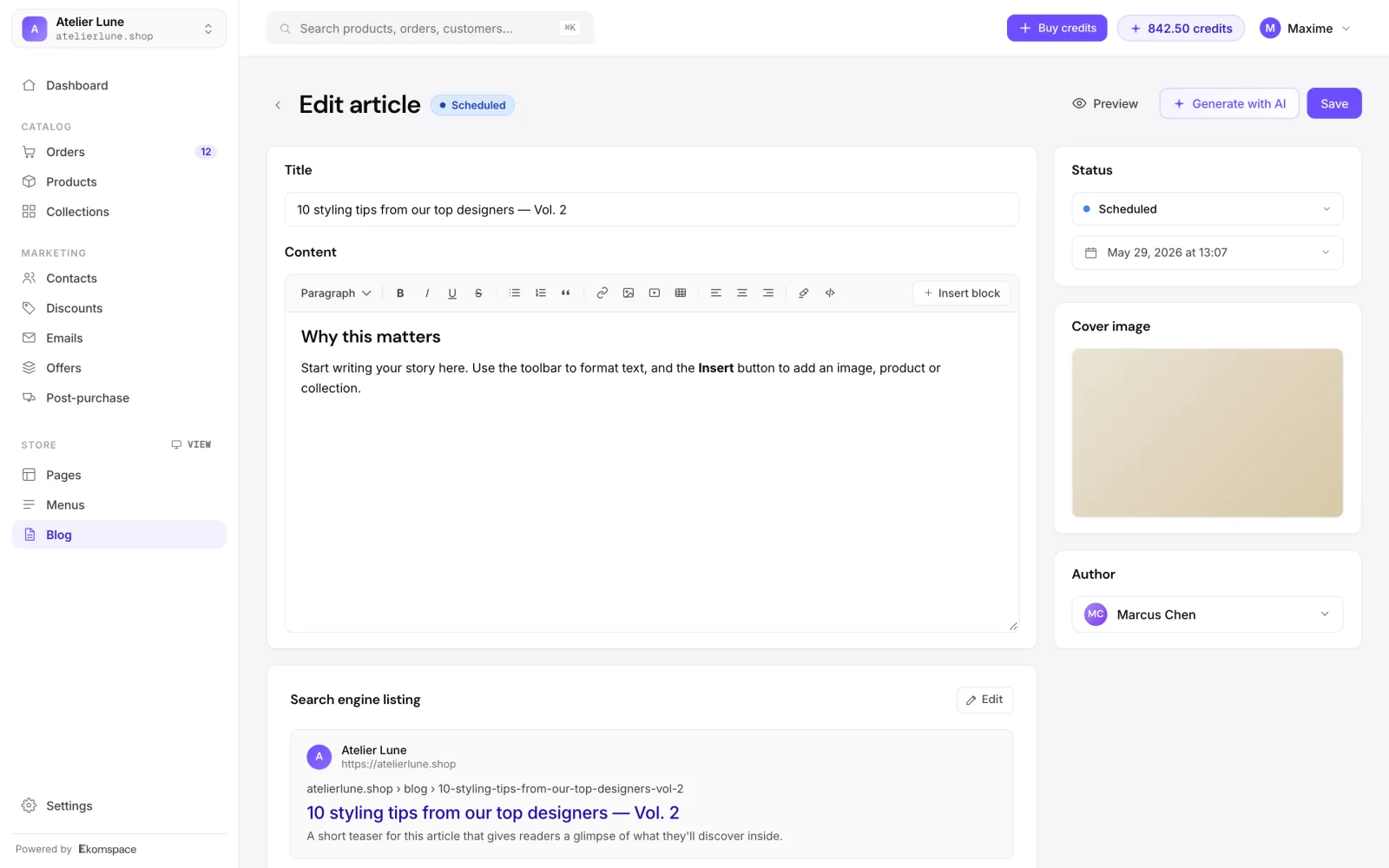
SEO के साथ built-in editor
कोई भी article खोलें — text ठीक करें, cover image या author बदलें, और Google में कैसा दिखेगा यह adjust करें। नया draft शुरू से चाहिए? Generate with AI इस्तेमाल करें।
- Images, videos, tables और blocks के साथ rich text editor
- Articles के अंदर products और collections insert करें
- Title, description और URL preview के साथ search engine listing
- हर article के लिए status, scheduled date, cover image और author
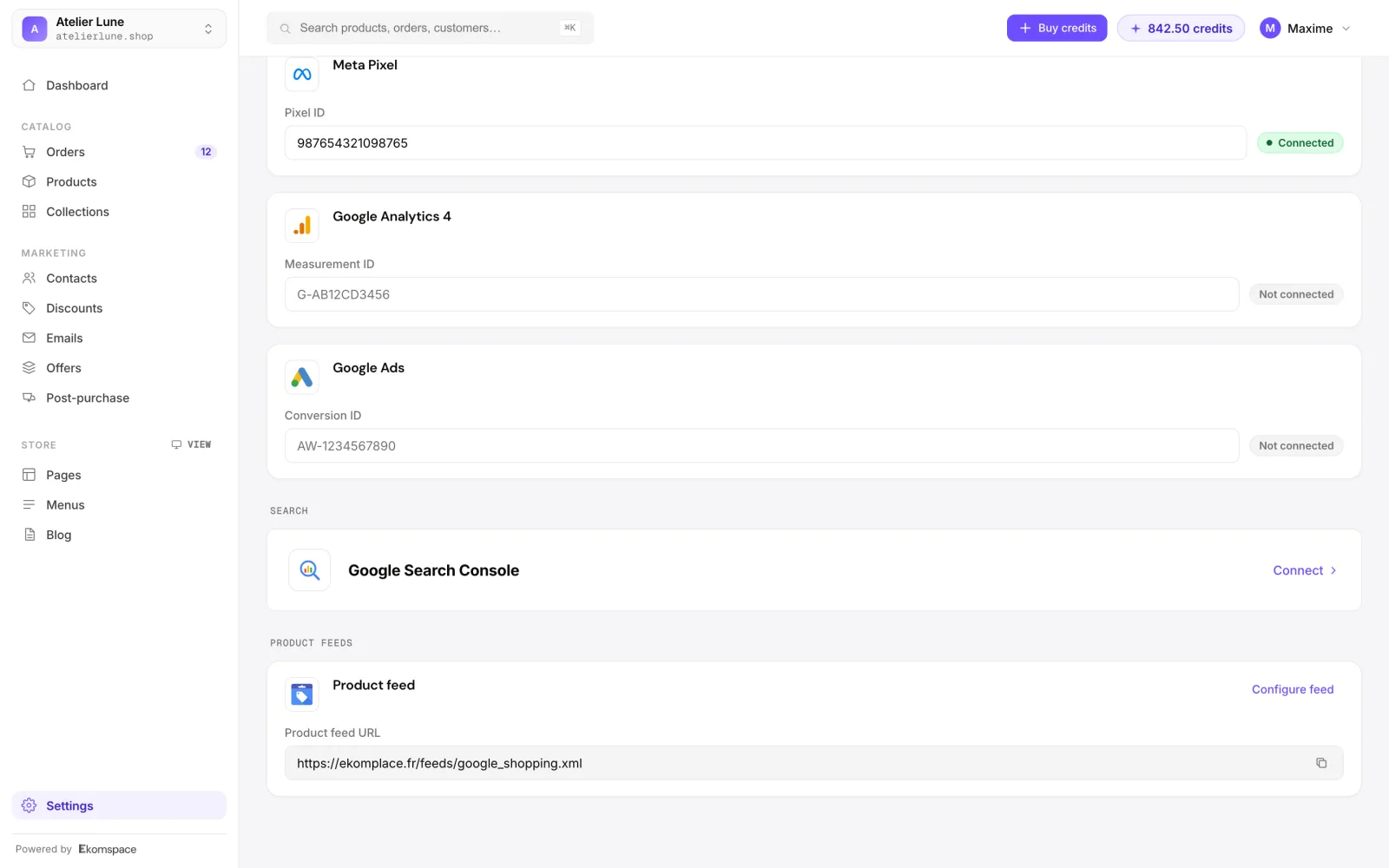
आपके real Google data से guided
Settings से Google Search Console connect करें। Ekomspace आपका sitemap submit करता है, और सबसे खास — SEO agent को आपका real ranking data मिलता है: queries, pages और positions जिनसे वो तय करता है क्या लिखना है और कौन से articles improve करने हैं।
- चंद clicks में Google Search Console connect करें
- आपके store का sitemap Google को submit किया गया
- Agent topics और improve करने का content चुनने के लिए queries, pages और positions इस्तेमाल करता है
- Meta Pixel, GA4 और Google Ads एक ही screen पर manage होते हैं
तीन steps में blog autopilot पर
Autopilot चालू करें
Blog खोलें, AI autopilot tab पर जाएं और switch on करें।
अपना schedule चुनें
कितने articles चाहिए, publishing time, और सीधे live होंगे या drafts में रहेंगे — यह set करें।
Connect करें और सुधारें
Search Console connect करें ताकि agent आपके ranking data से काम करे, और articles जब चाहें review या edit करें।
अक्सर पूछे जाने वाले सवाल
Blog autopilot क्या करता है?
यह आपके store के लिए एक SEO agent की तरह काम करता है: AI blog articles लिखता है और उन्हें आपके Ekomspace blog पर automatically publish करता है — आपकी set की हुई frequency और publishing time के हिसाब से।
क्या articles publish होने से पहले check कर सकते हैं?
हां। Generation का status draft रखें: हर नया article आपके Drafts tab में तब तक रुकेगा जब तक आप उसे review, edit करके खुद publish न करें।
एक article की कीमत कितनी होती है?
हर AI article आपके balance से credits इस्तेमाल करता है: 5 credits प्रति article। Autopilot screen आपकी चुनी frequency का monthly total दिखाती है, और top bar से आप और credits खरीद सकते हैं।
क्या मेरे articles Google पर rank करेंगे?
कोई भी tool rankings की guarantee नहीं दे सकता। Autopilot आपको regularly publish करने में मदद करता है, हर article का अपना SEO title, description और URL होता है, और Search Console connect होने पर agent आपके real ranking data से तय करता है क्या लिखना है और कौन सा content improve करना है।
क्या खुद भी articles लिख सकते हैं?
बिल्कुल। Blog एक पूरा editor है: अपने articles लिखें, schedule करें, या किसी एक article पर Generate with AI इस्तेमाल करें। AI और manual articles एक ही list में दिखते हैं।
क्या autopilot बंद कर सकते हैं?
हां, AI autopilot tab से कभी भी बंद करें। जो articles already publish हो चुके हैं, वो आपके blog पर रहेंगे।
और फीचर्स एक्सप्लोर करें
SEO & blog
Live Google preview, sitemap, Search Console connection और AI blog autopilot के साथ native SEO।
और जानें →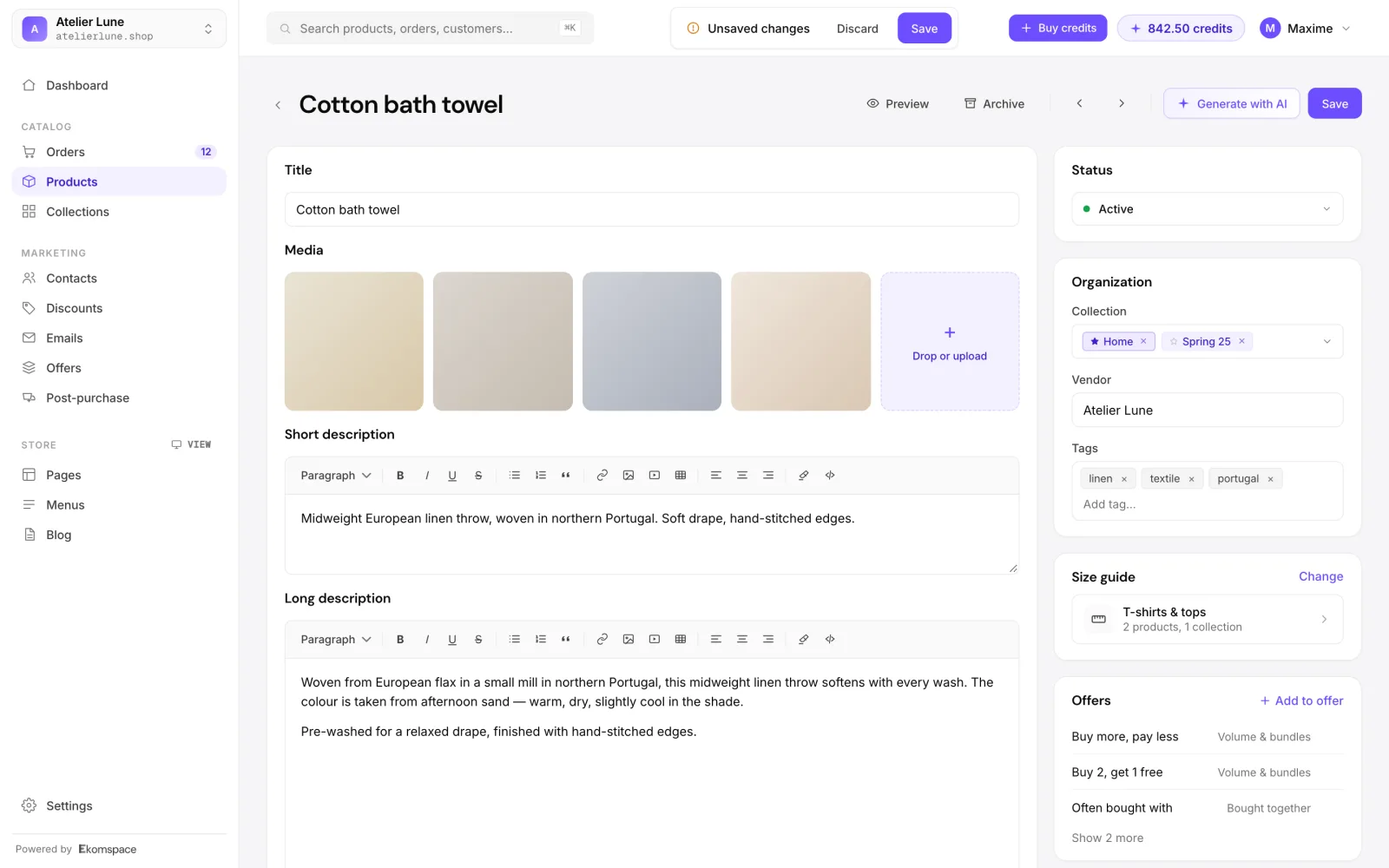
AI प्रोडक्ट डिस्क्रिप्शन
AI से प्रोडक्ट और collection डिस्क्रिप्शन बनाएं, सीधे अपने catalogue में — फिर जैसे चाहें एडिट करें।
और जानें →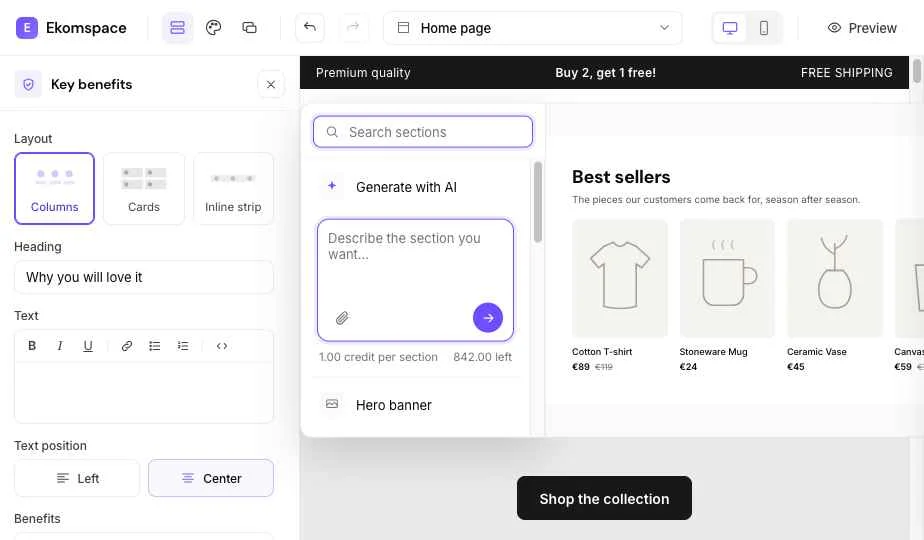
AI store builder
बताइए आपको क्या चाहिए: AI आपका पूरा store generate करता है — हर page, product photos, logo और store का नाम।
और जानें →बेचते रहें, blog खुद काम करे
- AI द्वारा लिखे और publish किए गए articles
- आपका schedule, आपका publishing time
- Live होने से पहले review के लिए drafts
- आपके Search Console data से guided